TL;DR A phishing message spoofed Instagram using a lowercase L in place of a capital I, a homoglyph that reads identically to the eye. The lookalike sending domain was purpose-registered and self-authenticated, passing SPF, DKIM, and DMARC outright. The call to action was wrapped through a legitimate Google notification redirect, masking a credential-style verification form on a second attacker domain. Four mailboxes at related corporate tenants were targeted. The case shows why authentication and reputation alone cannot catch mail that is signed correctly but engineered to deceive.
Severity: High Credential Harvesting Brand Impersonation Phishing MITRE: T1566 MITRE: T1566.002 MITRE: T1036.003
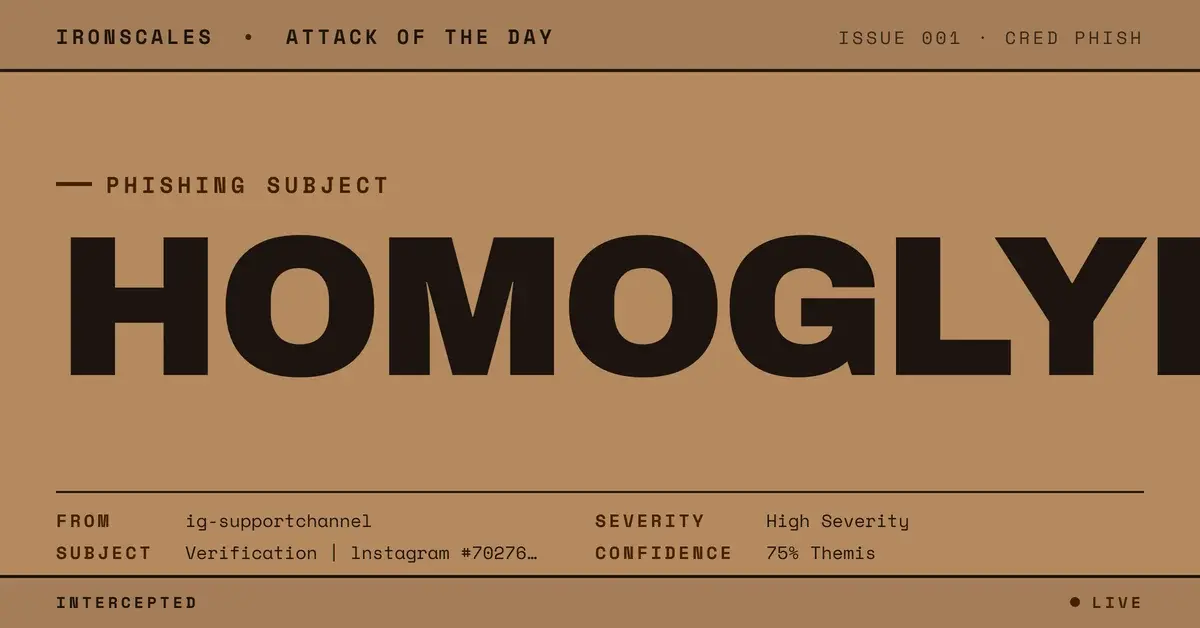
A single swapped letter carried this entire attack. The subject line read "Verification | lnstagram #70276525," and to a busy reader it looked like a standard Instagram security notice. But the first letter of "Instagram" was not a capital I. It was a lowercase L, a homoglyph substitution that renders almost identically in common sans-serif fonts. That one-character sleight of hand was only the surface. Underneath it sat two additional layers of borrowed trust, each engineered to make a credential-harvesting page feel like a legitimate platform notification.
The recipient was a mailbox at a marine engine manufacturer, one of four affected inboxes across related corporate tenants in what turned out to be a recurring campaign. IRONSCALES confirmed the message as malicious and captured a screenshot of the destination, a credential-style verification form. Here is how the attacker stacked the deck.
The Homoglyph That Started It
Brand impersonation usually depends on the victim not looking too closely, and this lure was built for exactly that. The lowercase L standing in for a capital I is one of the oldest tricks in the phishing playbook, but it remains effective because email clients rarely flag it and the human eye autocorrects familiar brand names. Pair the fake "lnstagram" wordmark with an official-looking verification code and a numeric reference, and the message reads as routine.
Nothing about the visual presentation asked the reader to slow down. That is the point. The homoglyph does not need to fool a machine. It only needs to survive the half-second a person spends deciding whether an email is worth opening.
When the Lookalike Signs Its Own Mail
Most guidance still tells defenders to trust authenticated mail. This campaign turned that assumption into an attack surface. The message was sent from ig-supportchannel[.]com, a purpose-registered lookalike domain hosted on an OVH virtual private server (VPS) at 51.77.201[.]37 in France. Because the attacker owned the domain outright, they published their own authentication records and passed every check.
SPF (Sender Policy Framework), which verifies that a server is authorized to send for a domain, returned a pass. DKIM (DomainKeys Identified Mail), which cryptographically signs the message, passed with a signature aligned to the sending domain. DMARC (Domain-based Message Authentication, Reporting and Conformance), which ties the two together against the visible From address, also passed, and composite authentication was clean.
None of that means the mail was safe. It means the attacker registered a domain and configured it correctly. Authentication proves a message was not spoofed in transit. It says nothing about whether the sender's intent is honest. A brand-new lookalike domain with perfect SPF, DKIM, and DMARC is not a contradiction. It is a signal.
Abusing Google's Notification Redirect
The second layer of borrowed trust lived in the link. Rather than pointing directly at the phishing form, the call to action was wrapped through notifications.googleapis[.]com/email/redirect, a legitimate Google application programming interface (API) endpoint. To a link scanner and to a cautious human hovering over the button, the destination reads as Google. The redirect then forwarded the victim to ig-supportcenter[.]com/form/47986275/, a credential-style verification form on a second attacker domain.
Using a trusted provider's own redirect infrastructure to launder a malicious destination is a growing pattern. The 2024 Verizon Data Breach Investigations Report found that phishing remains involved in roughly 15 percent of breaches, and that the median time for a user to fall for a phish, from opening the message to submitting data, is under a minute. The Microsoft Digital Defense Report 2024 likewise documents attackers increasingly hiding behind legitimate cloud services to evade reputation-based filtering. When the visible hop is google.com, most reputation checks stop looking.
MITRE ATT&CK Mapping
The campaign maps cleanly to three techniques in the MITRE ATT&CK framework:
Indicators of Compromise
All indicators are defanged. Do not interact with them directly.
| Indicator | Type | Notes |
|---|
| ig-supportchannel[.]com | Sending domain | Purpose-registered lookalike, self-authenticated |
| ig-supportcenter[.]com/form/47986275/ | Payload URL | Credential-style verification form |
| notifications.googleapis[.]com/email/redirect | Redirector | Legitimate Google endpoint abused to mask destination |
| 51.77.201[.]37 | Sender IP | OVH VPS, France |
| lnstagram (subject) | Homoglyph | Lowercase L substituted for capital I |
Why Authentication Was Never the Answer
Every static control this message touched returned green. The domain authenticated. The visible link belonged to Google. The brand name looked right. A gateway tuned to trust those signals would have delivered it, which is precisely what makes behavioral analysis the deciding factor.
Adaptive AI evaluates what a message is trying to do, not just whether its headers check out. A first-contact sender on a freshly registered domain, a consumer-brand verification lure aimed at a corporate mailbox, and a call to action that bounces through a redirector before landing on an unfamiliar form are each anomalies. Together they form a pattern. Themis, the analyst built into the IRONSCALES platform, weighs those signals in context and flags the intent that clean authentication is designed to hide.
CISA's phishing guidance makes the same case from the defender's side: stopping the attack cycle early depends on recognizing social-engineering patterns, not just filtering known-bad infrastructure. Authentication and reputation are necessary. They are no longer sufficient. When an attacker can sign their own lookalike domain and borrow a trusted provider's redirect in the same message, the question is not whether the mail is authenticated. It is whether the mail is honest.
See how exposed your organization is to lookalike-domain credential harvesting before the next one-letter subject line lands.
Email Attack of the Day is a daily series from
IRONSCALES spotlighting real phishing attacks caught by Adaptive AI and our community of 36,000+ security professionals. Each post breaks down a real attack. What it looked like, why it worked, and what to do about it.







/Blue%20Feature%20Flower%20Icons/gear%20head%20icon.svg)
/Misc%20Icons/icon-nav-credential-theft.svg)










/Leadership%20Headshots/Audian%20Paxson%20Headshot%201000x1000%20032026.webp?width=100&height=100&name=Audian%20Paxson%20Headshot%201000x1000%20032026.webp)



.png?width=50&height=50&name=Untitled%20-%20July%2030%2c%202026%20at%2014.53.38%20(3).png)



/Misc%20Icons/icon-red-teaming-agent-gradient-simple.svg)
/Misc%20Icons/icon-phishing-soc-agent-gradient-simple.webp?width=158&height=167&name=icon-phishing-soc-agent-gradient-simple.webp)
/Misc%20Icons/icon-phishing-simulation-agent-gradient-simple.svg)


/Misc%20Icons/icon-nav-encryption.svg)