













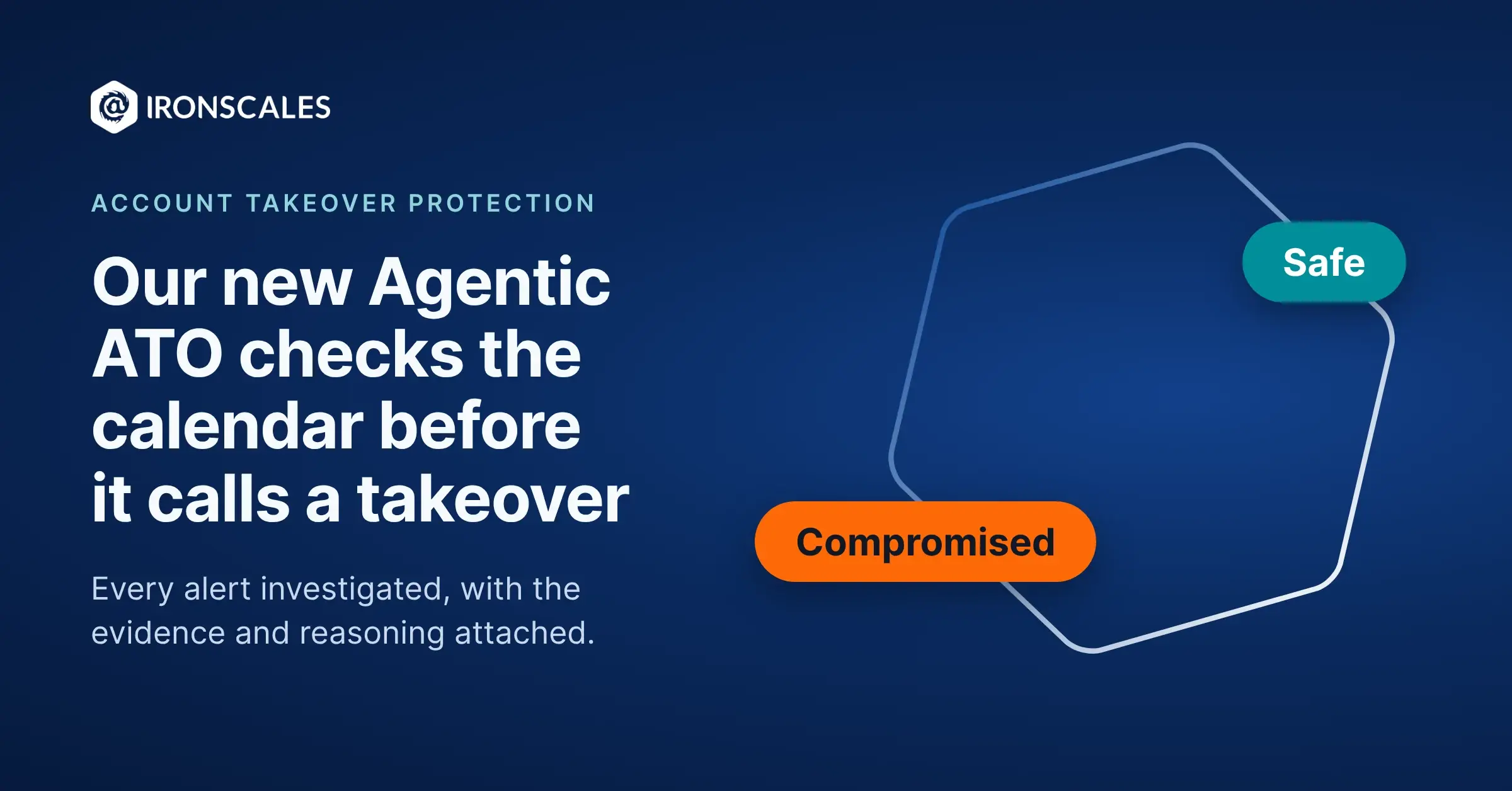
At 6:12 a.m., someone signs in to your controller's mailbox from Lisbon. Your account takeover detection flags it, which is its job. Now somebody on your team has to work out whether that's an attacker or a controller who flew to Lisbon for a conference.
That part is slow. Pull the sign-in history, check the device, look for new inbox rules, scroll through sent mail, then message the controller and wait for a reply (from someone who is, reasonably, at a conference).
Our new Agentic ATO does that investigation for you. It works the alert the way a sharp analyst would, then hands back a verdict with the evidence and its reasoning attached. It rolls out to every customer with Account Takeover (ATO) protection on Microsoft 365 in the next few days, and there's nothing to install or turn on.
Agentic ATO follows the three agents we launched earlier this year, our most ambitious release to date. Our Red Teaming Agent anticipates attacks, our Phishing SOC Agent investigates phishing, and our Phishing Simulation Agent educates the employees attackers would target first. Agentic ATO joins them as the fourth, and it watches over the accounts themselves. Adaptive AI keeps protecting every mailbox the way it always has, and Agentic ATO adds an investigator for the moment an account starts acting strangely.
Watch it work a case
Back to Lisbon. Agentic ATO reads the alert and decides what it needs to know. Has this user signed in from Portugal before? Is the device one they already use? Did anyone create a mailbox rule overnight? Has the account sent anything unusual since the sign-in?
Then it checks the calendar and finds a flight to Lisbon and a hotel booking for the same dates. Nothing else looks off. The verdict comes back Safe, with a confidence score and a plain-language explanation that the sign-in lines up with a trip on the user's calendar. Your analyst reads it, agrees, and gets on with the morning.
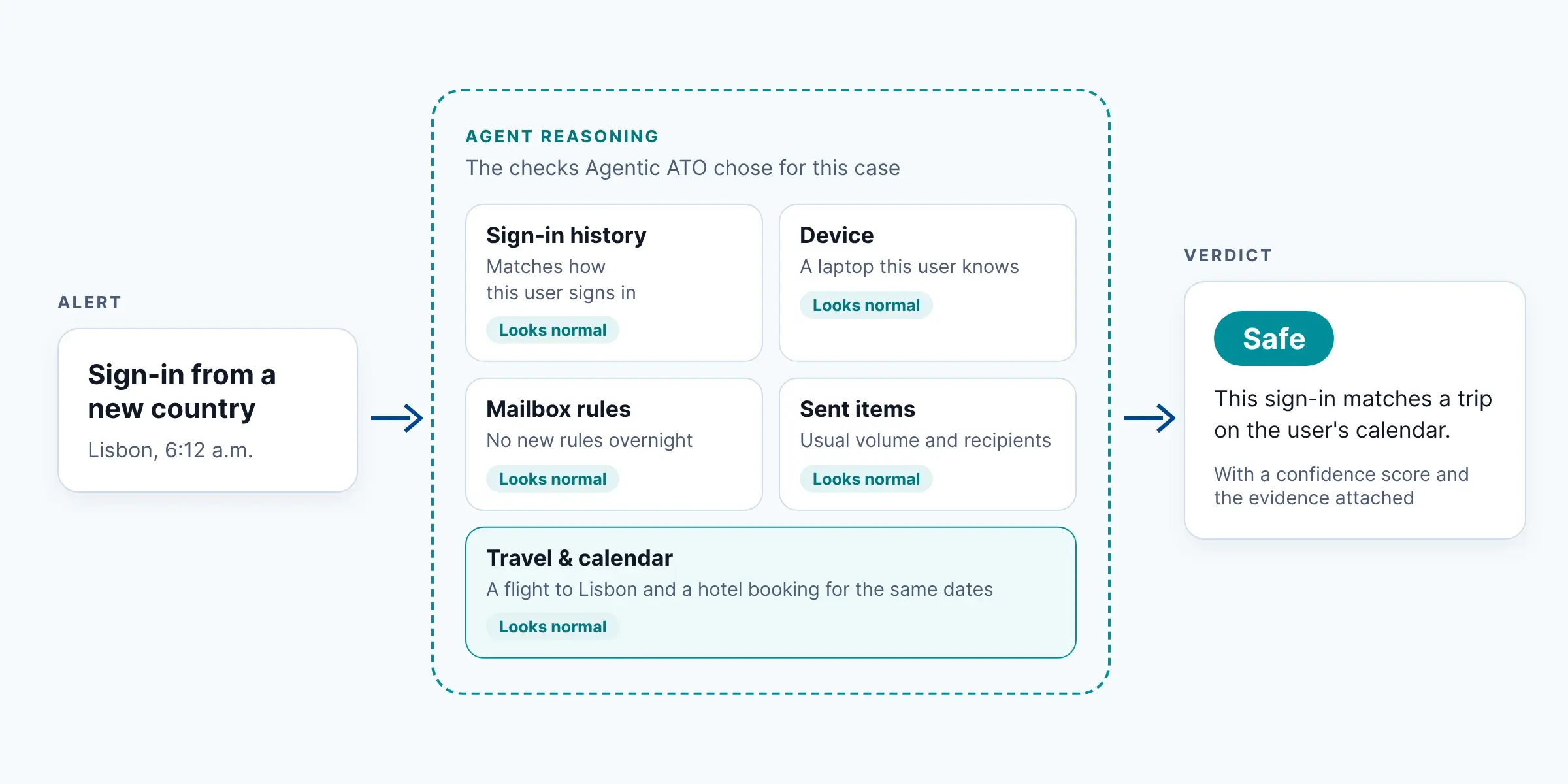
Yes, I know. I drew a flowchart. Everything inside the dotted line is where Agentic ATO reasoned on its own and chose the checks this case needed. If someone had fixed those steps in advance, this would be a picture of automation, not an agent being... agentic.
Change the facts and the answer changes with them. Same sign-in, but there's no trip on the calendar, a new rule forwards mail to an outside address, and the account just sent a burst of messages to your finance team. The verdict comes back Compromised. In auto mode, our Agentic ATO blocks the user and closes all active sessions, and the findings that led there sit on the incident for your analyst to review.
Why we call it agentic
I use a simple test for any AI tool that calls itself agentic. If you can draw a flowchart that explains how it works, it's deterministic, it's automation. Someone decided every step ahead of time, and the tool follows the boxes.
Agentic ATO decides its own steps. Sure, it has some baseline (ahem...best practice) behavior, but after that, it picks the checks each case needs, reads the results, and follows the evidence where it leads. A sign-in from Lisbon and a 2 a.m. sign-in from a new laptop get different investigations, because they raise different questions.
Attackers don't follow a script, which is why our approach to email security is adaptive, has been since 2015. Agentic ATO brings the same approach to the investigation itself.
You decide how much it does on its own
Auto mode is on by default, including for current ATO customers. When Agentic ATO returns a verdict of "Compromised," it blocks the user and closes all active sessions. Both actions come selected, and you can clear one if you prefer (at least one stays on). When it returns Safe, it classifies the incident and moves on.
Your analyst can reverse any call. Marking a case Safe can unblock the user in the same save, right inside IRONSCALES. Nobody files a ticket with IT, and the employee doesn't have to do a thing.
Want a human to make every final call? Turn auto mode off under Settings, Account takeover, and Agentic ATO switches to Suggest mode. It still investigates and recommends, and your analyst decides. Detection sensitivity (Relaxed, Balanced, or Aggressive) works the way it does today and now also shapes how the agent behaves.
Every call your analysts make counts. Their classifications and feedback go to the agent for your tenant, whether they mark a case Safe or Compromised or give an incident a thumbs up or thumbs down (thumbs down takes an optional comment).
When it shows up in your console
- Check Settings. Under Account takeover, look at auto mode, the two actions after a Compromised verdict, and detection sensitivity. Set them the way you want the agent to work.
- Pick a reviewer. Decide who looks at the agent's verdicts, and how fast.
- Brief your analysts. Each incident now carries a verdict, a confidence score, the evidence, and the reasoning.
- Give feedback early. A thumbs up or down on the first few incidents tells your tenant's agent what your team thinks.
Not running ATO protection yet? Get a demo and see Agentic ATO for yourself.
Explore More Articles
Say goodbye to Phishing, BEC, and QR code attacks. Our Adaptive AI automatically learns and evolves to keep your employees safe from email attacks.