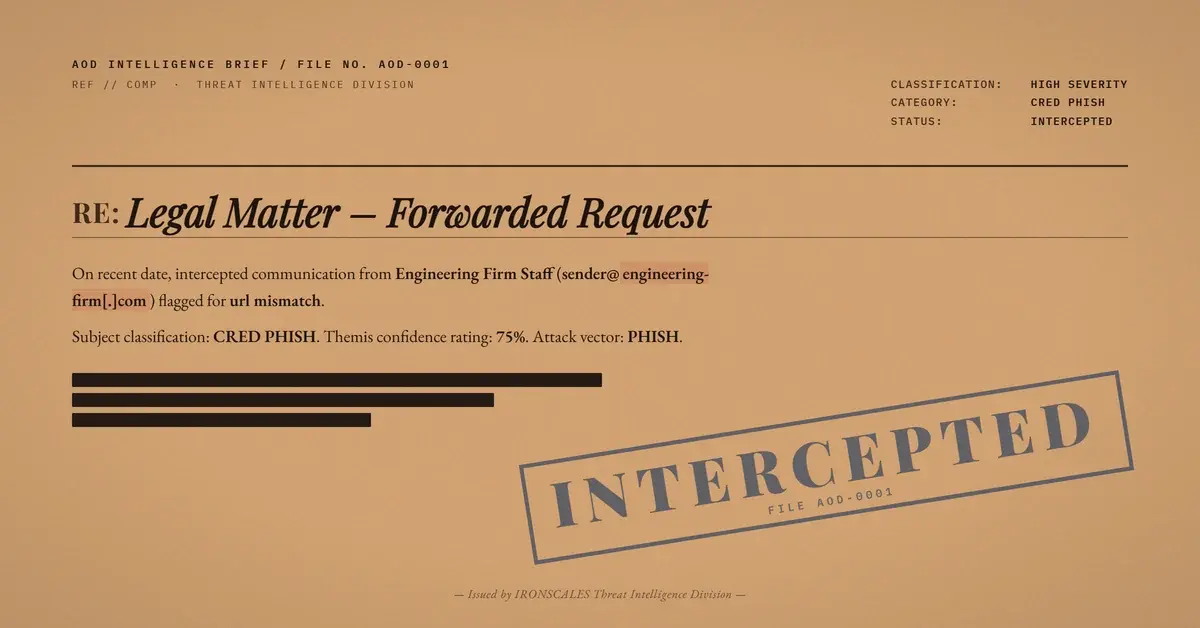
TL;DR Attackers compromised a legitimate email account at a marine engineering firm and sent a message referencing a legal matter. SPF, DKIM, DMARC, and ARC all passed. The email body contained a link whose visible text displayed the firm's own website domain, but the actual href routed through a tokenized emailprotection[.]link wrapper to a malicious destination. No urgency language, no credential demands, no suspicious attachments. IRONSCALES flagged the message through behavioral analysis, identifying the display-text-versus-actual-URL mismatch and sender anomalies that authentication alone cannot evaluate.
Severity: High Credential Harvesting Account Takeover Compromised Sender MITRE: T1586.002 MITRE: T1566.002 MITRE: T1078
The email came from a real person at a real company. A marine engineering firm, established domain, professional signature block with direct phone numbers and an office address. The message referenced a legal matter and read like a forwarded internal request. No urgency. No payment demands. No credential prompts in the body.
SPF passed. DKIM passed. DMARC passed. ARC validated through multiple Microsoft Exchange Online Protection hops. Every authentication gate returned clean.
The only weapon was a single hyperlink. Its display text showed the engineering firm's own website. The actual destination was something else entirely.
A Link That Lied About Where It Goes
The email body was unremarkable by design. Professional tone, a legal reference, a signature block. Nothing in the visible text would trigger a content-based filter or raise suspicion from a trained user.
The link was the entire payload. The anchor text displayed the firm's legitimate domain: www[.][engineering-firm][.]com. A recipient glancing at the email would see a link to the sender's own website. But the underlying href pointed to a tokenized URL-wrapping service:
hxxps://url[.]emailprotection[.]link/?bn0mclNNhKr04-AeWnXxRuLFZ9vFzogG-8dC7Gh8ojcxaAr0fNWg7YDa3C3S4YGPSvbJmKd8DxpJiULHrQoGmUA~~
This is a display-text-versus-actual-URL mismatch. The technique is not new, but the execution is unusually clean. Most phishing campaigns use mismatched display text referencing Microsoft or DocuSign. This attacker displayed the sender's own domain, which is far more convincing because the recipient already trusts the sender. The mismatch is invisible to anyone who does not hover over the link or inspect the HTML source.
According to the 2024 Verizon Data Breach Investigations Report, credentials are involved in a significant share of confirmed breaches. Attacks like this one show the front end of that pipeline: a credential harvesting page hidden behind a link that looks completely legitimate.
Why the Gateway Said It Was Safe
The attacker did not build sending infrastructure. They compromised an existing email account at the engineering firm and sent from the firm's own mail servers. This maps to MITRE ATT&CK T1586.002 (Compromise Accounts: Email Accounts) and T1078 (Valid Accounts). The sending infrastructure was not spoofed or imitated. It was the real thing.
SPF validated because the message originated from an authorized server for the firm's domain. DKIM passed because the signing keys were legitimate. DMARC returned a pass with full alignment. ARC confirmed integrity through each Microsoft relay hop.
The FBI IC3 2024 Annual Report documented over $2.9 billion in losses from business email compromise in 2024. Compromised-account attacks are a growing subset of that figure. When the attacker controls a real account with a real reputation, every authentication-dependent defense becomes a bystander.
The malicious link used a URL-wrapping service (emailprotection[.]link) that tokenizes the destination, adding a second obfuscation layer. Automated URL scanners evaluating the wrapped link face a tokenized redirect rather than a direct path to the malicious landing. The two legitimate links to the firm's actual website (HTTP and HTTPS) scanned as partial, diluting the signal. Among three links, only one was malicious, and it was the one that looked the most trustworthy.
This maps to T1566.002 (Phishing: Spearphishing Link).
See Your Risk: Calculate how many threats your SEG is missing
The Attachment Was a Decoy (and It Was Clean)
The email included a 7-page PDF, a scanned document from a Konica Minolta copier (filename pattern SKM_C258). No JavaScript, no AcroForm fields, no embedded files, no clickable links. The file was image-based, meaning automated text extraction returned nothing. OCR would be required to read the content.
The attachment scanned clean because it was clean. Its purpose was set dressing, a prop that made the email look like a legitimate forwarded legal document. An employee accustomed to receiving scanned paperwork from partners would see it as confirmation that the message was authentic.
The Microsoft Digital Defense Report 2024 noted that identity-based attacks now outpace traditional malware delivery as an initial access vector. The payload here is not in the attachment. It is in the link, hidden behind the sender's own domain name.
What Behavioral Analysis Caught
Every static check gave this email a passing grade. Authentication was clean. The attachment was benign. The body text contained no urgency triggers and no language patterns associated with phishing. An organization relying solely on gateway-level authentication would have delivered this without question.
IRONSCALES Adaptive AI identified the risk through signals that authentication cannot evaluate. The display-text-versus-actual-URL mismatch, where the visible anchor showed the firm's domain but the href routed to a tokenized wrapping service, is a behavioral indicator that static link reputation checks miss when the display domain is legitimate.
Account takeover detection that tracks sender behavior patterns flagged the anomaly. Multiple mailboxes were quarantined.
According to CISA's phishing guidance, users should verify links by hovering before clicking. That advice is correct but insufficient when the display text itself is the deception layer. Automated detection that compares anchor text to destination URLs at scale is required.
What Defenders Should Take From This
This attack had no loud signals. No spoofed domain. No suspicious attachment. No urgency. The sender was real, the authentication was real, and the only malicious element was a single link disguised behind the sender's own domain.
Authentication validates the sender, not the intent. SPF, DKIM, and DMARC confirm that a message came from an authorized source. They say nothing about whether that authorized source has been compromised. Treating "DMARC pass" as synonymous with "safe" is a policy gap that attackers exploit routinely.
Display-text mismatches are invisible without tooling. Training users to "check the URL before clicking" only works if the display text itself is not the lie. When the visible link reads as the sender's own domain, hover-checking becomes the only defense, and most users do not do it consistently. Credential harvesting protection that evaluates the relationship between anchor text and destination URL catches what human inspection misses at scale.
Clean attachments can be part of the attack. A benign PDF does not mean a benign email. Attackers use legitimate-looking attachments to build credibility for the message as a whole. The real payload was never in the file. It was in the link.
MITRE ATT&CK Mapping
| Technique | ID | Relevance |
|---|
| Compromise Accounts: Email Accounts | T1586.002 | Attacker compromised a legitimate business email account |
| Phishing: Spearphishing Link | T1566.002 | Malicious link with display-text mismatch as primary delivery mechanism |
| Valid Accounts | T1078 | Legitimate account used to bypass authentication controls |
Indicators of Compromise
| Type | Indicator | Context |
|---|
| URL | hxxps://url[.]emailprotection[.]link/?bn0mclNNhKr04-AeWnXxRuLFZ9vFzogG-8dC7Gh8ojcxaAr0fNWg7YDa3C3S4YGPSvbJmKd8DxpJiULHrQoGmUA~~ | Tokenized URL wrapper redirecting to malicious destination |
| Domain | url[.]emailprotection[.]link | URL-wrapping service used to obscure malicious destination |
| Hash (MD5) | dfa2bd0f00593a24424aef69f6e8453c | Clean PDF attachment (image-based scanned document, 335,527 bytes) |
| Filename | SKM_C25826052015550.pdf | Konica Minolta scan naming convention, used as credibility prop |
Email Attack of the Day is a daily series from
IRONSCALES spotlighting real phishing attacks caught by Adaptive AI and our community of 36,000+ security professionals. Each post breaks down a real attack. What it looked like, why it worked, and what to do about it.



/case_study_thumb_telit.webp?width=1136&height=639&name=case_study_thumb_telit.webp)



/Blue%20Feature%20Flower%20Icons/gear%20head%20icon.svg)
/Misc%20Icons/icon-nav-credential-theft.svg)










/Leadership%20Headshots/Audian%20Paxson%20Headshot%201000x1000%20032026.webp?width=100&height=100&name=Audian%20Paxson%20Headshot%201000x1000%20032026.webp)



.png?width=50&height=50&name=Untitled%20-%20July%2030%2c%202026%20at%2014.53.38%20(3).png)



/Misc%20Icons/icon-red-teaming-agent-gradient-simple.svg)
/Misc%20Icons/icon-phishing-soc-agent-gradient-simple.webp?width=158&height=167&name=icon-phishing-soc-agent-gradient-simple.webp)
/Misc%20Icons/icon-phishing-simulation-agent-gradient-simple.svg)


/Misc%20Icons/icon-nav-encryption.svg)