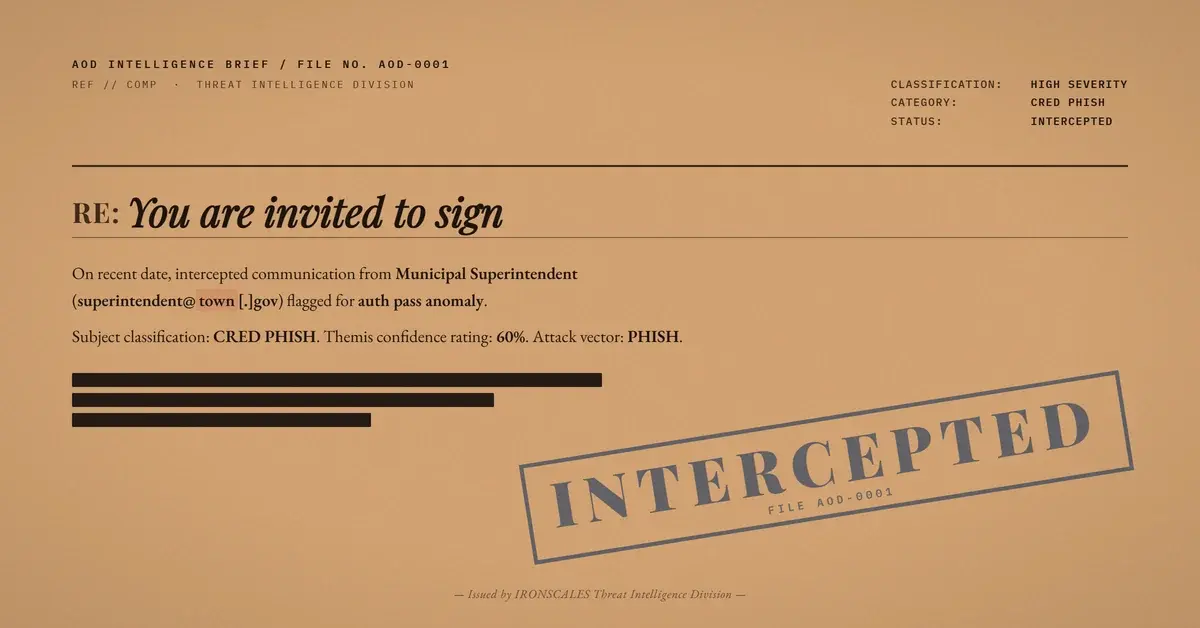
TL;DR A compromised small-town municipal mailbox on Google Workspace sent out a real, still-running vendor procurement thread with a single injected sign-here panel grafted above it. SPF, DKIM and DMARC all passed, because the genuine account did the sending. The button skipped every e-signature vendor and landed on a static HTML file in a raw Amazon S3 bucket that renders a Dropbox sign-in over one email field, reassured by a badge claiming DocuSign verifies the visitor's identity. Two unrelated brands on one page, and no e-signature platform anywhere in the chain.
Severity: High Credential Harvesting Account Takeover Vendor Email Compromise Brand Impersonation Cloud Infrastructure Abuse MITRE: T1566.002 MITRE: T1078 MITRE: T1684.001 MITRE: T1583.006 MITRE: T1204.001
Every authentication check on this message passed, and none of them were wrong to pass. The sender was a real public official writing from a real municipal water department's own Google Workspace mailbox, on a legitimate municipal .gov domain registered to the town itself. Public records confirm he genuinely holds that superintendent role.
Scroll past the first screen and it got more convincing, not less. Underneath sat a complete, multi-turn procurement conversation: a local refrigeration contractor quoting a replacement compressor, the superintendent answering "Please proceed with ordering and installing.", a later note asking for an estimated install date because he was weighing whether it was worth renting a portable unit in the meantime, and the contractor confirming that the compressor was at the shop. Real people, real correspondence, real business.
The only hostile element in the entire message was a single panel grafted on top.
One Injected Block, Everything Else Genuine
The panel was a teal banner reading "You are invited to sign" above the instruction "Use the link below to open your recipient portal ." (with a stray space before the period, the sort of seam that survives in kit output), and a button labelled "VIEW MY DOCUMENT". That was the whole of the attack surface. No attachment, no lookalike domain, no spoofed header. Everything an analyst would normally reach for as evidence of forgery was absent, because there was nothing to forge.
The envelope tells you this was a blast rather than a conversation. The To field was literally set to undisclosed recipients, with the real targets carried in Bcc, and two mailboxes at a US field-service workforce marketplace received it within one second of each other. Neither had ever corresponded with that sender before. An attacker with control of a mailbox does not need to hijack a thread in place; lifting a copy of a genuine thread and re-sending it to a fresh list of strangers is cheaper and reaches further.
Two assembly artifacts give the message away, and both are useful triage signals. The municipal footer block, a translation-instructions link plus a state public-records disclaimer, appears twice. And the quoted thread still carries the first-contact safety banner stamped onto an earlier leg of the real conversation, warning that you do not often get email from this sender. The attacker forwarded a copy that already contained a security warning, and that warning rode along.
Authentication Passed Because Nothing Was Spoofed
At the receiving hop, DKIM passed with the sending domain's own Google Workspace signature, SPF passed for a Google outbound address designated as a permitted sender, DMARC passed with the header sender aligned to the .gov domain, and ARC passed across the forwarding hop. Registration records show an ordinary municipal registration through the government registrar, with the town as registrant. There is no security gateway in the path breaking alignment and no relay to blame. The pass is genuine.
The one negative signal in that same results line is a forwarding diagnostic tied to the recipient domain, not a verdict on the sender, so a tired analyst reading it as noise would be right. The lesson is not that authentication was misconfigured. It is that vendor email compromise inverts the value of authentication: once an attacker is inside a trusted account, every check you rely on starts working for them. The 2024 Verizon Data Breach Investigations Report puts stolen credentials at the top of the initial-action list, present in 38% of breaches, and finds a human element in 68% of them. This message is both of those statistics in one artifact, from the hijacked mailbox at the start to the reader at the end.
See Your Risk: Calculate how many threats your SEG is missing
Two Brands on One Page, and No E-Signature Vendor Anywhere
The signing button did not point at any e-signature vendor. It did not point at the sending .gov domain, or at the contractor's domain from the quoted thread. It pointed at a static HTML file uploaded into a raw Amazon S3 bucket in the us-east-2 region.
The captured snapshot of that page is the strongest fact in the case, and it was visible only visually. The page renders a Dropbox glyph over the heading "Sign in to access document", with the subtext "Enter your email to securely view this shared file." and one input field labelled Work or Business Email above a Continue button. Then, beneath all of it, a shield badge asserts that "Docusign verifies your identity before granting access to shared documents."
Two unrelated brands sit on one page. A file-sharing sign-in has no reason to invoke an identity check by an e-signature company, and no Dropbox or DocuSign infrastructure appears anywhere in this chain, not in the sending path, not in the link, not on the host. Both brands are being worn, not used. The kit builder reached for whatever trust marks were within arm's length and did not check whether they belonged in the same room.
Note also what the page asked for: one email address, and no password. That is consistent with address validation, or with a first stage that pivots to a credential screen later. No second stage was observed, so the honest description is what this page collects, not what a fuller kit might collect next.
What Actually Flagged It
The instructive part of the detection story is a near miss. The automated URL scanner could not fetch the hosted page, so the link came back as a mixed, partial result rather than a hard malicious verdict. Content analysis of the body scored the message around 0.76 for phishing. Themis, our Adaptive AI analyst, recorded 60% confidence with the label credential theft, and its insight text named the flagged element directly: one or more links in the email were flagged as malicious, including the view-my-document button.
Sixty percent is a moderate score, and it deserves to be. Every other technical check pointed the wrong way: nothing about the sender, the domain, the authentication, the absent attachments or the quoted content offered a reason for suspicion. The signal came from behaviour and structure, a first-time sender, a blind-copied envelope, and one call to action whose destination had nothing to do with the conversation it was attached to. The incident was approved manually and closed. Remediation could not locate the messages in either affected mailbox, which is its own reminder that a clean-up action is not a guaranteed retraction.
For defenders, three habits generalise from this case. Treat rendered page evidence as a primary artifact, because a scanner that cannot fetch a page cannot judge it. Score the relationship between a request and its context, since a compressor procurement thread has no business sprouting a signing portal. And protect the accounts themselves with account takeover controls, because in this case the trusted sender was not impersonated at all. He was borrowed.
Indicators of Compromise
| Type | Indicator | Context |
|---|
| URL | hxxps://westernet[.]s3[.]us-east-2[.]amazonaws[.]com/mank/lpsma[.]html | Target of the injected "VIEW MY DOCUMENT" button. The uploaded file is the attacker-placed element; ownership of the bucket itself is undetermined and is not attributed here. |
| Host | westernet[.]s3[.]us-east-2[.]amazonaws[.]com | Amazon S3 REST endpoint, us-east-2. Recorded as an S3 endpoint only, with no ownership claim about the bucket name. |
| Sender | Compromised municipal .gov Google Workspace mailbox (genericized) | Bystander account of a real public official. Authentication passed because the genuine account sent the mail. |
| IP | 209[.]85[.]220[.]65 | Google Workspace outbound address that SPF authorised. Generic infrastructure, not attacker-controlled. |
| Lure text | You are invited to sign / Use the link below to open your recipient portal . / VIEW MY DOCUMENT | Injected panel above the genuine quoted thread. Note the stray space before the period. |
| Landing text | Sign in to access document / Enter your email to securely view this shared file. / Work or Business Email | Dropbox-branded page copy. One email field, no password field. |
| Landing badge | Docusign verifies your identity before granting access to shared documents. | Verbatim badge string on a page with no DocuSign involvement. |
| Envelope anomaly | To: undisclosed-recipients:; with real targets in Bcc | Blind-carbon blast, not a reply into the existing thread. |
| Body anomaly | Duplicated municipal footer block; inherited safety banner | Artifacts of a forwarded thread copy. |
MITRE ATT&CK Mapping
The Part Worth Repeating
Authentication was honest, the sender was real, the conversation was real, and even the safety banner it inherited was real. One button was not. CISA's phishing guidance and the NIST definition of phishing both frame the problem the same way: the deception targets a person's judgement, not the protocol.
Email Attack of the Day is a daily series from
IRONSCALES spotlighting real phishing attacks caught by Adaptive AI and our community of 35,000+ security professionals. Each post breaks down a real attack. What it looked like, why it worked, and what to do about it.







/Blue%20Feature%20Flower%20Icons/gear%20head%20icon.svg)
/Misc%20Icons/icon-nav-credential-theft.svg)










/Leadership%20Headshots/Audian%20Paxson%20Headshot%201000x1000%20032026.webp?width=100&height=100&name=Audian%20Paxson%20Headshot%201000x1000%20032026.webp)



.png?width=50&height=50&name=Untitled%20-%20July%2030%2c%202026%20at%2014.53.38%20(3).png)



/Misc%20Icons/icon-red-teaming-agent-gradient-simple.svg)
/Misc%20Icons/icon-phishing-soc-agent-gradient-simple.webp?width=158&height=167&name=icon-phishing-soc-agent-gradient-simple.webp)
/Misc%20Icons/icon-phishing-simulation-agent-gradient-simple.svg)


/Misc%20Icons/icon-nav-encryption.svg)