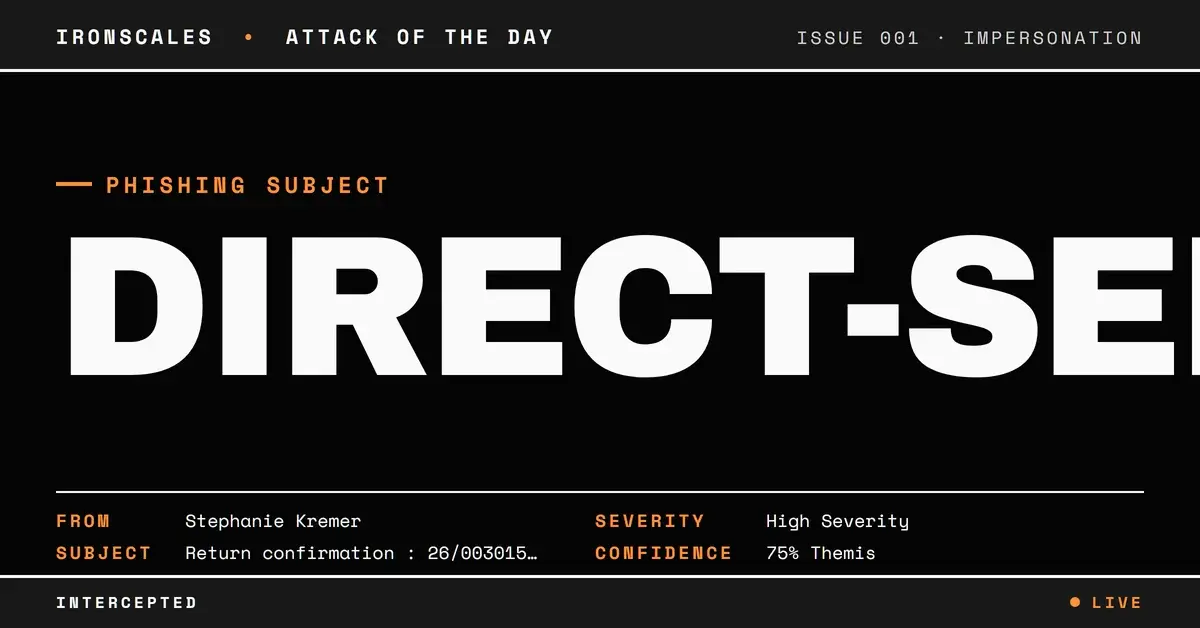
TL;DR An attacker used a direct-send technique to deliver a phishing email where the From and To headers both referenced the same corporate address at a marine-industry parent company. The message passed SPF, DKIM, and DMARC, transited through a legitimate Mimecast gateway and internal SMTP relay, and carried a single-page PDF with an AcroForm structure but no enumerated form fields. A German-language subject line ('return confirmation') paired with a one-sentence English body asking the recipient to open the attachment. Behavioral AI flagged the attack at 72% confidence based on structural anomalies: the self-addressed pattern, language mismatch, and missing sender context.
Severity: High Impersonation Attachment Phishing Direct Send MITRE: T1566.001 MITRE: T1036.005 MITRE: T1684.001
An employee at a marine-industry subsidiary opened her inbox and found what appeared to be a message she had sent to herself. The From address was her exact name at the parent company's domain. The To address was the same. SPF passed. DKIM passed. DMARC passed. Composite authentication scored 100. Microsoft assigned a spam confidence level of -1, the lowest possible risk score. The email had traveled through a legitimate Mimecast gateway, then through the parent company's internal SMTP relay, and into the M365 environment without a single flag.
The subject line was in German: "Return confirmation : 26/003015 SPORT-BOOT-CENTER WOHLER." The body was one sentence in English: "Please find your return acknowledgement in the attached document." No greeting. No signature. No contact details. Just a PDF.
This is what direct-send phishing looks like when the attacker understands corporate email infrastructure better than most defenders do.
The Geometry of Self-Addressed Impersonation
The direct-send technique works by setting the From and To headers to the same address while the SMTP envelope routes the message to a different recipient entirely. In this case, the visible headers showed [recipient]@a-private-company[.]example as both sender and recipient. But the actual delivery target was an employee at a subsidiary of that same parent company, someone with the same first and last name on a different domain.
That parent-subsidiary relationship is the attack surface. The employee at the subsidiary sees an email "from" herself at the corporate parent. The name matches. The domain is familiar. The authentication is pristine. According to the FBI IC3 2024 Annual Report, business email compromise and impersonation fraud accounted for over $2.9 billion in adjusted losses. Attacks that exploit organizational trust geometry, where the attacker weaponizes real corporate relationships between parent companies and their subsidiaries, are a growing subset of that number.
This maps directly to MITRE ATT&CK T1684.001: Impersonation and T1036.005: Masquerading: Match Legitimate Name or Location. The attacker did not spoof a domain. They did not register a lookalike. They used the real corporate domain, sent through the real corporate infrastructure, and let authentication do their work for them.
See Your Risk: Calculate how many threats your SEG is missing
Every Authentication Check Returned Clean
The relay chain tells the story of an email that had no business being flagged by infrastructure-based controls:
| Check | Result | Detail |
|---|
| SPF | Pass | Authorized sender for a-private-company[.]example |
| DKIM | Pass | Valid signature, header.d=a-private-company[.]example |
| DMARC | Pass | Full alignment |
| CompAuth | 100 | Maximum composite authentication score |
| SCL | -1 | Microsoft's lowest spam confidence level |
The message originated from smtp[.]a-private-company[.]example, traversed a Mimecast inbound delivery host (170[.]10[.]150[.]241, resolving to usb-smtp-inbound-delivery-1[.]mimecast[.]com), and entered the Microsoft 365 environment through mail[.]protection[.]outlook[.]com. Every hop was legitimate. Every DNS record validated. For any Secure Email Gateway (SEG) relying on authentication headers to separate trusted from untrusted, this email was invisible.
The Microsoft Digital Defense Report 2024 documented a significant increase in phishing campaigns that pass full authentication by leveraging legitimate corporate infrastructure. This case is a textbook example: the attacker did not need to build their own infrastructure. They used the target organization's parent company as the delivery vehicle.
A PDF Full of Questions, Zero Answers
The attachment, 26_0030151.PDF, is a single-page PDF generated by a mapping output manager tool with a producer string of "M-Storage Sotfware 7, 2, 0, 0" (note the typo in "Software"). Static analysis revealed an /AcroForm dictionary, the interactive form layer that enables fillable fields, buttons, and scripted actions in PDFs (T1566.001: Phishing: Spearphishing Attachment). But standard library enumeration returned zero form fields. No JavaScript. No embedded files. No external URLs. No mailto links. Antivirus scanning returned clean.
That combination is the anomaly worth flagging. An AcroForm structure with no enumerable fields is not normal in a legitimate business document. It could indicate fields that are obfuscated, dynamically generated on open, or stripped during an intermediate processing step. The typo in the producer metadata and the non-standard mailer (X-Mailer: M-Storage Mail 5.2) reinforce that this PDF was not generated by mainstream business software.
One more detail: the PDF's CreationDate metadata reads March 2026, months after this email was delivered in November 2025. Metadata timestamps from non-standard generators are unreliable, but the discrepancy adds to the behavioral profile.
| IOC | Type | Context |
|---|
[recipient]@a-private-company[.]example | Email | Attacker-used From/To address (impersonation) |
a-private-company[.]example | Domain | Legitimate parent-company domain used for delivery |
170[.]10[.]150[.]241 | IP | Mimecast inbound relay |
26_0030151.PDF | Filename | Attached PDF with AcroForm structure |
e9cbf996b14694d92409dfc482b28c0f | MD5 | Attachment hash |
04125be531b5f55ed62c6e28d027208bd50da4be | SHA-1 | Attachment hash |
abca725e9734eeaa3d65f6f040faa790434449d0c9d0afdb831df3c885117607 | SHA-256 | Attachment hash |
M-Storage Mail 5.2 | X-Mailer | Non-standard mailer client |
When the Signal Is the Structure, Not the Payload
Themis, the IRONSCALES Adaptive AI analyst, flagged this email at 72% confidence as a direct-send phishing pattern. That is not a high-confidence score, and that matters. This attack was designed to be ambiguous. The authentication was real. The infrastructure was legitimate. The attachment scanned clean. Every automated check returned the answer the attacker wanted.
What tipped the analysis was structural, not content-based. The From=To self-addressing pattern combined with cross-tenant delivery to a different recipient is unusual in legitimate business correspondence. The German subject line paired with an English body suggests a templated campaign recycling regional subject lines for broader targeting. The absence of any greeting, signature, or contact details in the body is inconsistent with internal corporate communication. And the one-sentence directive to open an attachment, with no other context, matches the behavioral pattern of attachment-based credential harvesting.
The Verizon 2024 Data Breach Investigations Report found that phishing remains a top initial access vector, with the median time from email delivery to first click measured in under 60 seconds. For emails that look self-sent through a trusted corporate gateway, that window is likely even shorter. The instinct is to trust what looks familiar.
CISA phishing guidance recommends layered defenses that go beyond protocol compliance. For defenders, this case makes the priority list specific:
- Flag From=To patterns with cross-tenant delivery. Self-addressed email that arrives at a different mailbox than the one listed in both headers is a high-signal anomaly, especially when the From domain belongs to a parent or partner organization.
- Treat language mismatches as behavioral signals. A German subject with an English body is not conclusive on its own, but combined with other anomalies, it strengthens the case for quarantine.
- Inspect AcroForm PDFs even when they scan clean. An interactive form structure with no enumerable fields is not a clean bill of health. It is an open question that warrants sandboxing.
- Do not conflate authentication with trust. CompAuth 100 and SCL -1 mean the infrastructure is authorized. They say nothing about whether the message is legitimate.
Email Attack of the Day is a daily series from
IRONSCALES spotlighting real phishing attacks caught by Adaptive AI and our community of 36,000+ security professionals. Each post breaks down a real attack. What it looked like, why it worked, and what to do about it.







/Blue%20Feature%20Flower%20Icons/gear%20head%20icon.svg)
/Misc%20Icons/icon-nav-credential-theft.svg)










/Leadership%20Headshots/Audian%20Paxson%20Headshot%201000x1000%20032026.webp?width=100&height=100&name=Audian%20Paxson%20Headshot%201000x1000%20032026.webp)



.png?width=50&height=50&name=Untitled%20-%20July%2030%2c%202026%20at%2014.53.38%20(3).png)



/Misc%20Icons/icon-red-teaming-agent-gradient-simple.svg)
/Misc%20Icons/icon-phishing-soc-agent-gradient-simple.webp?width=158&height=167&name=icon-phishing-soc-agent-gradient-simple.webp)
/Misc%20Icons/icon-phishing-simulation-agent-gradient-simple.svg)


/Misc%20Icons/icon-nav-encryption.svg)