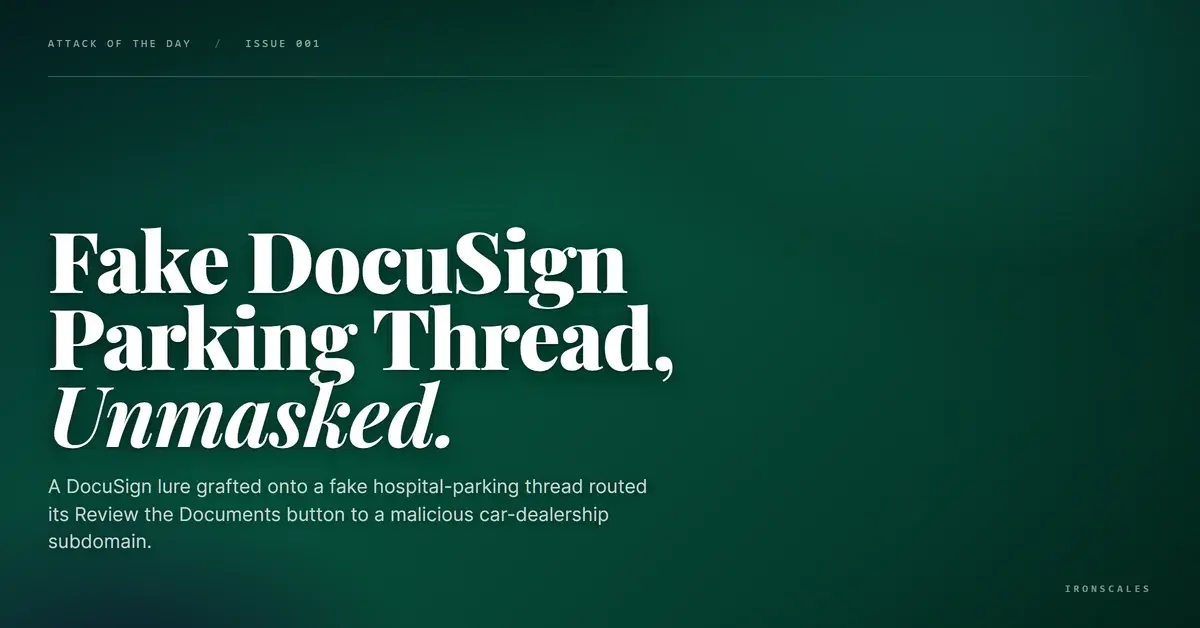
TL;DR A message impersonating DocuSign reached the CEO of a manufacturer, but the real trick was the forwarded conversation grafted underneath it. The attacker stitched a fake Thank you for choosing DocuSign prompt to an unrelated thread stuffed with realistic parking details to manufacture context. The sending domain belonged to an unrelated software company, its DKIM signature was broken on a deprecated algorithm, and the Review the Documents link resolved to a car dealership subdomain rated malicious. Duplicate buttons still carried other victims' addresses, exposing a recycled phishing kit.
Severity: Medium Brand Impersonation Credential Harvesting Phishing MITRE: T1566.002 MITRE: T1204.001 MITRE: T1036.005
A DocuSign signing request landed in the inbox of a manufacturing company's chief executive. Nothing unusual about that on its own. Executives sign things. What made this one worth a second look was the conversation bolted underneath it: an unrelated forwarded thread about hospital parking, complete with a unit number, a license plate, and a lockbox code.
None of it had anything to do with a signing request. That was the point.
This case is a clean example of how attackers manufacture context. The DocuSign branding supplied the reason to act, and the fabricated parking thread supplied the texture that makes a message feel like part of a real, ongoing exchange. Neither half was genuine, and both were pointed at a single button that led somewhere it should not have.
The Lure Was Two Emails Stitched Together
The visible message copied DocuSign's playbook: a "Thank you for choosing DocuSign" prompt inviting the recipient to review and sign a document. Below it sat a forwarded thread that read like a leftover conversation between other people, seeded with concrete, checkable-looking details. A specific apartment number. A license plate string. A lockbox code. Names and a large healthcare system referenced as if the reader had been copied on an earlier exchange.
That realistic detail does real work. A reader who scans the message sees a signing prompt on top and what looks like a genuine, personal thread beneath it, and the brain fills in a story. The parking specifics were not there to be read closely. They were there to lower suspicion long enough for a click. This is credential harvesting dressed as an afterthought to someone else's paperwork.
None of those personal details were the recipient's own, and none tied to the signing request. They were props.
Where the Button Actually Went
The primary call to action, "REVIEW THE DOCUMENTS," did not point at DocuSign. It resolved to ventse.platinummotorsgh[.]com/land/, a subdomain of a car dealership site that our platform independently flagged as malicious. There is no world in which a legitimate DocuSign envelope routes a signer to a car dealership's landing directory.
The kit gave itself away with its own sloppiness. Duplicate copies of the call to action routed through a click.rewardlink[.]com tracking wrapper, and those wrapped links carried other recipients' email addresses hardcoded into the tracking payload. Seeing someone else's address baked into your phishing link is a reliable tell: it means the template was mass-produced and reused across a victim list, not crafted for you. The personalization was a veneer over a recycled blast.
See Your Risk: Calculate how many threats your SEG is missing
The Authentication Was Mixed, and That Was Enough
The sender address belonged to an unrelated software company's domain, a real, WHOIS-registered business with no connection to DocuSign or to the healthcare system named in the parking thread. The message was relayed through Gmail's own infrastructure, which lends it the reputation of a trusted sender path.
The authentication picture was deliberately muddy. SPF passed and DMARC passed on the envelope domain, because those checks validate the sending path and the envelope, not the brand a reader sees. Domain Keys Identified Mail (DKIM) failed outright on a signature syntax error, and the signature that was present used rsa-sha1, a deprecated and weak signing algorithm. A broken DKIM signature on an obsolete algorithm, riding an otherwise passing envelope, is the kind of contradiction that server-level filters routinely wave through. Each individual check had a defensible verdict. The combination should have been a red flag, and only a system that reads the whole picture would treat it as one.
Mapping to MITRE ATT&CK
The tradecraft lines up with a handful of techniques in the MITRE ATT&CK framework:
- T1566.002 Spearphishing Link covers the core delivery: a socially engineered message whose payload is a button routed through wrappers to a malicious landing page.
- T1204.001 User Execution: Malicious Link covers the reliance on the recipient clicking "REVIEW THE DOCUMENTS" to reach the hostile destination.
- T1036.005 Masquerading: Match Legitimate Name or Location covers the DocuSign impersonation and the fabricated thread built to pass as a genuine forward.
Indicators of Compromise
| Type | Indicator | Context |
|---|
| URL | hxxps://ventse.platinummotorsgh[.]com/land/ | Primary CTA landing page, car-dealership subdomain, verdict malicious |
| Domain | platinummotorsgh[.]com | Car-dealership domain hosting the malicious landing directory |
| URL | click.rewardlink[.]com | Redirect and tracking wrapper carrying other victims' addresses in the payload |
| Subject | [EXTERNAL] Pages 3432990075 | Generic subject line from a first-time sender |
| Auth | DKIM fail (rsa-sha1 syntax error) with SPF and DMARC pass on envelope | Mixed authentication laundered through a Gmail relay path |
Detection and What to Watch For
Reputation and signature checks were always going to struggle here. The relay path was trusted, the envelope authenticated, and the malicious content lived in the body and a single link rather than in an attachment. Detection has to read intent. The signals that matter are the brand mismatch between a DocuSign prompt and a sending domain that has nothing to do with DocuSign, a broken DKIM signature on a deprecated algorithm sitting next to passing SPF and DMARC, and a signing button that resolves to an unrelated commercial subdomain through a tracking wrapper.
This is where IRONSCALES adds a layer that static gateways miss. Themis, the Adaptive AI analyst on the IRONSCALES platform, reads the relationship between the claimed brand, the real sending domain, the authentication contradictions, and the redirect destination the way a trained analyst would, and it flags the impersonation even when individual server-level checks come back clean. That perspective is drawn from 36,000+ security professionals across 18,000+ organizations. The 2024 Verizon Data Breach Investigations Report puts the human element in 68 percent of breaches and phishing in 15 percent, and it clocks the median time to click a phishing link at 21 seconds. The Microsoft Digital Defense Report 2024 documents the same shift toward abusing trusted services and identities rather than breaking them, and the FBI's 2023 Internet Crime Report ranks business-identity impersonation among the costliest fraud categories, which is exactly the lever this campaign pulled.
The Takeaway
Fabricated context is cheap, and it works. A reader trained to distrust an obvious lure can still be nudged by a signing prompt propped up with realistic-looking personal details that were never theirs to begin with. The defense is to verify the destination, not the story: a real DocuSign request lives on DocuSign infrastructure, not a car dealership subdomain, and no legitimate envelope carries a stranger's email address in its tracking link. Pair that habit with behavioral detection and you close the gap this campaign was built to slip through. CISA's guidance on stopping phishing early is a solid reference for building that reflex across a team: https://www.cisa.gov/resources-tools/resources/phishing-guidance-stopping-attack-cycle-phase-one
Email Attack of the Day is a daily series from
IRONSCALES spotlighting real phishing attacks caught by Adaptive AI and our community of 36,000+ security professionals. Each post breaks down a real attack. What it looked like, why it worked, and what to do about it.







/Blue%20Feature%20Flower%20Icons/gear%20head%20icon.svg)
/Misc%20Icons/icon-nav-credential-theft.svg)










/Leadership%20Headshots/Audian%20Paxson%20Headshot%201000x1000%20032026.webp?width=100&height=100&name=Audian%20Paxson%20Headshot%201000x1000%20032026.webp)



.png?width=50&height=50&name=Untitled%20-%20July%2030%2c%202026%20at%2014.53.38%20(3).png)



/Misc%20Icons/icon-red-teaming-agent-gradient-simple.svg)
/Misc%20Icons/icon-phishing-soc-agent-gradient-simple.webp?width=158&height=167&name=icon-phishing-soc-agent-gradient-simple.webp)
/Misc%20Icons/icon-phishing-simulation-agent-gradient-simple.svg)


/Misc%20Icons/icon-nav-encryption.svg)