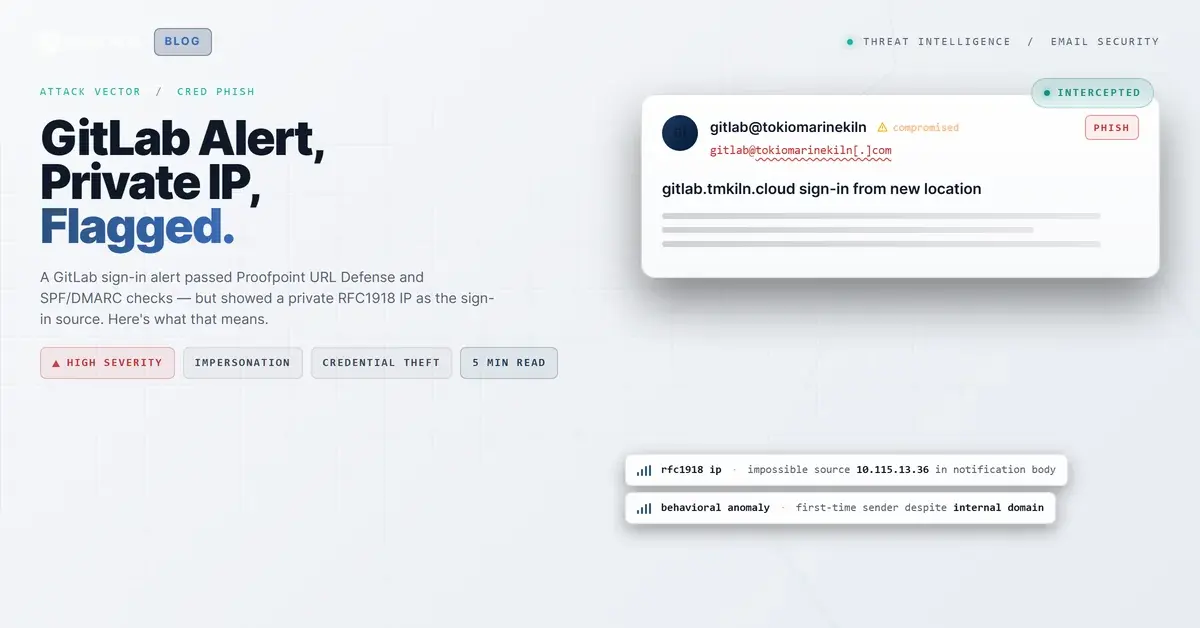
TL;DR Attackers sent a near-perfect GitLab sign-in notification to employees at a UK-based specialty insurance firm. The email passed SPF, DMARC, and Proofpoint URL Defense rewriting — all signals that gave it an air of legitimacy. But the IP address listed in the notification body as the sign-in source was 10.115.13.36, an RFC1918 private address that cannot be reached from the public internet. Real GitLab cloud sign-in alerts always show a routable public IP. The Proofpoint URL Defense wrappers on the links actually worked against detection here: they created a false sense that the links had been vetted, drawing attention away from the real tell sitting in the body text itself. Themis flagged the message as credential theft before any user clicked.
Severity: High Credential Harvesting Impersonation Phishing MITRE: T1566.002 MITRE: T1078 MITRE: T1598.003
The email arrived at 8:43 AM on a Friday morning in November. Subject line: "gitlab.tmkiln.cloud sign-in from new location." For a developer or IT staff member at a specialty insurance firm, that subject line triggers a very specific reflex: someone is in your account, change your password now.
The email looked right. GitLab orange header bar. Proper logo. Personalized username. A timestamp. An IP address. The call to action was to change your password or enable two-factor authentication, both things a security-conscious person would do. The links in the message were wrapped in urldefense.com wrappers, the visual fingerprint of Proofpoint URL Defense, which most employees read as "this was checked."
Nobody looked at the IP address.
What Was Sitting Right There in the Table
Every GitLab sign-in notification includes a small details table: Hostname, User, IP Address, Time. In this email, the IP Address field read 10.115.13.36.
That address is in the 10.0.0.0/8 range, one of the three private address blocks defined in RFC1918 and reserved exclusively for internal networks. It is not routable on the public internet. A public cloud service like GitLab cannot send you a sign-in alert showing an RFC1918 address as the login source, because an RFC1918 device cannot reach a public GitLab instance from across the internet.
The tell was there, in a four-field table, timestamped and formatted. It just required someone to know what an impossible IP looks like.
The Proofpoint Wrapper Problem
Here is the ironic part. Most organizations deploy Proofpoint URL Defense (or an equivalent link-rewriting service) specifically to add a safety layer to email links. When an employee sees a urldefense.com URL in an email, the implicit message is: "this was inspected."
In this case, every link in the notification was rewritten. The "change your password" link, the two-factor authentication link, even the root gitlab.tmkiln.cloud hostname. Automated link-scanning marked all of them clean. The gateway processed the message, wrapped the links, and passed it through.
That process did exactly what it was supposed to do. The problem is that it inadvertently shifted the reader's attention to the links, which were fine, and away from the notification body content, which was not.
The real attack surface was three lines down from the orange header bar, in a plain-text table field that no link scanner was ever going to flag.
See Your Risk: Calculate how many threats your SEG is missing
Behind the Notification
The sending infrastructure tells an interesting story. The message originated from the organization's own mail server (mail[.]a-private-company[.]example) at IP 46.235.173.194, a UK-based address with no reverse DNS PTR record. It transited through Proofpoint filtering and Microsoft 365 mail protection before reaching the recipient's inbox.
The sender was gitlab@a-private-company[.]example, using the organization's own domain. SPF passed. DMARC passed. There was no DKIM signature, which is a gap, but the composite authentication still returned a pass. To every automated filter in the chain, this looked like legitimate internal mail.
The GitLab instance referenced in the notification (gitlab.tmkiln.cloud) is a separate subdomain under a different TLD than the sending domain, which is a minor mismatch. But in a corporate environment with multiple subdomains and cloud properties, that distinction is easy to overlook.
WHOIS for the sending domain shows a legitimate registration dating to 2013, with UK registrant details and recent activity (updated August 2025). The infrastructure looks exactly like what a real organization's mail relay would look like. This was not a lookalike domain registered last week.
The most likely scenario: the organization's GitLab notification system was manipulated to send this alert, either through a compromised service account or a misconfigured notification template that inserted an internal IP. Whether it was an attacker testing credential-harvesting ground or an internal system misconfiguration that produced a convincing-but-wrong notification, the outcome for the recipient was the same: a plausible-looking alert that said "someone logged into your account" and pointed to a private IP that was physically unreachable from outside the network.
Indicators of Compromise
| Type | Indicator | Context |
|---|
| IP (displayed) | 10[.]115[.]13[.]36 | RFC1918 address shown as sign-in source in notification body. Cannot be routable public sign-in. |
| IP (sending origin) | 46[.]235[.]173[.]194 | Origin relay IP, Birmingham UK. No PTR record. |
| Domain | gitlab[.]tmkiln[.]cloud | GitLab instance referenced in notification. |
| URL (defanged) | hxxp://10[.]115[.]13[.]36/ | Raw link to private IP embedded in notification. |
| URL (defanged) | urldefense[.]com/v3/__hxxp://gitlab[.]tmkiln[.]cloud | Proofpoint SafeLinks-wrapped GitLab URL delivered to recipients. |
What Caught It, and What Would Have Happened Without It
Themis flagged this message with high confidence before any user clicked. The signals were a combination of content anomalies (the RFC1918 IP in the notification body is an unusual pattern for legitimate GitLab alerts), sender behavioral data (first-time sender to the recipients, despite the domain appearing internal), and community intelligence from the IRONSCALES network. Four mailboxes received the message. All four were quarantined automatically before user interaction.
Without automated behavioral analysis, the outcome depends entirely on whether one of those four recipients happened to recognize a 10.x.x.x address as a private range, and knew to be suspicious of it. That is a narrow margin. According to the Verizon 2024 Data Breach Investigations Report, 68% of breaches involve a human element. Security notifications that impersonate legitimate platforms are effective precisely because they create urgency at a moment when the recipient's instinct is to act, not to examine IP address tables.
The Microsoft Digital Defense Report 2024 notes that attackers increasingly target trusted application notifications as phishing vectors, knowing that users extend more trust to transactional messages from services they use daily.
What Your Team Should Verify
A few specific things that would have caught this faster, at any tier of your security stack:
IP routing sanity checks in email content. Most gateways inspect link destinations. Very few inspect IP addresses displayed in email body text. If a security notification email contains an RFC1918 address in a sign-in IP field, that should be a detection signal. It is a small but precise indicator.
Link-rewriting creates trust asymmetry. When URL Defense or a comparable service wraps every link in an email, it implicitly signals "vetted" to the recipient. That is mostly useful, but it concentrates scrutiny on links and away from body content. Train users to check the full message, not just whether the links look legitimate.
First-time sender from a known domain is still a risk. This message came from the organization's own domain but had never been seen before by the recipients' mailboxes. That pattern (familiar domain, first-time sender address) is worth a flag. A legitimate internal GitLab notification system would have a sending history. IRONSCALES tracks sender behavioral fingerprints continuously, which is how Themis identified the anomaly even when authentication checks passed.
Check the IP, not just the links. When you receive any security notification that includes a login IP, look at it. Private ranges (10.x.x.x, 172.16.x.x through 172.31.x.x, 192.168.x.x) cannot be the source of a public cloud sign-in. If you see one, treat the notification as suspect regardless of what the links show.
According to IBM's 2024 Cost of a Data Breach report, the average cost of a credential-related breach reached $4.81 million in 2024. The entry point here, if the recipient had clicked and handed over credentials, would have cost nothing to execute. A copy of a real notification template, an internal IP value that nobody was likely to question, and the implicit blessing of a URL defense service on every link in the message.
The tell was sitting there the whole time. Four digits. Not routable. Everything else passed.
---
About IRONSCALES: IRONSCALES is an AI-powered email security platform that combines Adaptive AI with crowdsourced threat intelligence from 36,000+ security professionals across 18,000+ organizations. Learn how the platform approaches credential theft protection and M365 security augmentation.
Email Attack of the Day is a daily series from
IRONSCALES spotlighting real phishing attacks caught by Adaptive AI and our community of 36,000+ security professionals. Each post breaks down a real attack. What it looked like, why it worked, and what to do about it.







/Blue%20Feature%20Flower%20Icons/gear%20head%20icon.svg)
/Misc%20Icons/icon-nav-credential-theft.svg)










/Leadership%20Headshots/Audian%20Paxson%20Headshot%201000x1000%20032026.webp?width=100&height=100&name=Audian%20Paxson%20Headshot%201000x1000%20032026.webp)



.png?width=50&height=50&name=Untitled%20-%20July%2030%2c%202026%20at%2014.53.38%20(3).png)



/Misc%20Icons/icon-red-teaming-agent-gradient-simple.svg)
/Misc%20Icons/icon-phishing-soc-agent-gradient-simple.webp?width=158&height=167&name=icon-phishing-soc-agent-gradient-simple.webp)
/Misc%20Icons/icon-phishing-simulation-agent-gradient-simple.svg)


/Misc%20Icons/icon-nav-encryption.svg)