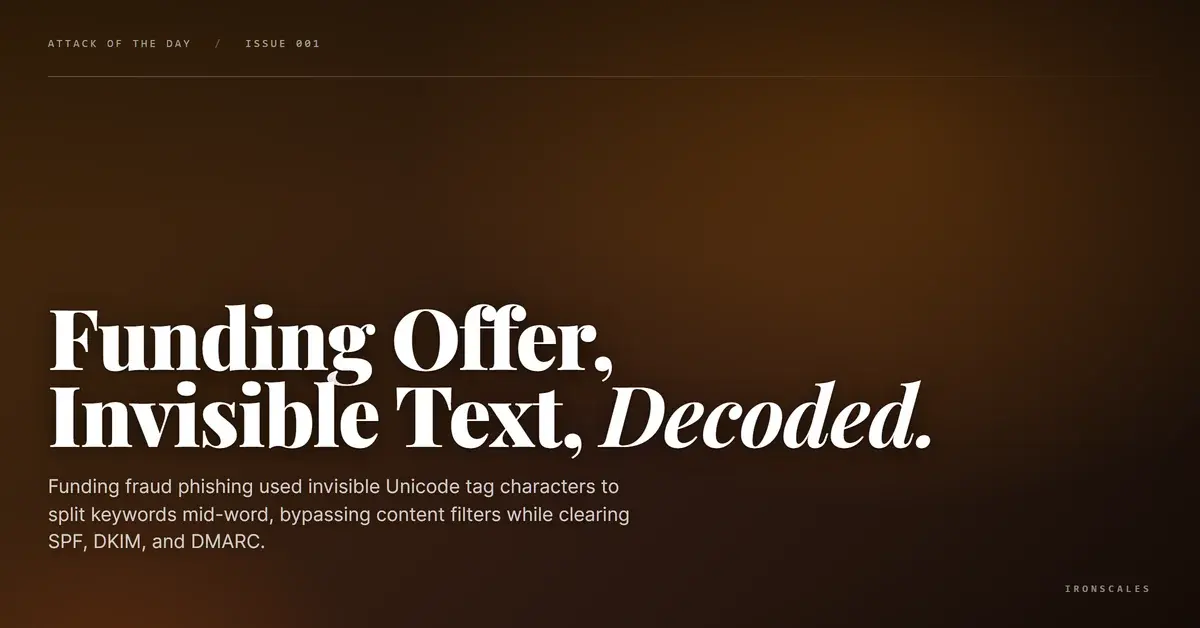
TL;DR A financial fraud phishing email impersonating a capital funding firm used invisible Unicode tag characters from the U+E0000 block to break apart filter-detectable keywords like 'credit,' 'rates,' and 'Get Approved' mid-word. To human eyes the text read normally. To filter engines the keywords simply did not exist. The email was sent through legitimate ActiveCampaign infrastructure from a 7-month-old domain, and cleared SPF, DKIM, and DMARC without issue. The final landing domain was independently flagged malicious, and Themis caught it where content filters could not.
Severity: High Financial Fraud Social Engineering MITRE: {'id': 'T1566.001', 'name': 'Phishing: Spearphishing Attachment'} MITRE: {'id': 'T1036', 'name': 'Masquerading'} MITRE: {'id': 'T1027', 'name': 'Obfuscated Files or Information'} MITRE: {'id': 'T1598.003', 'name': 'Phishing for Information: Spearphishing Link'}
The email looked like a slightly aggressive sales pitch. "IRONSCALES is pre-qualified for up to $2 million in long-term and bridge funding." Personalized subject line. Professional tone. A clean "Get Approved" button.
SPF passed. DKIM passed. DMARC passed. Microsoft's spam confidence level landed at 6, spammy but not blocked. The email was sent through ActiveCampaign's own infrastructure.
What the filters never saw was what was hiding in plain sight: dozens of invisible Unicode characters threaded through the body text, quietly dismantling the keywords that content rules were looking for.
How You Hide Text That's Already Visible
The Unicode Tags block (U+E0000 to U+E007F) is a range of characters originally reserved by the Unicode Consortium for inline language tagging. That purpose was deprecated in Unicode 5.2. Today, these characters have no legitimate rendering function in email or HTML. They are invisible to the human eye and meaningless to any display engine.
They are not meaningless to a filter.
When a content filter scans email text looking for a string like credit, it reads the raw character sequence. If the attacker has inserted a U+E0020 TAG SPACE character between the e and the d, the filter sees cre followed by a non-printing character followed by dit. The keyword match fails. The email moves on.
This is the technique the attacker used here. The email body contained the invisible characters scattered across several words that would otherwise have drawn scrutiny from a financial fraud detection rule. In the raw HTML source, the body text showed visible patterns like this:
| What renders | What the filter engine reads |
|---|
Get Approved | G + U+E0020 + et Approved |
credit | Cr + U+E0020 + e + U+E0020 + d + U+E0020 + it |
rates | rat + U+E0020 + es |
Great news | Grea + U+E0020 + t news |
million | millio + U+E0020 + n |
terms | te + U+E0020 + rms |
To a human reading the rendered email, none of this was detectable. Every word displayed normally. To the content filter engine reading character codes, those words did not exist.
This technique is documented in MITRE ATT&CK under T1027 (Obfuscated Files or Information), the broad category covering methods attackers use to make their content undetectable to automated analysis.
A Fake Lender With Real Infrastructure
The attacker built a believable outbound sales persona. The sending identity was "Sally Cuentes," Account Manager at Growth 360 Capital, operating from a Silicon Valley business address. The company name and address gave the appearance of a legitimate commercial lender.
The domain, growth360capital.com, was registered on August 7, 2025, 7 months before the campaign ran. That's longer than the days-old throwaway domains attackers often use, long enough to build a thin reputation baseline. Registrant details were redacted through GoDaddy's privacy service.
The send infrastructure was genuine. The attacker configured growth360capital.com with proper SPF records pointing to ActiveCampaign's sending servers, DKIM signing keys, and DMARC alignment. The MTA logs show the message entering Microsoft's inbound protection through emsd3.com (IP 173.236.20.193), a legitimate ActiveCampaign delivery node. The authentication chain was complete.
See how many phishing emails are getting through your filters.
The subject line used the recipient company's actual name: "Funding Solutions Designed for [Target Organization] — Take a Look." That personalization is not a coincidence. It signals the attacker had a targeted list, not a spray-and-pray blast. According to the Verizon 2024 Data Breach Investigations Report, the financial motive in phishing campaigns accounts for 93% of all breaches, and personalization is increasingly common even in mass campaigns.
The "Get Approved" CTA linked through an ActiveCampaign tracking redirect (digitalcapitalboost.acemlnd.com) before landing at growth360capital.com. The redirect URL itself scanned clean. The final destination, growth360capital.com, was flagged malicious.
This is a reliable evasion pattern. Redirect chains through legitimate marketing platforms obscure the final destination from URL reputation scanners, which check the link as written rather than following the full chain. By the time a user clicks through, they are on a malicious landing page that the scanner never saw.
Attack Chain
| Step | Detail |
|---|
| 1. Targeting | Subject line personalized with target company name |
| 2. Delivery | ActiveCampaign infrastructure, emsd3.com MTA |
| 3. Authentication | SPF pass, DKIM pass (growth360capital.com + mailersys.com), DMARC pass |
| 4. Obfuscation | U+E0020 TAG SPACE characters injected mid-word throughout body |
| 5. CTA redirect | digitalcapitalboost.acemlnd.com tracking link (scanned clean) |
| 6. Landing | growth360capital[.]com (flagged malicious) |
MITRE ATT&CK mapping: T1566.001 (Spearphishing Link), T1027 (Obfuscated Files or Information), T1036 (Masquerading), T1598.003 (Phishing for Information via Spearphishing Link).
Indicators of Compromise
| Type | Indicator | Context |
|---|
| Domain | growth360capital[.]com | Sending domain and malicious landing page |
| Domain | digitalcapitalboost[.]acemlnd[.]com | ActiveCampaign tracking redirect |
| Domain | digitalcapitalboost[.]activehosted[.]com | ActiveCampaign account infrastructure |
| IP | 173[.]236[.]20[.]193 | Sending MTA (emsd3.com, ActiveCampaign) |
| Email | Sally@growth360capital[.]com | Attacker sender address |
| URL | hxxps://growth360capital[.]com/ | Malicious landing page |
Why Content Filters Lost This One
Content-based email filters work by pattern matching. They look for known bad strings, suspicious keywords, or characteristic phrases associated with financial fraud lures. "Get Approved," "credit," "low interest rates," "pre-qualified" are exactly the kinds of strings those rules target.
The Unicode Tags technique directly defeats that model. It does not avoid the words. It breaks them at the byte level. According to the Unicode Consortium's documentation on the Tags block, these characters are invisible in rendered text, which is precisely what makes them useful for this purpose. Any legitimate email has no reason to contain characters in the U+E0000 range.
Behavioral detection catches what content analysis misses. Themis flagged the campaign through landing domain reputation and community signal correlation: the same malicious domain had been reported across multiple organizations before any single content rule was written for this campaign. The incident was automatically resolved as phishing before it reached users. Four affected mailboxes were quarantined across the weeks the campaign persisted.
The IBM 2024 Cost of a Data Breach Report puts the average cost of a data breach at $4.88 million. Financial fraud schemes that harvest business credentials or redirect payments rarely announce themselves with obvious red flags. They look like emails someone in finance might plausibly act on. That is the point.
For security teams relying on content filter tuning as a primary detection layer, the gap here is not a tuning problem. It is a structural one. Content filters only match what they can read, and Unicode obfuscation makes key strings unreadable. Detection that does not depend on what the email says, but on what the sender does and where its links lead, is what closes that gap.
For deeper context on how phishing techniques are evolving and how to evaluate your current coverage against them, the IRONSCALES threat intelligence blog tracks active campaigns as they emerge. CISA also maintains current phishing threat advisories worth monitoring for enterprise security teams.
Email Attack of the Day is a daily series from
IRONSCALES spotlighting real phishing attacks caught by Adaptive AI and our community of 36,000+ security professionals. Each post breaks down a real attack. What it looked like, why it worked, and what to do about it.







/Blue%20Feature%20Flower%20Icons/gear%20head%20icon.svg)
/Misc%20Icons/icon-nav-credential-theft.svg)










/Leadership%20Headshots/Audian%20Paxson%20Headshot%201000x1000%20032026.webp?width=100&height=100&name=Audian%20Paxson%20Headshot%201000x1000%20032026.webp)



.png?width=50&height=50&name=Untitled%20-%20July%2030%2c%202026%20at%2014.53.38%20(3).png)



/Misc%20Icons/icon-red-teaming-agent-gradient-simple.svg)
/Misc%20Icons/icon-phishing-soc-agent-gradient-simple.webp?width=158&height=167&name=icon-phishing-soc-agent-gradient-simple.webp)
/Misc%20Icons/icon-phishing-simulation-agent-gradient-simple.svg)


/Misc%20Icons/icon-nav-encryption.svg)