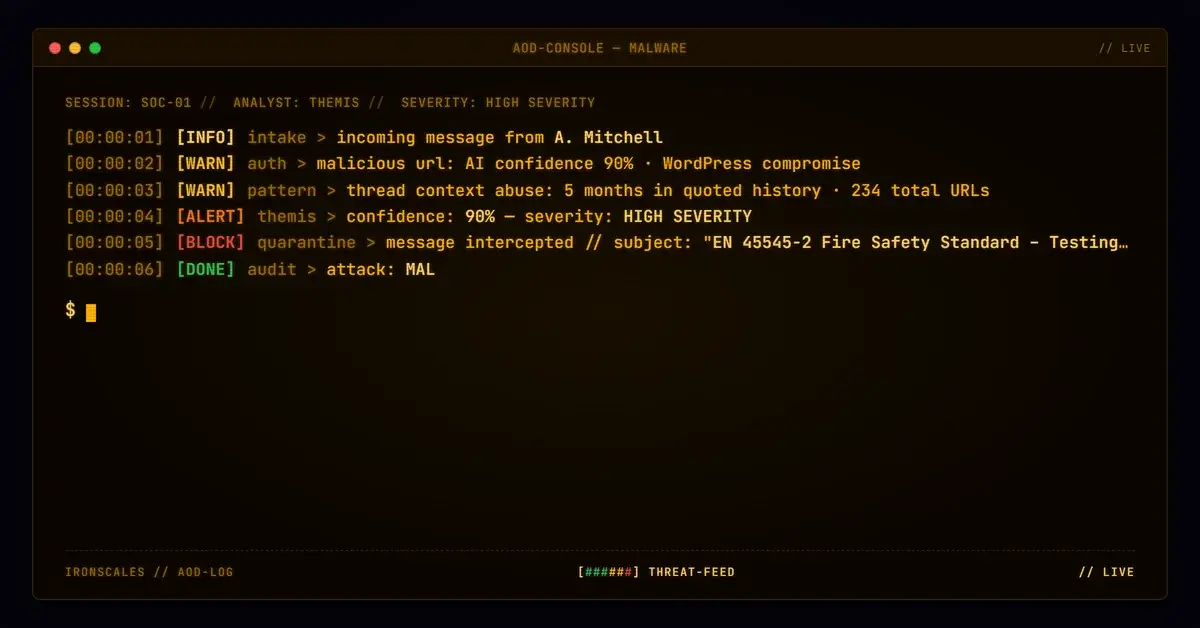
TL;DR Attackers planted a malicious PDF on a compromised WordPress site, disguising it as the EN 45545 European rail fire safety standard. The link entered a legitimate B2B email thread about material testing and persisted for five months across multiple replies, gaining implicit trust from months of genuine technical correspondence. Among 234 total URLs accumulated in the thread, only one was malicious. IRONSCALES Malware and URL Protection flagged the weaponized link with 90% AI confidence after scanning identified the compromised WordPress host.
Severity: High Malware Delivery Compromised Infrastructure MITRE: T1566.002 MITRE: T1189 MITRE: T1584.004
A single malicious URL sat inside a legitimate email thread for five months, carried forward by every reply. Not in the newest reply. Not in a suspicious attachment. Buried in the quoted history of a real business conversation about fire-retardant materials, disguised as a link to a European rail safety standard.
The thread was real. The people were real. The technical discussion about material testing was real. But one link, pointing to a compromised WordPress site hosting a weaponized PDF, rode forward through every reply, gaining trust it never earned.
A Business Thread That Spanned Months
The email chain started in mid-2025 between an engineering manager at a transit seating manufacturer and a product manager at a textile company specializing in aerospace and fire-protection fabrics. The topic: testing a specific composite fabric for compliance with European fire safety regulations.
Over the next several months, the thread accumulated a dozen replies. Test results were delayed. A testing lab had humidity issues. Timelines slipped. The kind of grinding, real-world B2B correspondence that no one would think twice about forwarding.
In November 2025, one of the participants referenced the EN 45545-2 fire safety standard in a reply, linking to what appeared to be a PDF copy hosted at:
hxxp://www[.]glotest[.]com/wp-content/uploads/2015/01/EN_45545-2_e_2013[.]pdf
That link was malicious. The domain glotest[.]com is a legitimate testing equipment company whose WordPress installation had been compromised. The /wp-content/uploads/ path is exactly where WordPress stores media files, making the URL structurally indistinguishable from a legitimate document download.
Five Months of Inherited Trust
Every subsequent reply in the thread carried that link forward in its quoted history. By the time the final message arrived in late April 2026 (a routine follow-up about test results), the malicious URL had been present in the thread for roughly five months.
This is what makes thread context abuse so effective. Nobody re-reads the quoted chain below the latest reply. The link existed alongside months of genuine technical discussion: material specifications, testing schedules, lab delays, engineering questions about Kevlar bonding and foam encapsulation. That context provided implicit validation that no standalone phishing email could replicate.
See Your Risk: Calculate how many threats your SEG is missing
How a Clean Email Carried a Dirty Link
Sender infrastructure: The email originated from a legitimate Microsoft 365 account ([recipient]@[anonymized-domain][.]com) routed through Microsoft outbound protection gateways (23[.]103[.]208[.]65). SPF passed and DMARC passed. The sender's domain had been registered since the mid-2000s.
The DKIM anomaly: Authentication results tell an interesting story. At the first relay hop, DKIM passed cleanly. By the final hop (delivery to the recipient's security gateway), DKIM failed and the ARC chain showed cv=fail at i=2. The subject line had been tagged with [SPAM], and the email body showed evidence of security banner injection ("This email originated from outside of the organization"). Both modifications would invalidate the original DKIM body hash. This is a common operational artifact when emails traverse multiple security appliances, not necessarily evidence of tampering.
The malicious payload: Among 234 total URLs extracted from the message (corporate sites, social media profiles, Microsoft SafeLinks wrappers, and legitimate vendor pages accumulated across months of replies), exactly one was flagged malicious: the WordPress-hosted PDF. The file path (/wp-content/uploads/2015/01/) suggests it was planted in a directory dating to 2015, leveraging the site's historical content structure for credibility.
Quarantine and classification: The message received an SCL (Spam Confidence Level) of 6, triggering quarantine. IRONSCALES Malware and URL Protection scanned all 234 URLs in the full message body (including quoted thread history) and flagged the glotest[.]com PDF as malicious with 90% AI confidence. That single verdict, pulled from deep in the quoted chain, drove the final classification.
| IOC | Type | Context |
|---|
hxxp://www[.]glotest[.]com/wp-content/uploads/2015/01/EN_45545-2_e_2013[.]pdf | URL | Malicious PDF hosted on compromised WordPress site |
23[.]103[.]208[.]65 | IP | Microsoft outbound protection gateway (legitimate) |
glotest[.]com | Domain | Compromised WordPress host |
MITRE ATT&CK mapping: - T1566.002 (Phishing: Spearphishing Link) - T1189 (Drive-by Compromise) - T1584.004 (Compromise Infrastructure: Server)
Thread Trust Is the Attacker's Best Camouflage
According to the Verizon DBIR 2024, 68% of breaches involved a human element, and phishing remains the top initial access vector. But this attack did not require the recipient to fall for a traditional lure. There was no urgency, no credential form, no payment request. The malicious link existed in contextually appropriate content: a European fire safety specification referenced during a technical discussion about fire-retardant materials. The recipient would have had a legitimate reason to click it.
WordPress powers roughly 43% of websites globally, and compromised CMS installations remain one of the most reliable hosting vectors for malicious payloads. The FBI IC3 2024 report noted that business email compromise accounted for $2.9 billion in adjusted losses, and supply chain trust exploitation (like weaponizing an existing vendor thread) is a growing component of that figure.
Scan the Whole Thread, Not Just the Latest Reply
Scan all URLs, not just the latest reply. Most email security tools focus link analysis on the newest message content. Quoted thread history often gets a pass. Configure your email security platform to evaluate every URL in the full message body, including forwarded and quoted chains.
Re-scan URLs retrospectively. A link that was clean when first sent can become malicious later if the hosting site is compromised after the initial delivery. Retrospective link analysis catches exactly this pattern.
Treat WordPress-hosted PDFs with suspicion. The /wp-content/uploads/ path is one of the most commonly exploited hosting locations for malicious payloads. If your web proxy or email gateway can flag downloads from known CMS upload directories on unvetted domains, enable that rule.
Educate users about thread trust. The instinct to trust content in a long, familiar thread is natural. Training should specifically address the risk that malicious artifacts can enter a conversation at any point and persist indefinitely through replies.
One malicious link. Five months. Twelve replies. 234 total URLs to hide among. The thread did not need to be hijacked. It just needed to be long enough for nobody to look back.
Email Attack of the Day is a daily series from
IRONSCALES spotlighting real phishing attacks caught by Adaptive AI and our community of 36,000+ security professionals. Each post breaks down a real attack. What it looked like, why it worked, and what to do about it.







/Blue%20Feature%20Flower%20Icons/gear%20head%20icon.svg)
/Misc%20Icons/icon-nav-credential-theft.svg)










/Leadership%20Headshots/Audian%20Paxson%20Headshot%201000x1000%20032026.webp?width=100&height=100&name=Audian%20Paxson%20Headshot%201000x1000%20032026.webp)



.png?width=50&height=50&name=Untitled%20-%20July%2030%2c%202026%20at%2014.53.38%20(3).png)



/Misc%20Icons/icon-red-teaming-agent-gradient-simple.svg)
/Misc%20Icons/icon-phishing-soc-agent-gradient-simple.webp?width=158&height=167&name=icon-phishing-soc-agent-gradient-simple.webp)
/Misc%20Icons/icon-phishing-simulation-agent-gradient-simple.svg)


/Misc%20Icons/icon-nav-encryption.svg)