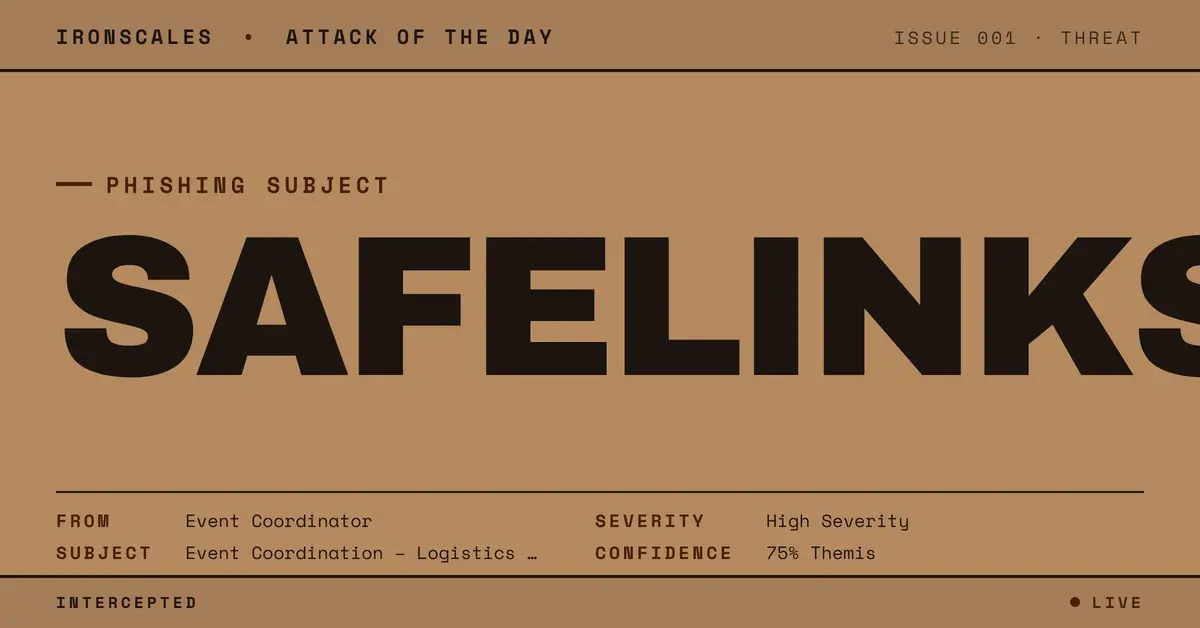
TL;DR A professional event-coordination email thread contained multiple legitimate SharePoint links alongside one malicious URL. The malicious link displayed a planning domain as its text but the actual href pointed to url.emailprotection[.]link, a SafeLinks-wrapped redirect. Sent from a domain registered in 2022 via GoDaddy, the email passed full SPF, DKIM, and DMARC authentication. The legitimate SharePoint links acted as trust anchors that made the single malicious URL harder to identify.
What Happened
An email thread about event coordination arrived from a domain registered in 2022 through GoDaddy. The message was professional in tone and formatting, containing logistical details about an upcoming event with multiple participants. SPF, DKIM, and DMARC all passed.
The email body contained several links. Most pointed to legitimate SharePoint document libraries with expected path structures and sharing parameters. These links resolved to real Microsoft infrastructure and carried valid sharing tokens.
One link was different. Its display text showed a planning-related domain name, but the underlying href pointed to url.emailprotection[.]link, a SafeLinks-wrapped redirect URL. SafeLinks is a Microsoft Defender for Office 365 feature that rewrites URLs through a scanning proxy. In this case, the SafeLinks wrapping obscured the actual destination of the malicious link, making it appear as though Microsoft had already evaluated and approved the URL.
The malicious URL was positioned within the flow of the conversation alongside the legitimate SharePoint links, making it visually indistinguishable from the other resources shared in the thread.
Why It Matters
Trust anchor phishing is a technique where attackers embed one malicious element among multiple legitimate elements to borrow credibility by association. When a recipient sees five links in an email and four of them lead to real SharePoint documents, the assumption that the fifth link is also safe is natural and difficult to override.
The SafeLinks wrapping adds a second layer of false assurance. Recipients and security administrators who see url.emailprotection[.]link in a URL may interpret the Microsoft scanning proxy as evidence that the link has been evaluated and cleared. In practice, SafeLinks evaluates URLs at click time, not at delivery time, and sophisticated redirect chains can evade the scan.
The display text vs href mismatch is the most reliable technical indicator, but it requires inspection that most recipients will not perform. Email clients render the display text prominently and hide the actual href behind a hover tooltip or right-click menu. In a busy event-coordination thread with multiple links, the probability that a recipient will inspect each URL individually is low.
The full email authentication pass removes another potential detection signal. The sender domain was registered in 2022, giving it enough age to avoid new-domain heuristics, and GoDaddy is a mainstream registrar that does not carry negative reputation signals.
How IRONSCALES Caught It
Adaptive AI email security performed link-level analysis that identified the display text to href mismatch on the single malicious URL. While the SafeLinks wrapping obscured the final destination for most scanning systems, the behavioral model flagged the inconsistency between the displayed domain and the emailprotection[.]link redirect as anomalous within the context of the message.
Community intelligence confirmed that the url.emailprotection[.]link redirect pattern was associated with active credential harvesting campaigns across the IRONSCALES network, providing additional confidence in the risk classification.
See Your Risk. Run a free phishing simulation to test whether trust-anchor phishing emails with embedded malicious URLs would bypass your current protections.
Indicators of Compromise
| Indicator | Type | Value |
|---|
| Case ID | Internal | 3f9047c0e937ae958a54775020730b00 |
| Sender Domain | Domain | [redacted] (registered 2022, GoDaddy) |
| Malicious URL (wrapped) | URL | url.emailprotection[.]link |
| Display Text Domain | URL | [redacted planning domain] |
| Trust Anchor Links | URL | Legitimate SharePoint document links |
| Registrar | Infrastructure | GoDaddy |
| SPF | Authentication | pass |
| DKIM | Authentication | pass |
| DMARC | Authentication | pass |
MITRE ATT&CK Mapping
| Tactic | Technique | ID | Notes |
|---|
| Initial Access | Phishing: Spearphishing Link | T1566.002 | Malicious URL among legitimate SharePoint links |
| Defense Evasion | Masquerading | T1036 | Display text mismatch hides actual href destination |
| Defense Evasion | Obfuscated Files or Information | T1027 | SafeLinks wrapping obscures final URL |
| Credential Access | Input Capture: Web Portal Capture | T1056.003 | Credential harvest at redirect destination |
Email Attack of the Day is a daily series from
IRONSCALES spotlighting real phishing attacks caught by Adaptive AI and our community of 36,000+ security professionals. Each post breaks down a real attack. What it looked like, why it worked, and what to do about it.



/case_study_thumb_telit.webp?width=1136&height=639&name=case_study_thumb_telit.webp)



/Blue%20Feature%20Flower%20Icons/gear%20head%20icon.svg)
/Misc%20Icons/icon-nav-credential-theft.svg)










/Leadership%20Headshots/Audian%20Paxson%20Headshot%201000x1000%20032026.webp?width=100&height=100&name=Audian%20Paxson%20Headshot%201000x1000%20032026.webp)



.png?width=50&height=50&name=Untitled%20-%20July%2030%2c%202026%20at%2014.53.38%20(3).png)



/Misc%20Icons/icon-red-teaming-agent-gradient-simple.svg)
/Misc%20Icons/icon-phishing-soc-agent-gradient-simple.webp?width=158&height=167&name=icon-phishing-soc-agent-gradient-simple.webp)
/Misc%20Icons/icon-phishing-simulation-agent-gradient-simple.svg)


/Misc%20Icons/icon-nav-encryption.svg)