Perfect Authentication, Zero Payload: The Yahoo Free-Mail BEC That Microsoft Flagged but Didn't Block

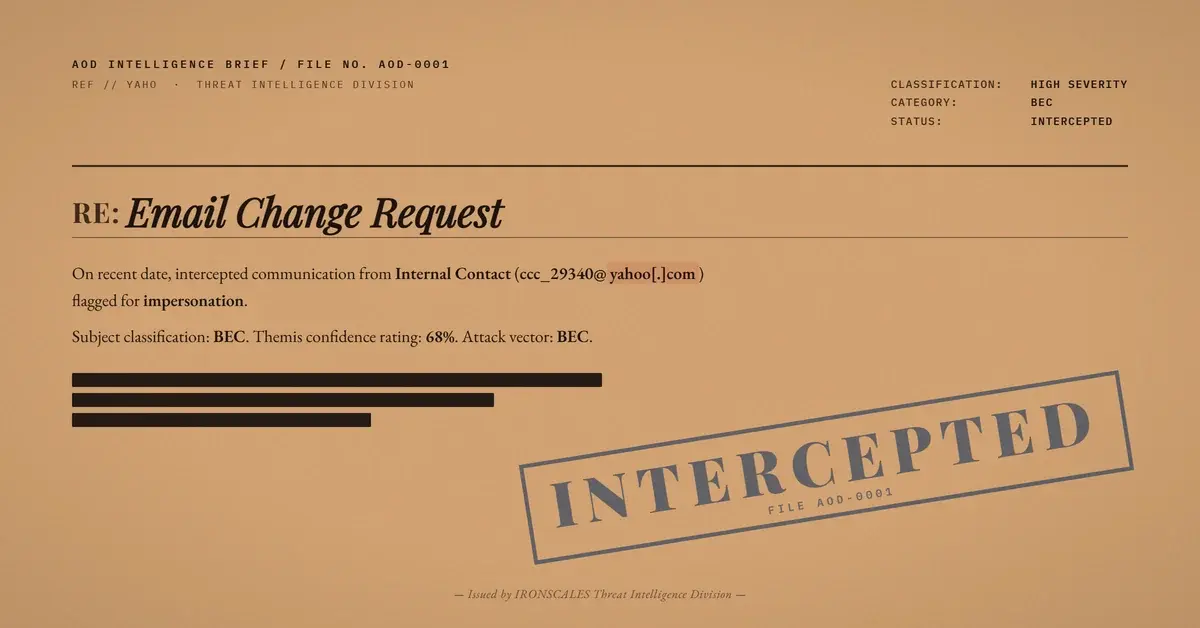
TL;DR A threat actor used a Yahoo free-mail account with an exact display name matching a known internal contact to send an account change request to an employee at a state government health agency. The email contained zero links, zero attachments, and zero malware. SPF, DKIM, and DMARC all passed with compauth=100 because Yahoo's infrastructure is legitimate. Microsoft's SFTY:9.25 impersonation safety tip triggered, recognizing the display name mismatch, but did not block delivery. Themis flagged the email at 68% confidence based on sender fingerprint analysis, identifying that the display name was previously associated with a different email address in the recipient's communication history.
Severity: High Bec Impersonation Social Engineering MITRE: {'id': 'T1656', 'name': 'Impersonation'} MITRE: {'id': 'T1598', 'name': 'Phishing for Information'}

The email had no links. No attachments. No embedded images. Just a short message with the subject line "Email Change Request," sent from a Yahoo free-mail account to an employee at a state government health agency.

Every authentication check passed. SPF, DKIM, DMARC, compauth=100. Yahoo's infrastructure is legitimate, and the attacker used it exactly as designed. The only weapon was a display name.

The Name Was Right, the Address Was Wrong

The display name matched a known internal contact, someone the recipient had exchanged email with before. But that contact's real address was on a completely different domain. This message came from ccc_29340@yahoo[.]com, a free-mail account with no connection to the organization.

The subject line, "Email Change Request," was the social engineering payload. The attacker wanted the recipient to respond with updated account or contact details, a classic precursor to account takeover and business email compromise. No technical exploit needed. Just a reply.

Microsoft Saw It, Microsoft Didn't Stop It

The email headers tell a revealing story. Microsoft's own impersonation detection triggered a safety tip (SFTY:9.25), meaning the system recognized the display name was associated with a different known sender address. The Spam Confidence Level sat at 1, well below any quarantine threshold.

Microsoft identified this as a likely impersonation attempt and delivered it anyway. The safety tip is informational, not blocking. For a government employee processing dozens of emails a day, a subtle banner is easy to overlook when the display name looks familiar.

The Signal That Mattered

Themis, the IRONSCALES Adaptive AI, flagged the email at 68% confidence based on sender fingerprint analysis. The platform maintains a history of which display names correspond to which sending addresses. When a known name appeared from an unknown address, the mismatch triggered elevated scrutiny.

This is the detection surface that zero-payload BEC deliberately targets. No artifacts to scan, no URLs to detonate, no files to sandbox. The only signal is behavioral: this name has never come from this address before.

One mailbox was quarantined. The reporter confirmed the message as phishing.

Indicators of Compromise

TypeIndicatorContext
Sender Emailccc_29340@yahoo[.]comYahoo free-mail, display name impersonation
SPFPass (34[.]2[.]64[.]18, sonic.asd.mail.yahoo.com)Legitimate Yahoo infrastructure
DKIMPass (d=yahoo.com)Yahoo-signed
DMARCPass (compauth=100)Full authentication alignment
SFTY9.25Microsoft impersonation safety tip triggered
SCL1Below quarantine threshold

MITRE ATT&CK Mapping

TechniqueIDRelevance
ImpersonationT1656Exact display name matched a known internal contact
Phishing for InformationT1598Account change request designed to elicit sensitive response

Authentication tells you the infrastructure is real. It does not tell you the person is who they claim to be. When the payload is a name and a polite request, the only defense is a system that remembers who sends from where.

Email Attack of the Day is a daily series from IRONSCALES spotlighting real phishing attacks caught by Adaptive AI and our community of 30,000+ security professionals. Each post breaks down one attack — what it looked like, why it worked, and what you can do about it.

Explore More Articles

Say goodbye to Phishing, BEC, and QR code attacks. Our Adaptive AI automatically learns and evolves to keep your employees safe from email attacks.