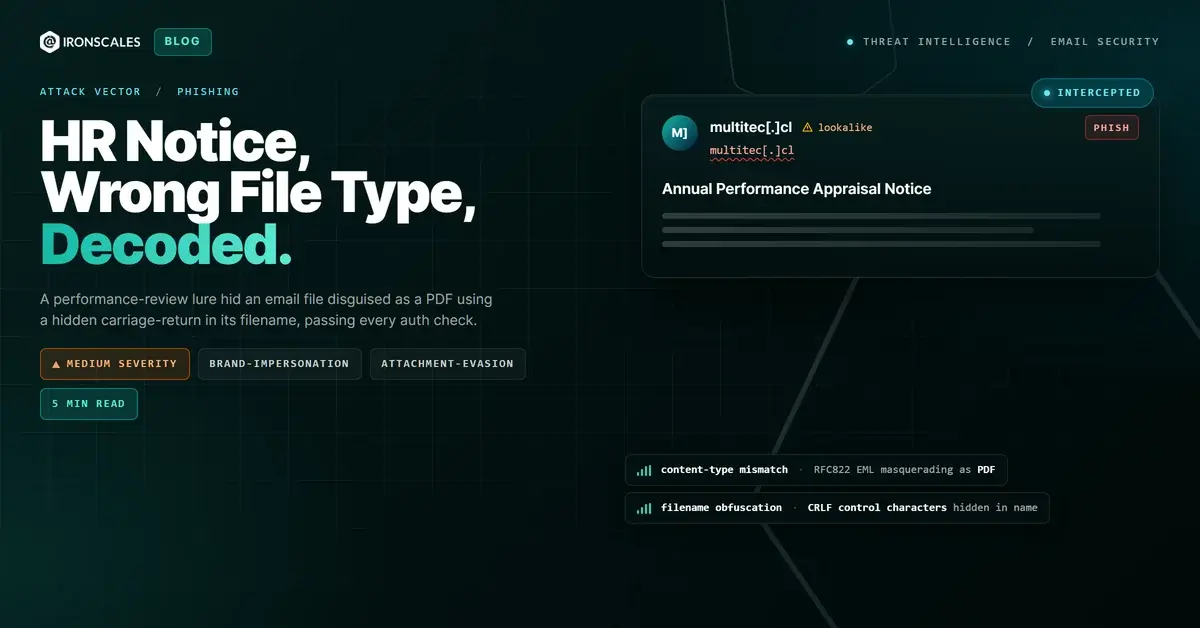
TL;DR A performance-appraisal lure impersonating a U.S. state government agency reached two mailboxes carrying an attachment that looked like a PDF. The file was really an RFC822 email wrapper holding a base64-encoded PDF, and its name concealed an embedded carriage-return and line-feed character. The email passed SPF, DKIM, DMARC, and composite authentication through Amazon Simple Email Service under a twenty-year-old Chilean domain. The decoded document was clean and harmless. The entire attack was file-type disguise and sender masquerade, not payload, which is exactly why the authentication checks missed it.
Severity: Medium Phishing Brand-Impersonation Attachment-Evasion MITRE: T1566 MITRE: T1566.001 MITRE: T1036
Two mailboxes at a U.S. state government health and human services agency received an HR notice about an annual performance appraisal. The subject carried a high-importance flag. Attached was what appeared to be a routine PDF, the kind of eAppraisal document an employee would open without a second thought. Every authentication signal on the message was green. The attachment was the whole trick, and it was not a PDF.
There was no malicious code inside it. When analysts decoded the file, the document it contained was clean and benign. The attack did not depend on a payload at all. It depended on a lie about what the file was, told well enough to slip past filters that read a filename and trusted it.
What Actually Landed in the Inbox
The attachment advertised itself as a PDF. Its real structure was an RFC822 EML file, the format used to store a raw email message, and inside that wrapper sat a base64-encoded PDF. That is a content-type mismatch: a file named like one thing and stored as another. Many mail filters and file managers decide what a file is by reading its extension, so an EML dressed with a PDF-style name can be handled as a document rather than inspected as the email container it actually is.
The disguise went one layer deeper. Embedded inside the filename itself was a carriage-return and line-feed pair, the invisible control characters commonly abbreviated as CRLF. A CRLF inside a filename breaks how parsing and display logic read the name, so the true extension and structure can be split away from what a filter or a user sees. The name looked like an ordinary appraisal notice. The line break hidden in it did the quiet work of confusing anything that took the name at face value.
None of this required a virus, a macro, or an exploit. The engineering effort went entirely into making a benign file look like something safe while being structured to evade type-based inspection.
Authentication Was Never the Weak Point
The message was relayed through Amazon Simple Email Service (SES), legitimate bulk-sending infrastructure trusted across the internet. The sending domain was a Chilean address that had been registered for roughly twenty years, the opposite of a throwaway domain. As a result the email passed Sender Policy Framework (SPF), passed DomainKeys Identified Mail (DKIM) on both the sending domain and amazonses.com, passed Domain-based Message Authentication, Reporting and Conformance (DMARC), and returned a passing composite authentication result. To any gateway leaning on reputation and authentication, the sender looked fully legitimate.
The one signal that should have provoked a second look was the mismatch nobody in the envelope checks was built to notice. A twenty-year-old Chilean commercial domain was sending an HR performance-appraisal notice that impersonated a U.S. state government agency. The brand and the geography did not belong together. Authentication cannot see that kind of contradiction. It confirms that a message came from infrastructure authorized to send, not that the message makes any sense.
The tenant assigned the message a Spam Confidence Level of 5, elevated but not decisive, and it reached the inbox. Clean auth plus a long-lived domain is exactly the combination that keeps borderline mail moving.
Why the Disguise Beat the Filters
Filters that classify attachments by extension are answering the wrong question. They ask what the file claims to be instead of what it is. A phishing attempt built on a content-type mismatch exploits that gap directly: the CRLF-obfuscated name says PDF, the bytes say EML, and the inspection stops at the name.
Catching this requires reading the file, not the label. Detection here came from evaluating the attachment structure against its declared type, the invisible control character in the name, and the brand-versus-geography contradiction in the sender, together, as one behavioral picture. Those signals live at the content and intent layer, which is where Adaptive AI adds value on top of gateway authentication. In this case Themis, the Adaptive AI analyst, weighed the mismatched file structure, the malformed filename, and the impersonation context rather than deferring to the green authentication result. Deep attachment inspection that unpacks wrappers and verifies true file type is the same discipline behind advanced malware and URL attack protection.
Phishing remains a leading way into an organization. The 2024 Verizon Data Breach Investigations Report attributes 15 percent of breaches to phishing and finds the human element present in 68 percent of breaches, while the Microsoft Digital Defense Report 2024 documents the continued industrialization of phishing infrastructure and the abuse of trusted sending platforms. The lesson repeats: reputable relays and clean authentication are now table stakes for attackers, not obstacles.
MITRE ATT&CK Mapping
- T1566, Phishing. The initial-access vector, an HR appraisal lure impersonating the recipient's own government agency.
- T1566.001, Spearphishing Attachment. The disguised attachment, an EML wrapper named to look like a PDF with a CRLF hidden in the filename.
- T1036, Masquerading. The core of the technique, a file and a sender both presenting as something they were not.
Reference: MITRE ATT&CK T1566, T1566.001, and T1036.
Indicators of Compromise
Indicators are defanged. Do not resolve or open them. Treat the attachment as attacker-controlled even though its decoded contents were benign.
| Indicator | Type | Role |
|---|
multitec[.]cl | Domain | Abused twenty-year-old Chilean sending domain. Passed SPF, DKIM, and DMARC via Amazon SES. |
54.240.48[.]112 | IP address | Amazon SES egress address that delivered the message. |
94408161903f89a510554752e65d02cf | File hash | The disguised attachment, an EML wrapper containing a base64-encoded PDF. |
eAppraisal_Performance_Notice.pdf | Filename | Appraisal-notice attachment name carrying an embedded carriage-return and line-feed to obscure its true type. |
The Takeaway
The strongest tell in this attack was not a payload, because there was not one. It was the gap between what a file said it was and what it actually was. A single invisible control character in a filename, wrapped around an email file wearing a PDF's name, carried an impersonated government notice past every authentication check on the message. Guidance from the Cybersecurity and Infrastructure Security Agency makes the same point about breaking the attack cycle early through inspection rather than trust: CISA phishing guidance. Verify what a file is, not what it claims to be, and the disguise falls apart.
See Your Risk: Calculate how many threats your SEG is missing
Email Attack of the Day is a daily series from
IRONSCALES spotlighting real phishing attacks caught by Adaptive AI and our community of 36,000+ security professionals. Each post breaks down a real attack. What it looked like, why it worked, and what to do about it.







/Blue%20Feature%20Flower%20Icons/gear%20head%20icon.svg)
/Misc%20Icons/icon-nav-credential-theft.svg)










/Leadership%20Headshots/Audian%20Paxson%20Headshot%201000x1000%20032026.webp?width=100&height=100&name=Audian%20Paxson%20Headshot%201000x1000%20032026.webp)



.png?width=50&height=50&name=Untitled%20-%20July%2030%2c%202026%20at%2014.53.38%20(3).png)



/Misc%20Icons/icon-red-teaming-agent-gradient-simple.svg)
/Misc%20Icons/icon-phishing-soc-agent-gradient-simple.webp?width=158&height=167&name=icon-phishing-soc-agent-gradient-simple.webp)
/Misc%20Icons/icon-phishing-simulation-agent-gradient-simple.svg)


/Misc%20Icons/icon-nav-encryption.svg)