TL;DR A UK consumer fintech received a Salesforce deactivation notice that authenticated cleanly at its own inbound gateway. The delivery leg was a subscription billing platform's production transactional mail with a valid DKIM signature for that platform's domain. The brand logo was hotlinked from Wikimedia Commons. The credential page sat on a genuine Salesforce Sites org, and a second path asked the recipient to simply reply with an Organization ID. Every leg of the attack ran on legitimate third-party infrastructure, which left domain reputation and sender authentication with nothing to score against. A human analyst confirmed it malicious.
Severity: High Credential Harvesting Brand Impersonation MITRE: T1566.002
The credential page ran on a real Salesforce Sites org. The brand logo was hotlinked straight out of Wikimedia Commons. And the lure itself was delivered by a subscription billing platform's own production transactional mail, carrying a valid DKIM signature for that platform's domain.
The attacker owned none of it.
That is the entire argument of this message, dated 2026-02-26 and addressed to a digital marketing manager at a UK consumer fintech. The pretext was mundane: the recipient's Salesforce organization had been temporarily deactivated, blamed on a trial or subscription expiry, prolonged inactivity, or a billing hold. Simply sign in with your existing username and password. A human analyst confirmed it malicious, marking it Approved Manually, and it was quarantined.
The domain was never forged
The From address read Salesforce@ followed by the domain of a subscription billing vendor that has no relationship to the brand being borrowed.
That distinction is the whole technical story, and it is easy to get wrong. This was not domain spoofing. The vendor's domain was not forged, and the message carried an inline DKIM signature (v=1, a=rsa-sha256, s=s1) for that domain. At the organization's own inbound edge, the ARC set recorded: dkim=pass, dmarc=pass under a published policy=reject, and spf=pass for the envelope sender designating the sending IP 159[.]183[.]203[.]6.
Authentication did its job perfectly. It proves who signed a message. It has never proven what the message asks you to do.
The gateway's impersonation controls were thorough and blind. Three policy families ran and every check returned false: similar internal domain, newly observed domain, display-name matching, reply-to mismatch, threat dictionaries. None of them examine the local part of a From address. It scored spam 3 with a bulk classification, because at the transport layer that is what it was.
The authentication failure at the mailbox was the recipient's own gateway
Read one hop further and the picture inverts. At Microsoft the same message shows spf=softfail, dkim=fail with signature did not verify, dmarc=fail with action=oreject, and compauth=none.
None of that is attacker behavior.
The organization's secure email gateway (SEG, the legacy perimeter mail filter) rewrote every URL in the body for click-time protection. That changes the bytes the DKIM body hash covered, so the signature cannot verify downstream. The ARC record from the legitimate inbound edge preserves the original passing result. Reading the final hop alone has you chasing a forgery that never happened, and hides the real finding: this message authenticated correctly as genuine vendor mail.
The SCL:-1 trust rating deserves the same care. It reflects the recipient's own topology, a trusted connector from its own gateway that skips further filtering, not a capability the attacker demonstrated.
The delivery leg was somebody else's production mail stream
The Received chain starts inside the billing platform's production postfix infrastructure, moves through that platform's own email service provider, reaches the organization's inbound gateway, and lands in Microsoft 365. There is no suspicious relay in the path, because there is no attacker relay.
The message even carried a 1x1 open-tracking pixel from the billing platform's own analytics, with a subuser identifier matching the envelope sender. The attacker did not build a beacon. The attacker fired somebody else's.
Whether that billing account was fraudulently signed up for or an existing customer account was taken over was not established. Either way, the platform and its provider are bystanders. The one honest signal in the message was a first-time sender with no correspondence in either direction.
See Your Risk: Calculate how many threats your SEG is missing
Salesforce as the landing leg, not the delivery vehicle
Brand-abuse cases in this ecosystem usually run the other way, with the platform's own marketing or transactional mail carrying a lure that points somewhere else. Here the platform showed up at the end of the chain instead.
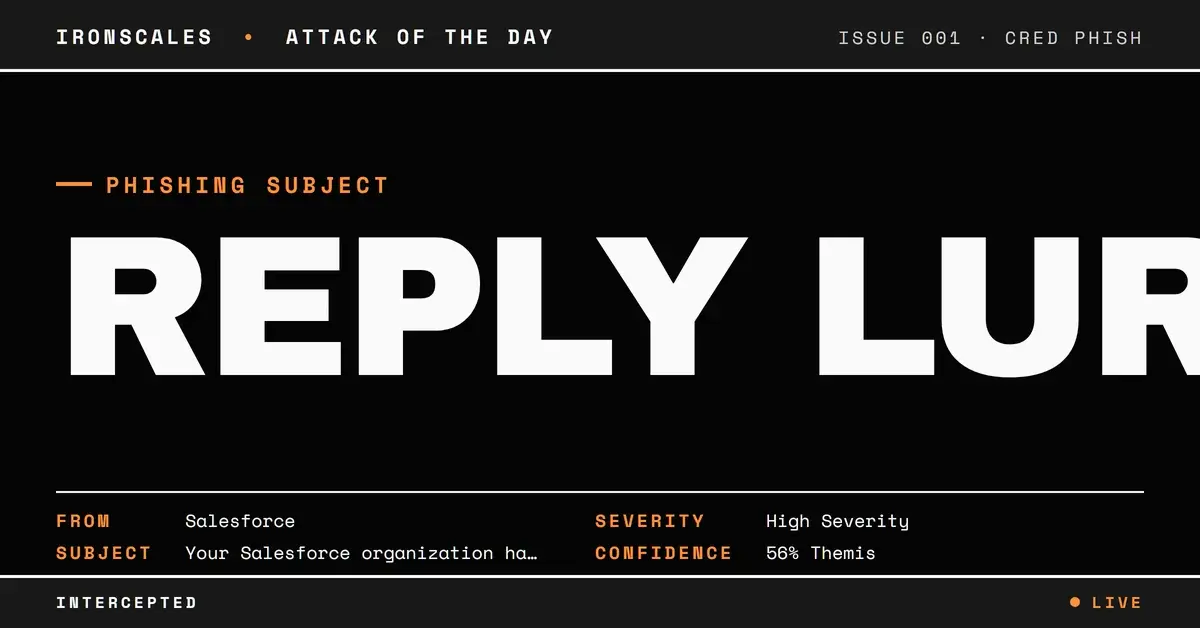
The credential page was hosted at a *.my.salesforce-sites.com org, reached through an anchor reading "Log In to Reactivate Your Org". Its leading label is an auto-generated org name of the adjective-noun-number form the platform assigns by default. URL analysis returned a Mixed Result with a partial malicious verdict, and Themis, the Adaptive AI analyst, independently flagged it as credential harvesting at confidence 56. No page capture was taken, so what that page rendered is unknown.
A landing host like this defeats reputation logic structurally. It sits on a shared platform used by a huge population of legitimate business tenants, so a blanket domain block is not an option anyone will accept. Real TLS, no registration age signal, no hosting anomaly to weigh.
The logo has the same property. Hotlinked from Wikimedia Commons, it leaves no attacker image host to blocklist.
The footer reinforced the pattern. Every link, including the help and privacy references, resolved to the same single landing URL, and the Unsubscribe anchor had no href at all.
The path that never needs a click
Below the button sat a second instruction: reply to this email with your Organization ID, described as available in your login URL or on your Company Information page.
This is the leg that matters most for detection design. A reply-based path never touches URL rewriting, never enters a sandbox, never generates a click event. The recipient just replies to an address that already passed SPF, DKIM and DMARC. Every control the organization had bought was watching links.
An Organization ID is not a credential on its own. It is the account identifier that makes a follow-up call or a tailored login page convincing. Pretexting accounts for 6% of initial access vectors in the 2026 Verizon Data Breach Investigations Report, which also puts phishing at 16% of breaches and credentials in 39%.
Indicators
| Type | Indicator | Context |
|---|
| URL | hxxps://[.]my[.]salesforce-sites[.]com/login | Credential page, anchor "Log In to Reactivate Your Org" |
| Sender pattern | Salesforce@ | Local-part brand impersonation on a DKIM-signing domain |
| Image | hxxps://upload[.]wikimedia[.]org/wikipedia/commons/thumb/f/f9/Salesforce[.]com_logo[.]svg/3840px-Salesforce[.]com_logo[.]svg[.]png | Brand logo hotlinked from a public host |
| Behavior | Reply with your Organization ID | No-click exfiltration path |
| Structure | Footer links collapsed onto the single CTA URL, Unsubscribe anchor with no href | Template tell |
MITRE maps this to T1566.002, Phishing: Spearphishing Link. The reply path pursues the same objective with no link.
What is left to detect with
Strip out reputation, authentication, domain age and image hosting, and what remains is the request. A first-time sender asking a marketing manager to reauthenticate a CRM org, or to hand over its identifier by reply, is anomalous as a relationship and as a behavior.
That is the case for moving detection off static perimeter indicators and onto Adaptive AI that models normal sender relationships per mailbox. IRONSCALES platform data shows 67.5 phishing emails per 100 mailboxes each month, and 36,000+ security professionals across 18,000+ organizations contribute the human verdicts that sharpen it. The 2026 Verizon Data Breach Investigations Report puts the human element in 62% of breaches, up from 60%, and its Figure 54 gateway mix shows plain phishing at 80% of blocked attacks against 3% for BEC (business email compromise).
CISA phishing guidance and the Microsoft Digital Defense Report 2024 land on the same control set: phishing-resistant MFA, so a harvested password is not enough, and conditional access that fails a session from an unexpected device. The IBM Cost of a Data Breach 2024 figures argue why that spend beats the alternative.
One practical hunt. Query your own mail for a From local part matching a major SaaS brand on a domain with no business relationship to that brand. It costs nothing, and in this message it was the only thing that was actually false.
Email Attack of the Day is a daily series from
IRONSCALES spotlighting real phishing attacks caught by Adaptive AI and our community of 35,000+ security professionals. Each post breaks down a real attack. What it looked like, why it worked, and what to do about it.







/Blue%20Feature%20Flower%20Icons/gear%20head%20icon.svg)
/Misc%20Icons/icon-nav-credential-theft.svg)










/Leadership%20Headshots/Audian%20Paxson%20Headshot%201000x1000%20032026.webp?width=100&height=100&name=Audian%20Paxson%20Headshot%201000x1000%20032026.webp)



.png?width=50&height=50&name=Untitled%20-%20July%2030%2c%202026%20at%2014.53.38%20(3).png)



/Misc%20Icons/icon-red-teaming-agent-gradient-simple.svg)
/Misc%20Icons/icon-phishing-soc-agent-gradient-simple.webp?width=158&height=167&name=icon-phishing-soc-agent-gradient-simple.webp)
/Misc%20Icons/icon-phishing-simulation-agent-gradient-simple.svg)


/Misc%20Icons/icon-nav-encryption.svg)