TL;DR Attackers impersonated the law firm Alston & Bird LLP using homoglyph characters in the display name, then weaponized Google Drive sharing to deliver a fully authenticated phishing email. SPF, DKIM, and DMARC all passed because Google legitimately sent the notification. The real attack infrastructure hid in two places authentication never checks: a Reply-To domain registered just 22 hours earlier and a Google Drive file link serving as the payload. IRONSCALES Adaptive AI detected the behavioral anomaly and quarantined the message across affected mailboxes.
Severity: High Brand Impersonation Credential Harvesting MITRE: T1566.002 MITRE: T1036.005 MITRE: T1584.001
Every email authentication check passed. SPF, DKIM, DMARC: all green. The sending infrastructure was Google. The notification template was real. The sharing mechanism was legitimate Google Drive.
And yet the display name spelling "Alston & Bird LLP" contained characters from three different Unicode scripts, the Reply-To domain had been registered 22 hours earlier, and the shared file was a PDF lure pointing to a credential harvesting page. Authentication did exactly what it was designed to do. It just wasn't designed to catch this.
This attack, caught by IRONSCALES in a campaign targeting a mid-size professional services firm, demonstrates a growing problem: attackers are no longer trying to defeat email authentication. They are building attacks that authentication was never meant to evaluate.
Three Unicode Scripts, One Display Name
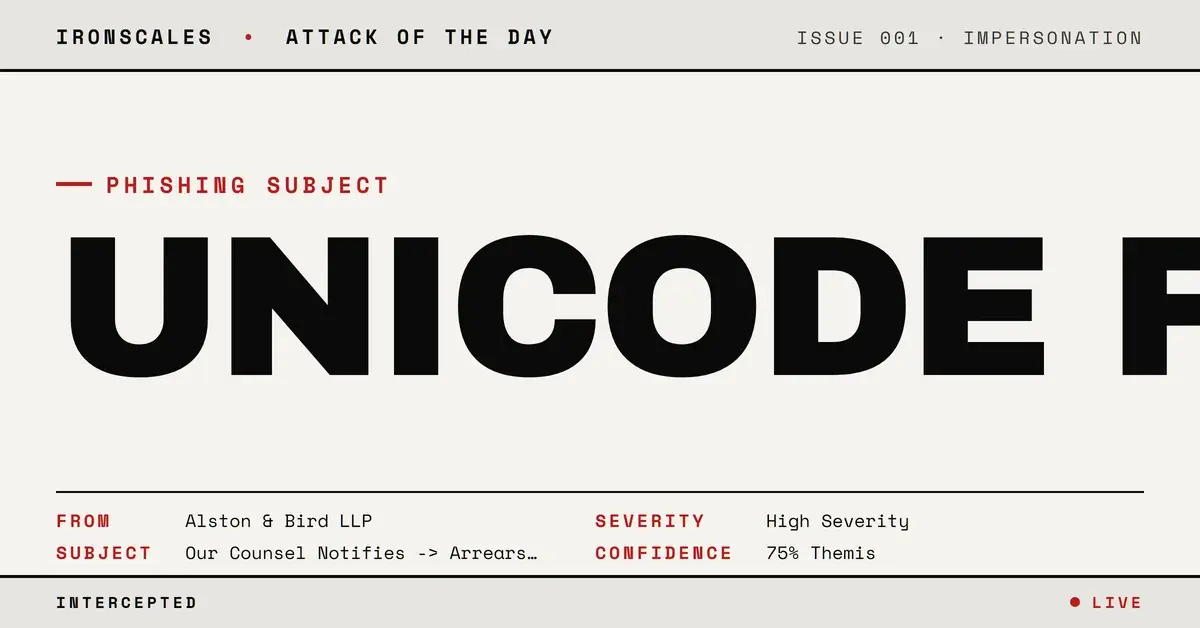
The attacker registered a Google account with the display name "Alstоn & Bird ʟʟᴘ֍ Stо..." and shared a Google Drive file with the target. At a glance, "Alston & Bird LLP" is one of the largest law firms in the United States. Recipients expect legal correspondence from firms like this, especially when the subject line references arrears and counsel notifications.
But the display name was a forgery assembled from multiple character sets. The Cyrillic "о" (U+043E) replaced the Latin "o" in both "Alston" and the trailing "Sto." The "ʟʟᴘ" used Latin letter small capitals (U+029F and U+1D18) instead of standard uppercase "LLP." The "֍" character (U+058D, Armenian Eternity Sign) served as a visual separator that no legitimate law firm would use.
This is homoglyph substitution, a technique that exploits the gap between what humans see and what machines parse. Display name filters checking for "Alston & Bird LLP" as an exact string match will never trigger because the string isn't actually "Alston & Bird LLP." It just looks like it.
Google Sent the Email (and That Was the Point)
The attacker's key infrastructure decision was to use Google Drive sharing as the delivery mechanism (T1566.002). By uploading a file titled "Our Counsel Notifies -> Arrears Identified" and sharing it with the target (plus 23 CC'd addresses spanning personal Gmail accounts, small businesses, and an .edu domain), the attacker forced Google to generate and send the notification email.
The result: every authentication header pointed to Google's legitimate infrastructure. The email originated from mail-qt1-x850.google.com over IPv6. SPF validated against doclist.bounces.google.com. DKIM was signed with d=google.com. DMARC passed with action=none. Microsoft's own composite authentication (compauth) returned pass reason=100, the highest confidence score.
No SEG filtering on authentication alone would flag this message. According to the FBI IC3 2024 Internet Crime Report, business email compromise and phishing accounted for over $2.7 billion in adjusted losses. Attacks riding legitimate cloud infrastructure are a significant contributor because they are invisible to authentication-based defenses.
See Your Risk: Calculate how many threats your SEG is missing
The 22-Hour-Old Domain Hiding in the Reply-To
Authentication validated Google as the sender. But the attacker's actual infrastructure lived in a header that DMARC, SPF, and DKIM never evaluate: the Reply-To.
The Reply-To was set to nannestplicag2001@login.cloudsecurityaccess[.]com. WHOIS records show that cloudsecurityaccess[.]com was registered on March 26, 2026, at 20:42 UTC, through Hosting Concepts B.V. (via Dynadot). The phishing email arrived on March 27 at 18:36 UTC. That is a 22-hour gap between domain creation and attack delivery.
The domain sat behind Cloudflare nameservers, used privacy-protected registration, and had no published DMARC, DKIM, or SPF records. The login. subdomain had no A record at all. This is acquired infrastructure built for a single purpose: capturing replies from anyone who responded to the legal threat. Even the domain name, "cloudsecurityaccess," was chosen to look plausible under inspection.
The Verizon 2024 Data Breach Investigations Report found that the median time from phishing email delivery to first click is under 60 seconds. An employee seeing "Alston & Bird LLP" referencing overdue legal arrears has very little time (and very little reason, given the authentication results) to investigate the Reply-To header.
What Themis Caught That Authentication Could Not
The IRONSCALES Adaptive AI platform does not stop at authentication headers. It evaluates behavioral signals across every layer of the email.
Themis identified a convergence of anomalies: mixed-script Unicode characters inconsistent with any legitimate sender profile, a Reply-To domain less than 24 hours old with no sending history, one primary recipient with 23 CC'd addresses across unrelated organizations (a spray pattern inconsistent with legitimate legal correspondence), and urgency language paired with a legal pretext that scores high on behavioral risk models.
The platform quarantined the message across all three affected mailboxes before any recipient clicked the Google Drive link. Community intelligence from the IRONSCALES network of 36,000+ security professionals had already flagged similar homoglyph law firm impersonation patterns that month, accelerating detection confidence.
According to the Microsoft Digital Defense Report 2024, cloud service abuse for phishing delivery has increased significantly, with attackers specifically targeting file-sharing and notification mechanisms to bypass email security controls. This case is a textbook example of that trend.
The Authentication Gap That Matters
SPF, DKIM, and DMARC answer one question: did this email come from who the envelope says it came from? When the answer is "yes, Google sent it," the authentication stack has done its job. It was never designed to evaluate whether the person who triggered that notification is who they claim to be.
Security teams should focus on three areas:
- Reply-To domain age analysis. Any Reply-To domain registered within the past 30 days should be flagged for review. WHOIS lookups on Reply-To headers are inexpensive and catch a significant percentage of throwaway phishing infrastructure.
- Display name Unicode inspection. Homoglyph detection requires character-level analysis, not string matching. If your filtering only compares display names against a block list using exact match, mixed-script substitutions will bypass it every time.
- Behavioral AI that operates beyond authentication. The IBM Cost of a Data Breach 2024 report found that organizations using AI-driven security tools identified and contained breaches 108 days faster than those without. Authentication is necessary but not sufficient. Adaptive detection that evaluates sender behavior, domain age, Unicode anomalies, and community threat intelligence is what closes the gap.
Every component of this attack was legitimate in isolation: a real Google notification, a real Drive file, a real domain. The only thing that was not real was the identity behind it all. And that is exactly what authentication cannot verify.
Indicators of Compromise
| Type | Indicator | Context |
|---|
| Domain | cloudsecurityaccess[.]com | Reply-To domain, registered 2026-03-26 |
| Domain | login.cloudsecurityaccess[.]com | Reply-To subdomain, no A record |
| Email | nannestplicag2001@login.cloudsecurityaccess[.]com | Reply-To address |
| URL | hxxps://drive.google[.]com/file/d/1vJXNRbsMs_CpPUW_KP6jeESF_qzeYmrt/view | Google Drive payload |
| Registrar | Hosting Concepts B.V. (via Dynadot) | Domain registration |
| Nameservers | clyde.ns.cloudflare[.]com, lina.ns.cloudflare[.]com | Attacker DNS infrastructure |
| MITRE ATT&CK | T1566.002 (Spearphishing Link) | Initial access via Google Drive share |
| MITRE ATT&CK | T1036.005 (Match Legitimate Name or Location) | Homoglyph display name |
| MITRE ATT&CK | T1584.001 (Acquire Infrastructure: Domains) | Day-old Reply-To domain |
Email Attack of the Day is a daily series from
IRONSCALES spotlighting real phishing attacks caught by Adaptive AI and our community of 36,000+ security professionals. Each post breaks down a real attack. What it looked like, why it worked, and what to do about it.







/Blue%20Feature%20Flower%20Icons/gear%20head%20icon.svg)
/Misc%20Icons/icon-nav-credential-theft.svg)










/Leadership%20Headshots/Audian%20Paxson%20Headshot%201000x1000%20032026.webp?width=100&height=100&name=Audian%20Paxson%20Headshot%201000x1000%20032026.webp)



.png?width=50&height=50&name=Untitled%20-%20July%2030%2c%202026%20at%2014.53.38%20(3).png)



/Misc%20Icons/icon-red-teaming-agent-gradient-simple.svg)
/Misc%20Icons/icon-phishing-soc-agent-gradient-simple.webp?width=158&height=167&name=icon-phishing-soc-agent-gradient-simple.webp)
/Misc%20Icons/icon-phishing-simulation-agent-gradient-simple.svg)


/Misc%20Icons/icon-nav-encryption.svg)