TL;DR A fully authenticated message delivered a calendar attachment with an empty visible body. The file scanner cleared it correctly, because iCalendar text cannot carry a binary payload. The lure was a complete Microsoft-branded HTML page living in the attachment's alternate HTML description property, with a styled report button whose href pointed at a subdomain that did not resolve when it was analyzed. The platform's own parsed link list contained only the two Outlook safety-banner URLs. The malicious destination was never in it.
Severity: High Credential Harvesting Brand Impersonation Attachment-Based Attack Detection Evasion MITRE: T1566.001 MITRE: T1204.001 MITRE: T1027 MITRE: T1036.005
A 26 KB calendar file cleared every scanner in the delivery path, and the verdict was correct. There were no macros in it, no executable, no compressed binary. The iCalendar format cannot carry one. The credential-theft page was still in there, parked in a metadata property that nothing in the inspection chain treats as content.
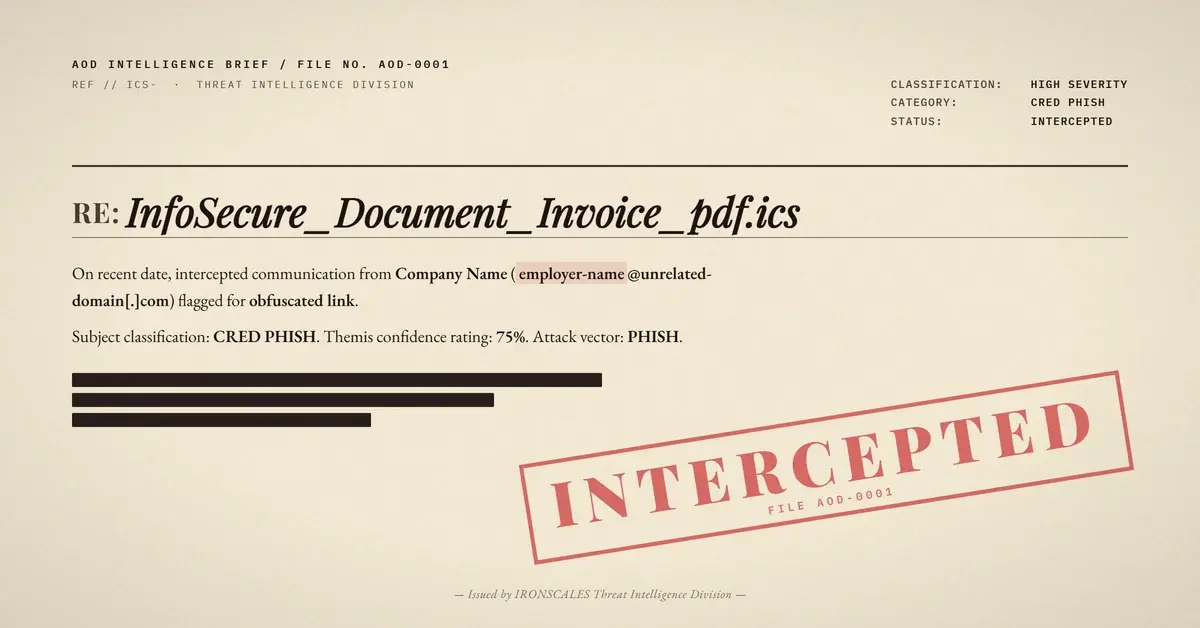
The message landed in a shared role mailbox at a global pharmaceutical development and manufacturing company, an organization whose staff move vendor documents, timesheets, and internal reports through email all day. The visible body was empty except for the unfamiliar-sender banner Outlook adds itself. The display name on the From header impersonated the recipient's own employer, while the sending domain belonged to an unrelated third party. The attachment was named InfoSecure_Document_Invoice_pdf.ics, a filename assembled so that the eye stops reading at pdf and never reaches the extension that actually matters.
The Link That Never Entered the Link Inventory
The most useful artifact in the incident record is the parsed link list, and specifically what is missing from it. It holds only the benign Microsoft support and short-link URLs that Outlook's own safety banner inserts. The attacker's destination is not in that list. It never was.
That absence is the whole attack. Link-based defenses do not evaluate messages, they evaluate inventories of extracted hrefs. A parser pulls hrefs out of the body HTML and out of attachment types it treats as documents, then hands that set downstream for reputation lookup, rewriting, and detonation. A calendar attachment is normally read as scheduling data, so the fields that get parsed are the start and end times, the summary, the organizer, the attendees, and the plain-text description.
The malicious href was in none of those. It was inside the alternate HTML description property, the nonstandard field a calendar file uses to carry a rich rendering of the event text, declared with an HTML format type. So there was no domain to reputation-check, no URL to rewrite, and nothing to detonate, because as far as the pipeline was concerned there was no link. This maps to MITRE ATT&CK T1027, obfuscated or hidden information, delivered under T1566.001, spearphishing attachment.
What Was Actually Inside That Property
Decoding the raw attachment turns up more than a description with a link in it. The property holds a complete, styled HTML email page.
It carries a document title referencing an Office 365 financial report and a header labelled as a timesheet report. The Microsoft logo is embedded directly in the page as base64 image data rather than fetched from a URL, so there is no external image request to block and no tracking-pixel host to flag. Beneath that sits a fabricated summary box with a user identifier line that prints the recipient's own address back at them, a date-added line, and a line asserting that the report was completed internally. Then a styled button inviting the recipient to view the report. At the bottom, a fabricated Microsoft copyright footer, complete and plausible.
The rendering context is what makes this land. Many calendar clients display that alternate HTML description when the event is opened, which means the target sees a Microsoft-branded page inside the calendar interface. That surface carries none of the external-content warnings, sender banners, or link-hover previews that email clients have spent a decade training people to check. The page is asking for a click in a window where the usual defensive habits do not apply, which is exactly the user-execution step described in MITRE ATT&CK T1204.001.
See Your Risk: Calculate how many threats your SEG is missing
The Authentication Pass Was Genuine
The authentication was not the weak point here.
SPF passed. DKIM passed with two valid signatures, one from the sending domain and one from Amazon SES. DMARC passed with an action of none, and the composite authentication result came back as a pass with a reason code of 100. There was no upstream rewriter re-signing the message and no gateway modifying the body after signing. This was a clean pass at the last hop before the recipient's own protection layer.
The reason is unglamorous. The message went out through Amazon SES using the established sending identity of a real, long-standing business domain that has nothing to do with this attack. A generic alias in the local part paired with a display name belonging to a completely different company is the signature of an abused sending identity rather than attacker-registered infrastructure. Authentication answers whether infrastructure was permitted to send for a domain. It has never answered whether the content is honest, and treating a full pass as a safety signal is the assumption this case punishes.
Where the Button Pointed
The single anchor in that hidden page resolved to a subdomain of a privately held apex domain. The host did not resolve when it was analyzed, returning no address, mail, text, name-server, or alias records. Two readings fit: infrastructure retired after the send, or infrastructure staged and not yet provisioned when the sample was pulled. Neither is provable from the record, and the registration lookup on the apex returned no registrar or creation data at all, so no claim about the domain's age is available.
The path itself was two segments: a short opaque token, then the recipient's own address in base64. Encoding a target address into a URL is a familiar tracking trick; the placement is what stands out, since a path segment survives referrer stripping and proxies that discard query strings. The subject line carried its own short base64 fragment that decodes to a single generic word, an incidental artifact of the sending template rather than part of the mechanism.
What Actually Flagged It
The Adaptive AI recommendation came back at 90% confidence with a label of credential theft, and the incident was automatically resolved as phishing. Notably, that verdict was not driven by URL reputation, because there was no URL in the inventory to reputation-check. It came from content-language analysis and community reputation, signals that read the message as a whole rather than waiting for a parsed href. One mailbox was affected, and by the time the record was pulled the message status read as not found.
The 2024 Verizon Data Breach Investigations Report puts phishing in 15% of breaches and stolen credentials in 38%, with a median of 21 seconds from opening a phishing message to clicking the link inside it. Twenty-one seconds is not enough time for a person to notice that a Microsoft-branded page is rendering inside a calendar window. The control has to sit earlier.
Three changes close this specific gap. Treat every attachment format with a renderable HTML surface as a link-bearing document, and extract hrefs from the alternate HTML description property, not just the plain-text one. Treat a calendar attachment arriving with an empty message body as an anomaly in its own right, since legitimate invites almost always carry body text. And alert whenever a URL path or parameter base64-decodes to an internal mailbox address, which is a reliable marker of per-target credential harvesting rather than bulk mail. Layered behavioral analysis, of the kind credential harvesting protection depends on, is what catches a lure whose destination no parser ever saw. CISA's phishing guidance and the NIST definition of phishing both frame the problem the same way: the deception is the payload, and the file can be perfectly clean.
MITRE ATT&CK Mapping
| Technique |
ID |
How it was used |
| Phishing: Spearphishing Attachment |
T1566.001 |
A calendar attachment delivered the lure in place of a body link |
| User Execution: Malicious Link |
T1204.001 |
The report button in the rendered event required a click to reach the landing host |
| Obfuscated Files or Information |
T1027 |
The HTML page and its anchor sat in a calendar metadata property outside normal parsing, with the target address base64-encoded in the URL path |
| Masquerading: Match Legitimate Name or Location |
T1036.005 |
Double-extension filename, Microsoft-branded page, fabricated copyright footer, and a display name impersonating the recipient's own employer |
Indicators of Compromise
| Type |
Indicator |
Context |
| File |
InfoSecure_Document_Invoice_pdf.ics |
26,153-byte calendar attachment carrying the full HTML lure in its alternate HTML description property; file scanner verdict Clean |
| Hash (MD5) |
0f6c56679aa2aace11966dfe45eb1fa6 |
MD5 of the calendar attachment |
| Hash (SHA256) |
ffb484246511497dbc3b16ea754a8068cc5a2da75c1adb2e4e88d1410ad55514 |
SHA256 of the calendar attachment |
| Domain |
finreport[.]florenceweb[.]it[.]com |
Landing host referenced by the hidden report button; returned no DNS records when it was analyzed |
| URL |
hxxps://finreport[.]florenceweb[.]it[.]com/scowl508/[recipient-address-base64] |
Anchor href decoded from the attachment; the final path segment is the recipient's own address base64-encoded, masked here |
| IP |
23[.]251[.]232[.]1 |
Amazon SES outbound sending address used for delivery |
| Behavior |
Empty message body with a lone calendar attachment |
Visible body contained only the client-generated unfamiliar-sender banner |
| Behavior |
Malicious href absent from the platform's parsed link list |
Only the safety-banner support URLs were inventoried; the attacker destination was never extracted |
Email Attack of the Day is a daily series from
IRONSCALES spotlighting real phishing attacks caught by Adaptive AI and our community of 35,000+ security professionals. Each post breaks down a real attack. What it looked like, why it worked, and what to do about it.







/Blue%20Feature%20Flower%20Icons/gear%20head%20icon.svg)
/Misc%20Icons/icon-nav-credential-theft.svg)










/Leadership%20Headshots/Audian%20Paxson%20Headshot%201000x1000%20032026.webp?width=100&height=100&name=Audian%20Paxson%20Headshot%201000x1000%20032026.webp)



.png?width=50&height=50&name=Untitled%20-%20July%2030%2c%202026%20at%2014.53.38%20(3).png)



/Misc%20Icons/icon-red-teaming-agent-gradient-simple.svg)
/Misc%20Icons/icon-phishing-soc-agent-gradient-simple.webp?width=158&height=167&name=icon-phishing-soc-agent-gradient-simple.webp)
/Misc%20Icons/icon-phishing-simulation-agent-gradient-simple.svg)


/Misc%20Icons/icon-nav-encryption.svg)