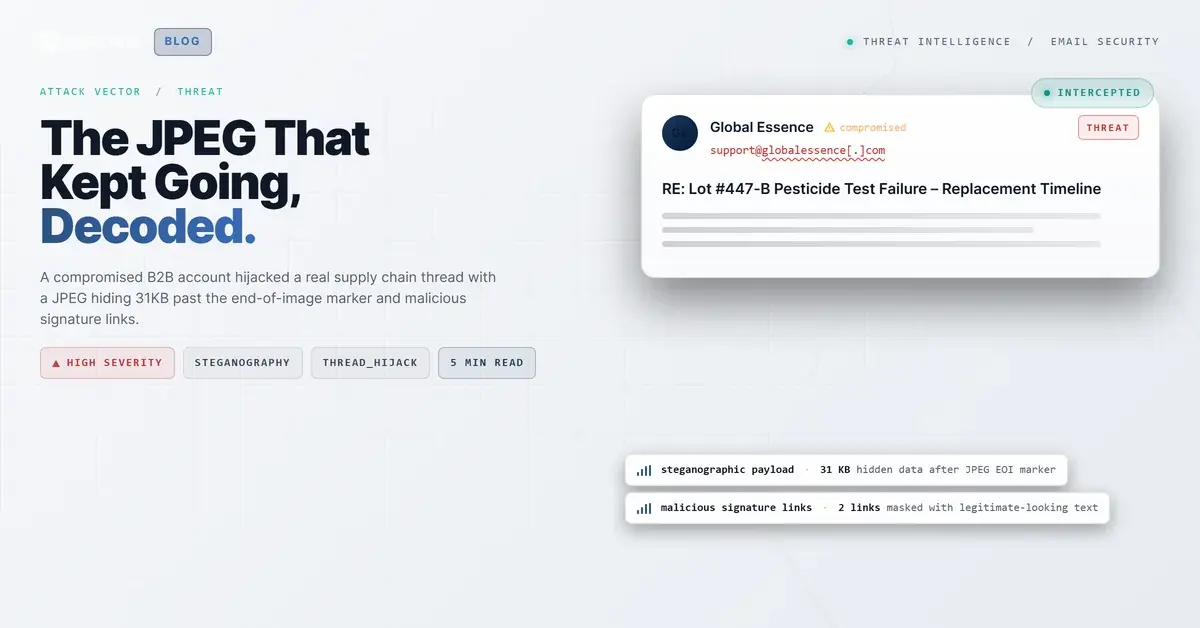
TL;DR Attackers compromised a supplier account and replied to an existing business thread about product quality testing. The email passed SPF and DMARC with a perfect composite authentication score. Embedded in the message was a JPEG image with approximately 31 kilobytes of data appended after the JPEG End-of-Image marker, including a second JPEG header, a technique that evades standard image scanners. Two links in the email signature were flagged malicious after the recipient's email protection service unwrapped them. Four mailboxes were quarantined. Adaptive AI flagged the behavioral anomaly at 90% confidence.
Severity: High Credential Theft Steganography Thread Hijack MITRE: {'id': 'T1566.001', 'name': 'Phishing: Spearphishing Attachment'} MITRE: {'id': 'T1027.003', 'name': 'Obfuscated Files or Information: Steganography'} MITRE: {'id': 'T1586.002', 'name': 'Compromise Accounts: Email Accounts'}
The email arrived as a reply in a thread that had been running for weeks. Two companies were discussing a product lot that had failed a pesticide test, working through replacement logistics and regulatory documentation. The reply came from the same account that had been participating all along. SPF passed. DMARC passed. The composite authentication score was 100, the highest Microsoft assigns.
Buried in the message was a JPEG image carrying 31 kilobytes of hidden data that no image viewer would ever display, and two signature links that quietly pointed to malicious destinations.
A Real Thread With a Compromised Participant
The sending account belonged to a legitimate supplier in the flavor and fragrance industry. The domain had been registered for years, hosted on-premises Exchange infrastructure behind a dedicated mail gateway (aesomtco11d[.]serverdata[.]net at 199[.]193[.]207[.]47), and published proper SPF records authorizing that IP. The email was part of an active thread with specific lot numbers, purchase order references, and named contacts at both organizations.
This is what makes thread hijacking one of the most dangerous email attack techniques. The attacker did not need to fabricate context, impersonate a stranger, or hope the recipient would trust an unfamiliar name. The context was already established. The trust was already built. All the attacker needed was access to the account.
The X-Originating-IP header recorded 72[.]82[.]230[.]105 as the submission source, a detail worth investigating since it may not match the legitimate user's typical access pattern. But nothing in the authentication layer flagged the discrepancy. SPF checked the envelope sender IP (199[.]193[.]207[.]47), confirmed it was authorized for globalessence[.]com, and returned Pass. DKIM was absent entirely (no signature was applied), yet DMARC still returned Pass because SPF alignment was sufficient. Microsoft's composite authentication returned compauth=pass reason=100.
According to the FBI IC3 2024 Internet Crime Report, business email compromise losses exceeded $2.9 billion in 2024. Thread hijacking from compromised accounts is a growing share of that figure because it neutralizes the authentication and reputation signals that security tools rely on most.
What Is Hiding After the End-of-Image Marker
Every JPEG file ends with a two-byte End-of-Image marker: FF D9. Image viewers, browsers, and most security scanners stop reading at this point. Anything appended after it is invisible to normal rendering but physically present in the file.
The inline image image008.jpg (35,659 bytes total, MD5: f4f457da7dae66fc821c2b785404c550) contained approximately 30,896 bytes of data after the EOI marker. That trailing region included a second JPEG header (FF D8), unusually large APP1 and APP13 metadata segments (consistent with Photoshop XMP and 8BIM resource blocks), and additional binary content that did not match ZIP, PDF, or PE signatures in initial triage.
This technique, appending data after a file's logical termination point, is a well-documented steganography method. It has been used to smuggle secondary payloads, encoded commands, or exfiltration data through email and web channels. Because the JPEG renders normally and the appended data does not alter the visible image, standard attachment scanners marked the file as clean.
The scanner verdict was "clean." The file was not clean.
Forensic analysis tools like binwalk, foremost, and YARA rule engines can detect trailing data, but these are not part of a typical email security gateway's scanning pipeline. Without file-structure analysis that looks past the EOI marker, this payload sails through.
The Signature Links That Were Not What They Displayed
The email contained six links. Two were flagged malicious by the recipient organization's email protection service, which rewrapped all URLs through url[.]emailprotection[.]link for click-time scanning.
The first malicious link used the company's street address as display text: "8 Marlen Drive, Hamilton NJ 08691." The underlying URL was a protection-wrapped redirect. Recipients clicking what appeared to be a Google Maps link to a business address would have been routed to a malicious destination instead.
The second malicious link displayed https://www.globalessence.com as the anchor text, the sender's own corporate website. The actual href was again a protection-wrapped URL that resolved to a flagged destination. The attacker had modified the email signature's hyperlinks while keeping the visible text unchanged.
This is a subtle but effective technique. Email signatures are visual noise that recipients scroll past without scrutiny. Hiding malicious links behind familiar-looking signature text exploits that inattention directly.
See Your Risk: Calculate how many threats your SEG is missing
What Detection Looked Like
Themis, the IRONSCALES Adaptive AI engine, flagged this email at 90% confidence with a VIP Recipient label. The detection was not triggered by a signature match or a known-bad domain. It was triggered by the behavioral constellation: a high-risk sender assessment despite clean authentication, malicious link verdicts on protection-wrapped URLs, and anomalous attachment characteristics.
Four mailboxes across the recipient organization were quarantined. The mitigation actions fired within seconds of delivery, before any recipient could interact with the embedded links or download the JPEG for local viewing.
The critical lesson: authentication results told the security stack this email was trustworthy. The file structure and behavioral signals told a different story. Organizations that rely on authentication alone would have delivered this message without a second look.
Indicators of Compromise
| Type | Indicator | Context |
|---|
| Sending Domain | globalessence[.]com | Compromised B2B supplier account |
| Sender Address | [redacted]@globalessence[.]com | Compromised employee account used to send thread-hijacked reply |
| Sending IP | 199[.]193[.]207[.]47 | Mail gateway (aesomtco11d.serverdata.net) |
| X-Originating-IP | 72[.]82[.]230[.]105 | Submission source, potential attacker access point |
| Attachment | image008.jpg | JPEG with ~31KB trailing data after EOI (FFD9) |
| Attachment MD5 | f4f457da7dae66fc821c2b785404c550 | Hash for image008.jpg |
| Attachment SHA256 | 5a7b9dbbe3972bcd5dbcd5efedd6be8df7feada21bbb0dbabaf5e3c4a15b691f | Hash for image008.jpg |
| Link Wrapper | url[.]emailprotection[.]link | Recipient's protection service URL rewrite |
| Authentication | SPF=pass, DKIM=none, DMARC=pass | Full auth pass from compromised account |
| Composite Auth | compauth=pass reason=100 | Maximum trust score despite compromise |
MITRE ATT&CK Mapping
| Technique | ID | Relevance |
|---|
| Phishing: Spearphishing Attachment | T1566.001 | JPEG with hidden trailing data delivered via email |
| Obfuscated Files or Information: Steganography | T1027.003 | Data appended after JPEG End-of-Image marker |
| Compromise Accounts: Email Accounts | T1586.002 | Legitimate B2B account used to send malicious content |
Email Attack of the Day is a daily series from
IRONSCALES spotlighting real phishing attacks caught by Adaptive AI and our community of 36,000+ security professionals. Each post breaks down a real attack. What it looked like, why it worked, and what to do about it.







/Blue%20Feature%20Flower%20Icons/gear%20head%20icon.svg)
/Misc%20Icons/icon-nav-credential-theft.svg)










/Leadership%20Headshots/Audian%20Paxson%20Headshot%201000x1000%20032026.webp?width=100&height=100&name=Audian%20Paxson%20Headshot%201000x1000%20032026.webp)



.png?width=50&height=50&name=Untitled%20-%20July%2030%2c%202026%20at%2014.53.38%20(3).png)



/Misc%20Icons/icon-red-teaming-agent-gradient-simple.svg)
/Misc%20Icons/icon-phishing-soc-agent-gradient-simple.webp?width=158&height=167&name=icon-phishing-soc-agent-gradient-simple.webp)
/Misc%20Icons/icon-phishing-simulation-agent-gradient-simple.svg)


/Misc%20Icons/icon-nav-encryption.svg)