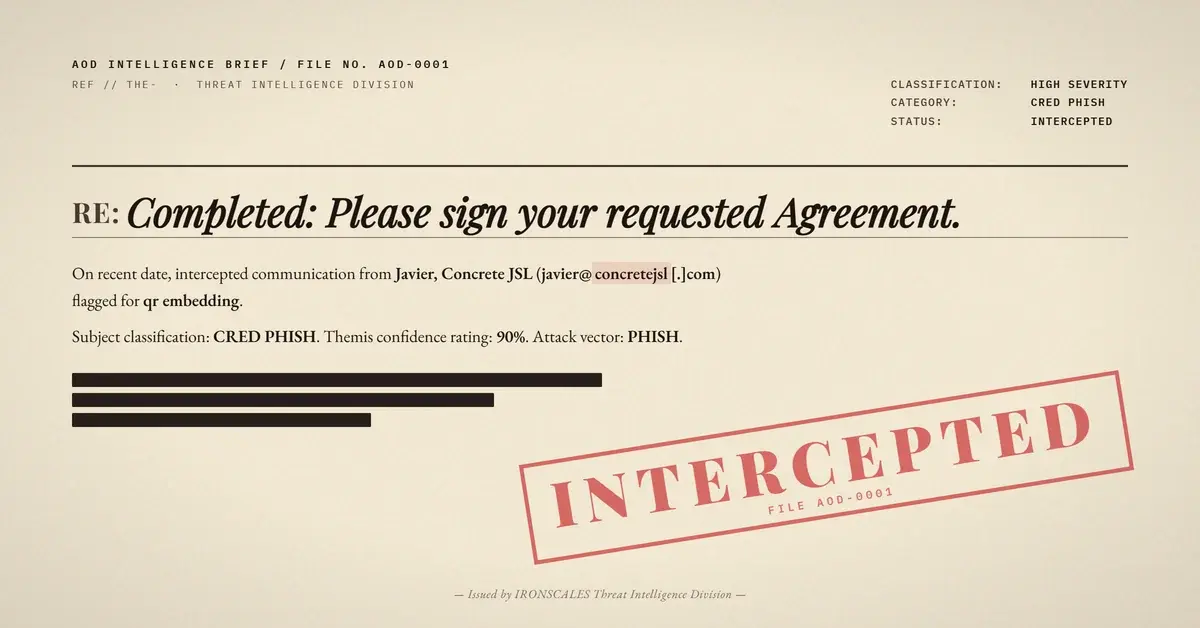
TL;DR A targeted quishing attack delivered a PDF attachment containing a QR code that decoded to a phishing URL with the recipient's email address pre-encoded as a base64 fragment. The email body was completely empty, and the PDF contained no extractable text URLs, placing the entire attack chain inside an image inside a document. The sending IP failed SPF and traced to a ColoCrossing hosting provider. IRONSCALES Adaptive AI flagged the attachment as malicious with a 0.88 risk score and quarantined the message within seconds of delivery.
Severity: High Credential Harvesting Quishing MITRE: T1566.001 MITRE: T1204.001 MITRE: T1036.005
The email body was empty. Not sparse. Not minimal. Completely empty.
The subject line read like a legitimate contract notification: "Completed: Please sign your requested Agreement." It referenced the target organization by name (a cybersecurity software company) and included a unique agreement ID. The sender appeared to be a construction industry contact sending from an external domain. But when you opened the email itself, there was nothing to read, nothing to click, and nothing for a gateway to scan.
The entire attack lived inside the PDF attachment. And inside that PDF, the only navigation path was a QR code image that decoded to a URL containing the recipient's email address, pre-encoded in base64. The phishing page already knew who you were before you ever reached it.
Three Layers Between the Scanner and the Payload
Traditional phishing detection works by extracting URLs from email bodies and scanning them against reputation databases. This attack rendered that approach useless by burying the malicious URL three layers deep:
Layer 1: The email body. Empty. No text, no links, no embedded images. Text-based URL extraction returns zero results.
Layer 2: The PDF attachment. A file named _Agreement_Project2026.pdf (77,259 bytes) containing a contract-signing lure. The PDF instructed the recipient to "scan the QR code provided" to review and sign the agreement. But the PDF contained no clickable hyperlinks, no AcroForm fields, and no JavaScript. Scanners looking for embedded URLs, form actions, or executable code found nothing actionable.
Layer 3: The QR code image. The QR code decoded to a URL on a German-registered domain, routed through a subdomain structure designed to look like a legitimate technology platform. The URL fragment contained Y3dpbHNvbkBpcm9uc2NhbGVzLmNvbQ==, which is the base64 encoding of the target recipient's corporate email address.
This means the credential harvesting page could pre-populate the victim's email on load, creating the illusion that the page already "recognized" the visitor. According to the FBI IC3 2024 Internet Crime Report, phishing and its variants accounted for over 298,000 complaints in 2024. Attacks like this one, where personalization increases the conversion rate, represent the next evolution in that threat category.
The Infrastructure Behind the Lure
The envelope sender was Javier@concretejsl[.]com, a domain registered through GoDaddy on November 19, 2024. WHOIS records for concretejsl[.]com are stripped bare: no registrant name, no organization, no contact details. The domain uses default GoDaddy nameservers (NS51.DOMAINCONTROL.COM, NS52.DOMAINCONTROL.COM) and carries no DKIM signature.
The sending IP, 104[.]168[.]56[.]196, resolves to 104-168-56-196-host[.]colocrossing[.]com, a ColoCrossing data center in Buffalo, New York. This is a budget hosting provider, not a legitimate email gateway. SPF validation failed at the first hop because concretejsl[.]com does not authorize that IP as a permitted sender. The domain also published no DMARC policy (dmarc=none), giving receiving servers no enforcement instruction.
Here is where the relay chain gets interesting. After the initial SPF failure at Microsoft's inbound frontend (SA2PEPF00003F66), the message was processed through Microsoft's outbound protection pipeline (DM5PR21CU001.outbound.protection.outlook.com), which re-evaluated SPF against its own IPv6 address and returned a pass. The final Authentication-Results header showed compauth=pass reason=109, meaning Microsoft's composite authentication gave it a passing grade based on the re-sent hop, not the original submission.
The MITRE ATT&CK techniques at play: Spearphishing Attachment (T1566.001) for the delivery vector, User Execution: Malicious Link (T1204.001) for the QR-to-browser chain, and Masquerading: Match Legitimate Name or Location (T1036.005) for the contract-signing pretext that impersonated the target organization.
See Your Risk: Calculate how many threats your SEG is missing
Why Text-Based Scanning Fails Against Pixel-Embedded URLs
The Verizon 2024 Data Breach Investigations Report found that phishing remains the top initial access vector in breaches. But the detection models most organizations rely on were built for an era when phishing links appeared as clickable text in email bodies. QR code attacks (quishing) represent a fundamental format shift that breaks that assumption.
In this case, a Secure Email Gateway (SEG) performing standard URL extraction on the email body would find zero indicators. A PDF scanner checking for embedded JavaScript, form fields, or hyperlink annotations would find zero indicators. The only way to discover the malicious URL is to decode the QR code image itself, then analyze the resulting URL for targeting artifacts like the base64-encoded email address.
The Microsoft Digital Defense Report 2024 noted that QR code phishing campaigns increased significantly, with attackers increasingly embedding codes in attachments rather than email bodies to evade inline scanning. This case is a textbook example of that trend.
IRONSCALES Adaptive AI flagged this message before any human interaction occurred. The attachment received a MALICIOUS verdict with a risk score of 0.88 and confidence of 0.90. Themis classified the attack as both "Credential Theft" and "QR Code Attack," correlating multiple signals: first-time sender from an unrecognized domain, SPF failure at the originating IP, a bare-bones WHOIS profile on a domain less than 16 months old, and attachment behavioral analysis that identified the QR code payload. The email was quarantined within seconds of delivery, across all affected mailboxes.
The community intelligence layer matters here. Across the IRONSCALES network of over 36,000 security professionals, similar QR-in-PDF patterns had already been reported and classified. That collective signal fed directly into the detection model that stopped this email before the recipient ever saw the "scan to sign" instruction.
The Personalization Problem SEGs Cannot Solve
This attack was not a spray-and-pray campaign. The subject line named the target organization. The PDF referenced the company by name. The QR code URL contained the specific recipient's email address encoded in its fragment. Every element was tailored for a single mailbox.
According to the IBM Cost of a Data Breach 2024 report, the average cost of a breach involving credential harvesting as the initial vector reached $4.81 million. Personalized attacks like this one convert at higher rates precisely because the victim sees their own name and organization reflected back at them, building false trust at every step.
For security teams evaluating their detection stack, the question is straightforward: can your current email security solution decode a QR code image inside a PDF attachment, extract the URL, identify the base64-encoded targeting data, and correlate that against sender authentication failures? If the answer involves the phrase "we scan links in the email body," the answer is no.
The phishing link did not live in the email body. It lived in an image, inside a document, addressed to a specific person. That is the gap.
Indicators of Compromise
| Type | Indicator | Context |
|---|
| Sender Domain | concretejsl[.]com | Envelope sender domain, registered 2024-11-19 via GoDaddy |
| Sending IP | 104[.]168[.]56[.]196 | ColoCrossing hosting, Buffalo, NY. Failed SPF. PTR: 104-168-56-196-host[.]colocrossing[.]com |
| Phishing URL | hxxps://werkmastercom[.]userfocusedtech[.]de/yskuH/#[base64-recipient-email] | QR code destination with per-target base64 fragment |
| Phishing Domain | userfocusedtech[.]de | Cloudflare-proxied, German TLD, limited WHOIS |
| Attachment | _Agreement_Project2026.pdf (77,259 bytes) | Contains QR code image, no forms or JavaScript |
| File Hash (MD5) | 4c61313575a456669695711353bb03f5 | PDF attachment hash |
Email Attack of the Day is a daily series from
IRONSCALES spotlighting real phishing attacks caught by Adaptive AI and our community of 36,000+ security professionals. Each post breaks down a real attack. What it looked like, why it worked, and what to do about it.







/Blue%20Feature%20Flower%20Icons/gear%20head%20icon.svg)
/Misc%20Icons/icon-nav-credential-theft.svg)










/Leadership%20Headshots/Audian%20Paxson%20Headshot%201000x1000%20032026.webp?width=100&height=100&name=Audian%20Paxson%20Headshot%201000x1000%20032026.webp)



.png?width=50&height=50&name=Untitled%20-%20July%2030%2c%202026%20at%2014.53.38%20(3).png)



/Misc%20Icons/icon-red-teaming-agent-gradient-simple.svg)
/Misc%20Icons/icon-phishing-soc-agent-gradient-simple.webp?width=158&height=167&name=icon-phishing-soc-agent-gradient-simple.webp)
/Misc%20Icons/icon-phishing-simulation-agent-gradient-simple.svg)


/Misc%20Icons/icon-nav-encryption.svg)