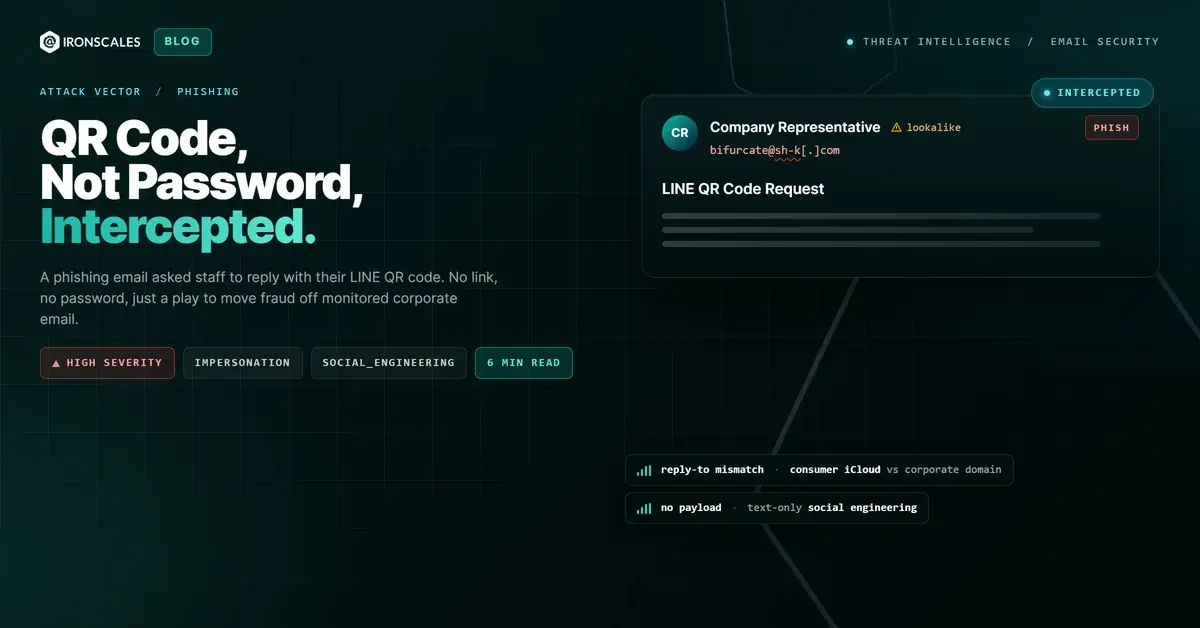
TL;DR A phishing email written in business Japanese asked a shared corporate inbox to reply with its LINE messaging QR code so the sender could add the recipient and move the conversation off email. There was no link, no attachment, and no credential page, so payload scanners and sandboxes had nothing to inspect. The message passed SPF and aligned under a DMARC policy set to none, but the sending domain never matched the company in the signature and the Reply-To was a consumer iCloud mailbox. The real goal was channel migration to stage later invoice fraud. Behavioral analysis, not authentication, caught it.
Severity: High Phishing Impersonation Social Engineering MITRE: T1598 MITRE: T1566 MITRE: T1684.001
The email asked for one thing: a photo. Reply with the QR code from your LINE account, it said, and future contact would move over there. No link to click. No attachment to open. No login page waiting to harvest a password. Just a polite business request, written in fluent Japanese, signed with the name of a company representative the reader might plausibly recognize.
That is exactly what made it dangerous.
A shared corporate media inbox received the message. It cleared SPF. It aligned under DMARC. There was nothing for a URL scanner to rate and nothing for a sandbox to detonate. The only thing standing between this message and a reply was somebody understanding what the words were actually asking them to do.
Nothing to Detonate
Strip this email down and there is almost no attack surface for a traditional filter. The body was multipart/alternative with no attachments. The only links present were the standard Microsoft "protect yourself from phishing" banner and sender-identification notices that a mail platform staples onto external mail, and every one of those scanned clean because they point to real Microsoft support pages.
So a payload-centric gateway sees a short note in Japanese, a couple of benign Microsoft URLs, and no files. It has nothing to score. The whole attack is carried in the text of the request. Detection here cannot be about what is attached. It has to be about what is being asked.
What a LINE QR Code Actually Buys an Attacker
Here is where the popular framing gets it wrong. A QR-code request sounds like instant account theft, and plenty of coverage describes it that way. Be precise about the mechanics, because they change the defense.
A personal LINE QR code (the "my code" a user shares to be added as a friend) is a contact token, not a login credential. Sending it does not hand over a password, and it does not let anyone link a device or sign into your account. Device login on LINE runs the other direction: the account owner scans a code the login client shows, not one they email out.
What the code does give an attacker is more subtle and, for fraud, more useful. It is a guaranteed, pre-approved way to reach the target on a channel the employer does not monitor. Email is logged, gateway-inspected, and covered by data-loss policies. Consumer messaging is none of those things. Move the conversation there and every future message, the fake invoice, the changed bank details, the urgent payment request, happens with no security tooling watching.
MITRE ATT&CK tracks this as Phishing for Information (T1598): the message solicits something (here, a contact token) rather than delivering a payload. It is reconnaissance and channel establishment, the quiet first move that sets up a later business email compromise. And BEC is where the money is. The FBI Internet Crime Complaint Center logged more than $2.9 billion in reported BEC losses in its 2023 Internet Crime Report. Almost none of that starts with malware. It starts with a conversation.
The Sender Who Signed as Someone Else
The impersonation was not hidden in the headers. It was hidden in plain sight, in the gap between three fields nobody cross-checks by reflex.
The display name was a Japanese personal name. The signature block named a company and one of its representatives. But the message came from bifurcate@sh-k[.]com, a domain with no relationship to the brand in the signature. This was also a first-time sender to the organization, with no prior correspondence to lean on.
Then there is the Reply-To. It pointed to maxandrielle92wx@icloud[.]com, a consumer iCloud mailbox. Reply to this "company representative" and your response does not even reach the sending domain. It lands in a personal inbox that has nothing to do with the business identity on the page. That single mismatch, a corporate-looking From and a throwaway consumer Reply-To, is one of the loudest signals in the whole message.
The path backs it up. The mail moved through a Japanese qmail relay at dc117[.]etius[.]jp, with the originating connection coming from 103[.]115[.]56[.]201 announcing itself as scion-now[.]com before reaching Microsoft's Exchange Online Protection.
Why Authentication Was the Wrong Question
This message authenticated. SPF passed because the sending domain authorized the delivering IP. DMARC returned a pass. On paper, it looks legitimate.
Read the fine print and it falls apart. DKIM was absent (dkim=none), and the DMARC result carried action=none, meaning the domain publishes a policy but enforces nothing. More importantly, authentication answers a narrow question: did this domain send this mail? It says nothing about whether the domain is who the display name and signature claim to be. The IETF's DMARC specification, RFC 7489, is explicit that alignment protects a domain, not a brand name typed into a signature.
The impersonation lived entirely in fields authentication never inspects. That is not an edge case. The 2024 Verizon Data Breach Investigations Report found the human element was a component of 68% of breaches. Most of what hits your inbox is not a clever exploit. It is a convincing sentence.
See Your Risk: Calculate how many threats your SEG is missing
The Signals That Actually Caught It
With no payload and a clean authentication result, the only path to detection is behavioral. Themis, the IRONSCALES agentic AI SOC analyst, flagged this message at 85% confidence off three independent reads.
Content analysis recognized the request itself. Asking a recipient to reply with a messaging QR code to move communication off email matches a well-documented social-engineering pattern, regardless of how polite the phrasing is. Sender analysis caught the structural tells: the domain mismatch against the claimed brand, the consumer Reply-To, and the first-time-sender profile. And community signal mattered here. Drawing on reports from a global community of more than 36,000 security professionals, the Human Element network had already seen messages that looked like this one, so the pattern was not novel to the system even if it was novel to this inbox.
None of those signals need a file to open or a URL to visit. They come from reading the message the way a suspicious human would, at machine speed and across every mailbox at once.
Indicators of Compromise
| Type | Indicator | Context |
|---|
| From address | bifurcate@sh-k[.]com | Sending address, unrelated to the impersonated brand |
| Sending domain | sh-k[.]com | SPF-authorized, DKIM none, DMARC policy set to none |
| Reply-To | maxandrielle92wx@icloud[.]com | Consumer mailbox, mismatched from the From address |
| Delivering IP | 116[.]80[.]114[.]33 | Japanese sending host |
| Origin IP | 103[.]115[.]56[.]201 | Originating connection, HELO scion-now[.]com |
| Relay host | dc117[.]etius[.]jp | qmail relay in the delivery path |
Shutting Down the Channel-Migration Play
The defense against a payload-free ask is procedural before it is technical.
- Treat "let's move to [messaging app]" as a verification trigger, not a convenience. Any unsolicited request to shift a business conversation onto a personal or consumer channel should be confirmed through a known, independent contact before anyone replies.
- Never send account QR codes or contact tokens in reply to inbound email. If a real partner needs to connect on another platform, that gets arranged through an already-trusted relationship, not a cold message.
- Check From, Reply-To, and signature alignment. A corporate signature over a mismatched sending domain and a consumer Reply-To is the shape of impersonation. This maps to Impersonation (T1684.001) and general Phishing (T1566) in ATT&CK.
- Deploy email security that reads intent, not just payloads and authentication. As CISA, NSA, and the FBI lay out in their joint phishing guidance, technical controls and user awareness have to work together, because the messages that authenticate cleanly are exactly the ones a pure auth check waves through.
The attacker in this case never wanted a password. They wanted a place to talk where nobody was listening. Recognizing that ask is the entire defense.
Email Attack of the Day is a daily series from
IRONSCALES spotlighting real phishing attacks caught by Adaptive AI and our community of 36,000+ security professionals. Each post breaks down a real attack. What it looked like, why it worked, and what to do about it.







/Blue%20Feature%20Flower%20Icons/gear%20head%20icon.svg)
/Misc%20Icons/icon-nav-credential-theft.svg)










/Leadership%20Headshots/Audian%20Paxson%20Headshot%201000x1000%20032026.webp?width=100&height=100&name=Audian%20Paxson%20Headshot%201000x1000%20032026.webp)



.png?width=50&height=50&name=Untitled%20-%20July%2030%2c%202026%20at%2014.53.38%20(3).png)



/Misc%20Icons/icon-red-teaming-agent-gradient-simple.svg)
/Misc%20Icons/icon-phishing-soc-agent-gradient-simple.webp?width=158&height=167&name=icon-phishing-soc-agent-gradient-simple.webp)
/Misc%20Icons/icon-phishing-simulation-agent-gradient-simple.svg)


/Misc%20Icons/icon-nav-encryption.svg)