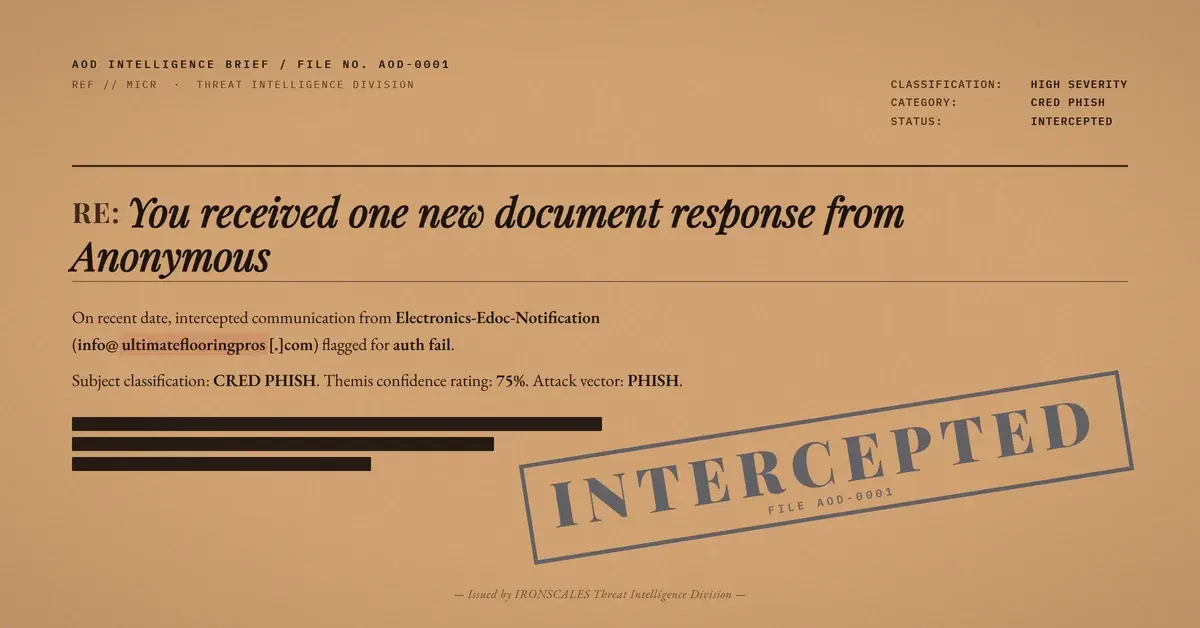
TL;DR An attacker sent a pixel-perfect Microsoft Forms 'document response' notification from a recently registered flooring-company domain. The email loaded genuine Microsoft Forms assets and carried eleven legitimate forms.office.com and Microsoft support links, all clean on every scan. One 'View Document Response' button was wrapped through a redirector and resolved to a recently registered nonprofit domain with no relationship to Microsoft. SPF failed for the originating IP. No DKIM. No DMARC. The Microsoft visual layer was the weapon: scatter enough real links that the one malicious CTA disappears into the crowd.
Severity: High Phishing Credential Harvesting Brand Impersonation MITRE: T1566.002 MITRE: T1598.003 MITRE: T1036
The email looked right. The Microsoft Forms logo rendered correctly at the top. The footer carried genuine links to Microsoft support pages and forms.office.com. The notification text was plausible: "You received one new document response from Anonymous Submitter." The call to action, "View Document Response," appeared in the same blue button style Microsoft uses.
One button in a page of eleven Microsoft links went somewhere else entirely.
This is the trusted-brand facade technique: build enough authentic visual and link infrastructure that the single malicious element becomes statistically hard to isolate. Scanners see ten clean verdicts and return partial or passing results for the batch. Recipients see a familiar interface and do not scrutinize the one CTA they are supposed to click. The attacker never needs to compromise Microsoft. They just need to render the brand convincingly enough that scrutiny stops before it reaches the button.
The sender's authentication story had nothing to hold onto
The From header identified the sender as "Electronics-Edoc-Notification" at a recently registered flooring-company domain. That display name has no relationship to the sending domain, and the sending domain has no relationship to Microsoft. Both are attacker-chosen artifacts.
Authentication results confirmed the problem at every layer. SPF failed for the originating IP: the flooring-company domain's published records did not authorize the connecting server. There was no DKIM signature on the message. There was no DMARC record. The recipient's mail environment added its own external-sender warning banner and flagged that messages from this address were unusual.
What the analysis did not find was any legitimate gateway or relay service that could explain the SPF failure through known forwarding behavior. The originating server was not a recognized email security appliance or ESP. The failure was an unauthorized send.
The recipient environment was already telling the inbox this message was unfamiliar. The banners were accurate.
Microsoft's CDN did the visual work
Attackers do not need a Microsoft account to load Microsoft Forms assets. They can reference images hosted at cdn.forms.office.net and embed redirect links through forms.office.com in any HTML email. When the recipient's mail client renders the message, it fetches those assets directly from Microsoft's servers and displays a faithful copy of the real notification template.
The body of this message did exactly that. Microsoft-branded header graphic, corporate color scheme, correct font treatment, genuine footer links to Microsoft support pages and design resources. If you viewed it next to a real Microsoft Forms notification, the rendering would be nearly indistinguishable.
This is impersonation at the asset level rather than the domain level. The attacker did not register a lookalike Microsoft domain. They pointed an attacker-owned domain at Microsoft's publicly accessible CDN and let it paint the picture.
The one CTA that mattered went through a redirector
The "View Document Response" button was the only element that required a recipient action. In the message HTML, that button's href was rewritten by a URL-protection or redirect service. Following the redirect chain led to a domain registered recently through a privacy-shielding registrar, unsigned by DNSSEC, with no reputation history.
The payload domain had no connection to Microsoft, to the flooring-company sender, or to the electronics-notification display name. It was a freshly built landing surface created specifically for this campaign's credential-harvesting objective.
Eleven other links in the message -- forms.office.com redirects, unsubscribe endpoints, Microsoft support pages -- resolved to genuine Microsoft properties and returned clean verdicts individually. A scanner evaluating the message by majority-link verdict would see eleven clean and one partial, and might score the overall message as low risk. That is the architecture of this attack: use Microsoft's own link inventory to dilute the one link that matters.
This is the fake login pages playbook executed without a lookalike domain. The attacker does not need a convincing landing URL if the recipient never looks at the href -- they click because the Microsoft Forms interface told them to.
What the detection signal actually was
The sender-side evidence was strong and available before any link was clicked. A recently registered domain used as a From address. No DKIM. No DMARC. SPF failed for the connecting IP. Display name completely disconnected from the sending domain. First-time sender with no prior relationship to the recipient organization. The recipient's mail system had already applied external-sender banners.
Credential harvesting attempts that rely on trusted-brand facades tend to succeed because the visual layer short-circuits the sender check. Recipients do not verify the From domain when the rendered page looks like Microsoft. The attacker is banking on exactly that cognitive shortcut.
The link scan returned a partial verdict on the CTA -- not clean, not definitively flagged, somewhere in between. That partial result on the one actionable button, combined with the sender-side failures across SPF, DKIM, and DMARC, was sufficient to classify the message as phishing.
Indicators of Compromise
| Type | Indicator | Context |
|---|
| Domain | ultimateflooringpros[.]com | Attacker sending domain, recently registered, no DKIM/DMARC, SPF fail on originating IP |
| Domain | fundacionmonicaherrera[.]org/team-document | Payload destination behind the wrapped "View Document Response" CTA |
| Email | info[@]ultimateflooringpros[.]com | Sender address; display name "Electronics-Edoc-Notification" |
| Behavior | Eleven clean Microsoft links + one wrapped CTA | Deliberate link-ratio technique to dilute malicious signal |
| Behavior | 1x1 tracking pixel in HTML | Recipient confirmation/mailbox validation |
| Auth | SPF fail (originating IP), no DKIM, no DMARC | No authentication basis; unauthorized sending infrastructure |
What actually caught it
No single control closed this case cleanly. The link scan returned partial -- useful, but not definitive. What sealed it was the conjunction: unauthorized sender infrastructure, zero cryptographic authentication, display name bearing no relationship to the sending domain, and first-time-sender status at a recipient organization with no prior correspondence. Any one of those signals alone might not block. Together, before the link verdict even resolved, they built a profile consistent only with a spoofed, attacker-staged notification.
The industry context reinforces why the facade works. Verizon's 2024 Data Breach Investigations Report places phishing among the leading initial-access vectors. Microsoft's 2024 Digital Defense Report documents persistent credential-harvest campaigns using Microsoft-branded lures. The FBI IC3 2024 report continues to rank credential theft as a gateway to downstream fraud. CISA's phishing guidance is direct: verify through a known channel, not the link in the message.
See Your Risk: Calculate how many threats your SEG is missing
A secure email gateway evaluating individual link verdicts would score eleven of twelve links here as clean. The attacker designed the message around that evaluation pattern. The defense is sender analysis first -- authentication state, domain age, display-name coherence, relationship history -- before the link results arrive. When the sender cannot authenticate, the link verdicts are secondary.
The Microsoft Forms logo was free. The real cost was a recently registered domain and eleven links Microsoft had already built.
Email Attack of the Day is a daily series from
IRONSCALES spotlighting real phishing attacks caught by Adaptive AI and our community of 36,000+ security professionals. Each post breaks down a real attack. What it looked like, why it worked, and what to do about it.







/Blue%20Feature%20Flower%20Icons/gear%20head%20icon.svg)
/Misc%20Icons/icon-nav-credential-theft.svg)










/Leadership%20Headshots/Audian%20Paxson%20Headshot%201000x1000%20032026.webp?width=100&height=100&name=Audian%20Paxson%20Headshot%201000x1000%20032026.webp)



.png?width=50&height=50&name=Untitled%20-%20July%2030%2c%202026%20at%2014.53.38%20(3).png)



/Misc%20Icons/icon-red-teaming-agent-gradient-simple.svg)
/Misc%20Icons/icon-phishing-soc-agent-gradient-simple.webp?width=158&height=167&name=icon-phishing-soc-agent-gradient-simple.webp)
/Misc%20Icons/icon-phishing-simulation-agent-gradient-simple.svg)


/Misc%20Icons/icon-nav-encryption.svg)