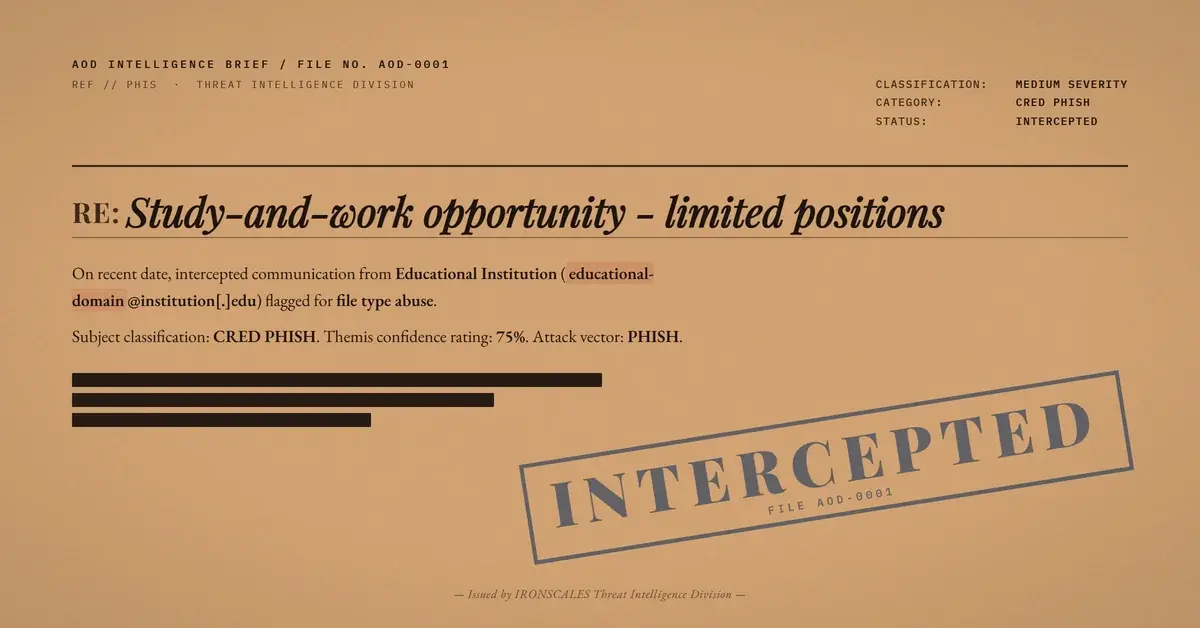
TL;DR A mass-mailed spam blast reached a VIP-flagged mailbox at a healthcare system carrying a near-empty body and one attachment, an Apple Pages document named TEAMS.pages that scanned completely clean. Pages bundles cannot hold macros or executables, so signature engines saw nothing to block. The real lure lived inside the file, a single hyperlink reading REQUIRE HERE that pointed to a live Google Form built to collect information. The sending domain belonged to a long-registered educational institution relayed through legitimate gateways, producing mixed authentication and inbox delivery on a VIP account.
Severity: Medium Phishing Credential Harvesting Information Collection MITRE: T1566.001 MITRE: T1027 MITRE: T1598.003
The attachment scanned clean. No macros, no embedded executable, no code for a sandbox to detonate. It was an Apple Pages document named TEAMS.pages, and it sailed through every signature engine in its path because a Pages bundle simply cannot hold the kind of payload those engines are built to find. That is exactly why it worked.
The file landed in a VIP-flagged mailbox at a healthcare system, part of a mass-mailed spam blast. The email body was almost empty, just the standard external-sender banner. Anyone glancing at it would have seen nothing to open and nothing to fear. The entire lure had been moved off the page and into the attachment, where the scanners could look but could not object.
A Container That Cannot Carry Code
Apple Pages files are compressed bundles, a folder of XML and media zipped into a single object. Unlike an Office document, a Pages bundle has no macro layer and no scripting surface, which means the usual malware questions ("does it run VBA, does it drop a binary") all come back no. A defender's tooling confirms the file is inert and moves on. The attacker was betting on precisely that reflex.
The interesting content sat inside the bundle's index.xml. Buried in the document markup was a single hyperlink with the anchor text REQUIRE HERE. Rendered inside Pages, it looked like an ordinary call to action in an ordinary document. Click it, and the victim left the safety of their mail client entirely, following the link out to a live external page. The 61 KB file carried no other meaningful content. It existed to host that one link.
The Payload Was a Google Form
The link resolved, with an HTTP 200, to a Google Form. Not a credential-harvesting clone of a login page, not a malware download, but a data-collection form hosted on Google's own infrastructure at docs.google[.]com. Whatever the victim typed into it flowed straight to the attacker through a service most organizations trust implicitly and almost never block.
This is the quiet evolution worth noting. Reconnaissance and data collection do not require attacker-owned infrastructure anymore. A free form on a mainstream platform does the job, inherits that platform's clean reputation, and leaves nothing to add to a blocklist. The 2024 Verizon Data Breach Investigations Report measured the median time to submit data after a phishing click at 28 seconds, which is roughly how long it takes to fill in a few form fields before anyone reconsiders. The window for interception is narrow.
See Your Risk: Calculate how many threats your SEG is missing
A Trusted Sender That Was Not the Attacker
The message arrived from a long-registered educational institution's domain, first registered back in 2001, relayed onward through legitimate Cisco Secure Email (IronPort) and Microsoft 365 gateways. The authentication picture was mixed across those hops. An early hop showed SPF, DKIM, and DMARC passing for the school domain through the Cisco gateway, while the outer ARC layer showed SPF as none and a DKIM verification failure.
That split is the tell. A cleanly spoofed message tends to fail authentication consistently. A message that passes on one hop and degrades on the next is behaving like legitimate mail forwarded through multiple gateways, which is the fingerprint of a compromised or abused real sender rather than a fabricated one. The school was a victim here, not the adversary. Its aged, reputable domain and its real relay path were borrowed to launder a phishing blast into inboxes it had no business reaching, including a healthcare mailbox flagged as a high-value target.
The subject line leaned on cheap obfuscation, a bogus study-and-work job offer with a zero swapped in for the letter O so that string matching on the word WORK would miss it. It is a small trick, but it pairs with the rest of the design: nothing in the visible message gives a static engine a clean handle to grab.
Mapping to MITRE ATT&CK
The tradecraft maps to a few techniques in the MITRE ATT&CK framework:
- T1566.001 Spearphishing Attachment covers the delivery vehicle, an attached document used to smuggle the lure past body-level inspection.
- T1027 Obfuscated Files or Information covers hiding the operative link inside the Pages bundle's XML and the leetspeak subject built to dodge string matching.
- T1598.003 Phishing for Information: Spearphishing Link covers the objective, routing the victim to an external form built to collect data rather than drop code.
Indicators of Compromise
| Type | Indicator | Context |
|---|
| Attachment | TEAMS.pages | Apple Pages document, 61,262 bytes, MD5 2b28f1c3b8d6d034bba24d956284f2e0 |
| Hash | d1f7d65740196535aa930104342b21ee43f080b969deca4742a378d7f8ca2385 | SHA256 of the attachment |
| URL | hxxps://docs.google[.]com/forms/d/e/1FAIpQLSfZsdMhDrlwZdfq48mHS07Z_MUDOpF9J40DqB8M3e8n28173A/viewform | Live Google Form embedded in the attachment |
| Anchor text | REQUIRE HERE | Link label inside the document's internal XML |
Detection and What to Watch For
Signature checks were never going to catch this, because the file is genuinely clean and the destination is genuinely Google. Detection has to read intent, not artifacts. The signals worth surfacing are an attachment whose only content is a single outbound link, a file type that cannot carry code being used as a delivery container, a link to an external data-collection form on a shared cloud service, and an aged domain producing mixed pass-and-fail authentication across relay hops. None of those is malicious on its own. Together they describe a phishing attempt.
This is where IRONSCALES adds a layer static gateways miss. Themis, the Adaptive AI analyst on the IRONSCALES platform, reads the relationship between a near-empty message, an inert attachment that exists only to host a link, and an external form the way a trained analyst would, flagging the intent even when every file-level and server-level check comes back clean. Blending that behavioral read with content inspection is the point of advanced malware and URL attack protection, because the dangerous part of this message was never the file. The Microsoft Digital Defense Report 2024 documents the same shift toward abusing trusted services rather than breaking them, and the FBI's 2023 Internet Crime Report shows how consistently attackers convert borrowed trust into stolen data. For healthcare organizations, where VIP mailboxes are prime targets, that gap is expensive.
The Takeaway
A file that cannot run code is not automatically a safe file. This campaign proved it by turning an Apple Pages document into a shell around one hyperlink and a free Google Form into the payload, then riding a compromised school's clean reputation into a healthcare inbox. The defense is to stop treating "no macros, no executable" as the end of the inspection and start asking what an attachment is actually for. When the answer is a single link to an off-platform form, the file type stopped mattering several steps ago.
CISA's guidance on recognizing and stopping phishing early is a solid reference for building that instinct across a team: https://www.cisa.gov/resources-tools/resources/phishing-guidance-stopping-attack-cycle-phase-one
Email Attack of the Day is a daily series from
IRONSCALES spotlighting real phishing attacks caught by Adaptive AI and our community of 36,000+ security professionals. Each post breaks down a real attack. What it looked like, why it worked, and what to do about it.







/Blue%20Feature%20Flower%20Icons/gear%20head%20icon.svg)
/Misc%20Icons/icon-nav-credential-theft.svg)










/Leadership%20Headshots/Audian%20Paxson%20Headshot%201000x1000%20032026.webp?width=100&height=100&name=Audian%20Paxson%20Headshot%201000x1000%20032026.webp)



.png?width=50&height=50&name=Untitled%20-%20July%2030%2c%202026%20at%2014.53.38%20(3).png)



/Misc%20Icons/icon-red-teaming-agent-gradient-simple.svg)
/Misc%20Icons/icon-phishing-soc-agent-gradient-simple.webp?width=158&height=167&name=icon-phishing-soc-agent-gradient-simple.webp)
/Misc%20Icons/icon-phishing-simulation-agent-gradient-simple.svg)


/Misc%20Icons/icon-nav-encryption.svg)