TL;DR An external sender used a test tenant on Microsoft's onmicrosoft.com infrastructure to impersonate an internal service account, sending a Power Automate flow failure notification to seven employees at a global insurance firm. SPF failed at the final authentication hop, but ARC headers from an earlier relay initially showed pass. The most dangerous detail: the organization's own Proofpoint URL Defense deployment rewrote the attacker's links into urldefense.com wrappers, giving the phishing email the visual fingerprint of a vetted message. Both embedded links scanned clean because they pointed to legitimate Microsoft endpoints. IRONSCALES Themis flagged the display-name impersonation and reverted the message from four affected mailboxes.
Severity: High Impersonation Phishing Credential Harvesting MITRE: T1566.002 MITRE: T1036.005 MITRE: T1078.004
The email said a Power Automate flow had failed. Application: Intranet(DEX). Flow Name: RequestNewsPromotionCore. Failure Time: 2026-03-31T10:44:47Z. It looked like every other system notification a dev team gets a dozen times a week.
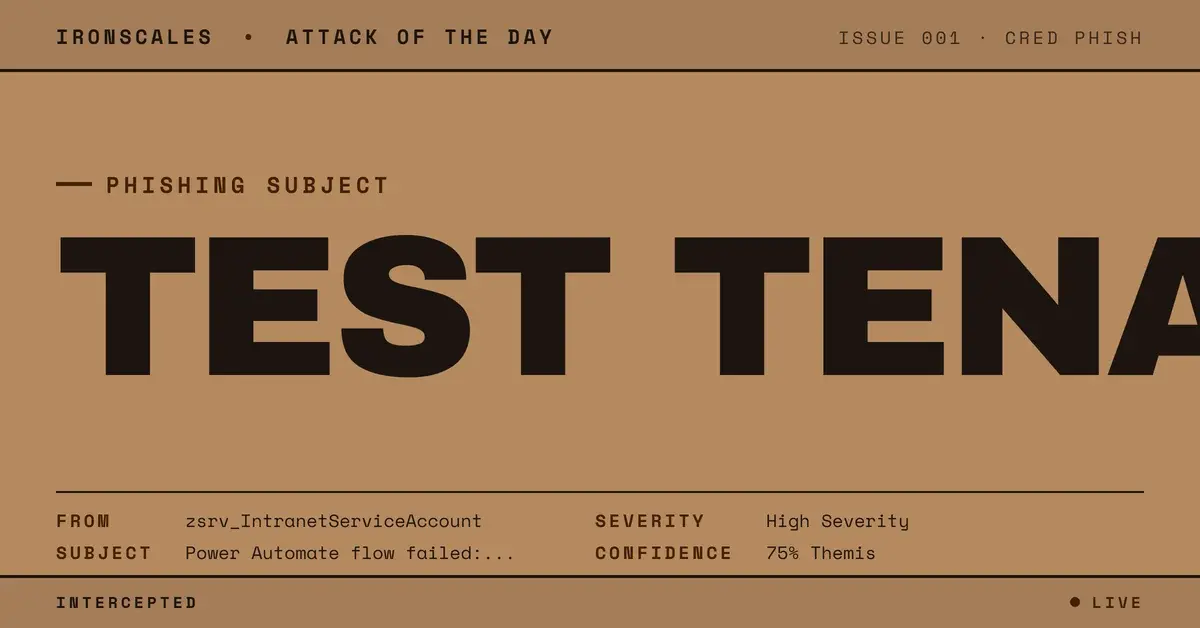
Seven employees at a global specialty insurance firm received it. The display name was zsrv_IntranetServiceAccount, a near-exact match for the organization's real internal service account. The links were wrapped in urldefense.com, the visual fingerprint of Proofpoint URL Defense, the firm's own email security gateway. Both links scanned clean.
SPF failed. Nobody noticed.
The Test Tenant Trick
The sender address was zsrv_IntranetServiceAccount@[redacted]test.onmicrosoft.com. That "test" suffix is the entire attack. The attacker (or a compromised test environment) registered a Microsoft tenant with a name that mirrors the target organization's production domain, appended "test," and configured a service account display name that closely matches the real one.
The real internal account is zsrv_SPO-Intranet_Service_Account. The attacker's version: zsrv_IntranetServiceAccount. Different underscores, slightly compressed naming, but in a busy inbox where Outlook shows the display name and hides the full address, functionally identical.
This is display-name mimicry at its most targeted. The attacker didn't guess a generic "IT Support" name. They knew the organization's specific service account naming convention, including the zsrv_ prefix pattern that marks automated system accounts internally. That level of reconnaissance suggests prior access, a leaked directory, or targeted social engineering.
How Proofpoint Became the Trust Signal
The target organization runs Proofpoint as its Secure Email Gateway. Every inbound email passes through Proofpoint's hosted infrastructure (mx07-001fe601.pphosted.com in the Netherlands), where links are rewritten into urldefense.com wrappers for click-time scanning.
This is a protective measure. It is also, in this case, the reason the email looked safe.
When Proofpoint rewrote the attacker's links, the clickable hrefs became Proofpoint URLs. The display text still showed flow.microsoft.com and make.powerautomate.com, both legitimate Microsoft domains. The recipient saw two trust signals stacked: Microsoft's domain in the visible text, Proofpoint's domain in the actual link. Both organizations are trusted. Neither had anything to do with the sender's identity.
Both links pointed to legitimate Power Automate run URLs. Both scanned clean. That is because the threat in this email was never the link destination. It was the sender.
According to the Verizon 2024 DBIR, phishing remains the top initial access vector, and attacks that abuse legitimate infrastructure are increasingly difficult for perimeter tools to catch. This case is a textbook example. The link is real. The platform is real. The wrapping is real. The sender is not.
See Your Risk: Calculate how many threats your SEG is missing
The Authentication Chain That Contradicted Itself
The email's relay path tells a story of conflicting signals. At the first ARC authentication hop inside Microsoft infrastructure, SPF passed and DKIM passed for the test tenant domain. The message was cryptographically valid within Microsoft's ecosystem.
Then Proofpoint happened. The message was relayed through the Proofpoint gateway (IP 91.207.212.167) and re-injected into the recipient's Exchange environment. At that point, protection.outlook.com ran its own SPF check and found that 91.207.212.167 is not in the sender domain's SPF record. SPF failed. DKIM was stripped during transit (listed as "none" at the final hop). ARC seal: fail.
The final authentication result: spf=fail, dkim=none, dmarc=none, compauth=none. That should be a red flag. In practice, SPF failures on messages transiting legitimate gateways are common enough that many organizations suppress alerts for them, especially when the gateway (Proofpoint) is a known, trusted relay. The FBI IC3 2024 report notes that business email compromise, which exploits exactly this kind of authentication gap, accounted for $2.9 billion in adjusted losses.
The attacker benefits twice. The Proofpoint relay explains away the SPF failure ("it's just gateway re-injection"). And the Proofpoint link wrapping adds perceived legitimacy to the embedded URLs. One vendor's infrastructure provides cover for both the identity deception and the delivery mechanism.
What the Body Hid in Plain Sight
The email body was minimal. A Power Automate failure notification with four fields: Application, Flow Name, Failure Time, and a link to the run details. No credential request. No urgency language. No "your account will be locked" pressure.
That restraint is deliberate. Microsoft's Digital Defense Report 2024 notes attackers increasingly use low-urgency, system-generated formats to avoid content-based filters. A flow failure alert does not contain the keywords that spam filters flag. It contains the keywords that IT professionals trust.
MITRE ATT&CK classifies this as T1036.005 (Masquerading: Match Legitimate Name or Location), combined with T1566.002 (Spearphishing Link) and T1078.004 (Valid Accounts: Cloud Accounts). The attacker matched both the naming convention and the notification format of a real internal system on Microsoft's infrastructure.
The real danger: if a recipient clicks the link to "investigate" the failed flow, they could be prompted to authenticate against the attacker's test tenant rather than their own, handing over credentials to what appears to be a routine administrative action.
Indicators of Compromise
| Type | Indicator | Context |
|---|
| Sender Domain | [redacted]test[.]onmicrosoft[.]com | External test tenant mimicking production |
| Display Name | zsrv_IntranetServiceAccount | Impersonating real internal service account |
| Relay IP | 91[.]207[.]212[.]167 | Proofpoint gateway (Netherlands), SPF fail source |
| Email Header | x-ms-mail-application: Microsoft Power Automate | Legitimate Power Automate origin header |
| URL (Display) | flow[.]microsoft[.]com/manage/environments/... | Legitimate Power Automate run URL |
| URL (Clickable) | urldefense[.]com (Proofpoint-wrapped) | Gateway-rewritten link masking destination |
| ARC Result | i=1 pass, i=2 fail | Conflicting authentication across relay hops |
Stopping Identity Attacks When Every Signal Says "Clean"
This attack passed link scanning, malware scanning, and URL reputation checks. The sending platform was Microsoft's own cloud. The gateway that processed it is one of the largest email security vendors on the planet.
What it did not pass was identity verification. IRONSCALES Themis identified that the display name zsrv_IntranetServiceAccount closely matched the organization's real zsrv_SPO-Intranet_Service_Account while originating from an external tenant. That single behavioral signal, display-name similarity from an external sender, triggered remediation. The system reverted the message from four affected mailboxes before any user interacted with it.
For organizations running SEGs that rewrite links, the lesson is simple: URL wrapping is not email verification. Proofpoint, Mimecast, and Microsoft Safe Links confirm that a link was processed. None confirm who sent the email.
Three actions that would have reduced exposure here:
- Monitor test tenants. If your organization uses
[company]test.onmicrosoft.com or similar tenants, ensure those sending domains are either explicitly allowed or explicitly flagged in your email security configuration. If you do not have a test tenant by that name, block the domain.
- Do not suppress SPF failures from known gateways. Gateway relay is a legitimate explanation for SPF failure, but it is also the exact pattern attackers exploit. Per CISA guidance, treat authentication failures as investigation triggers, not noise.
- Implement display-name impersonation detection. Static rules that check sender domain alone miss this attack entirely. Behavioral AI that compares display names against a known directory of internal accounts, including service accounts, catches the impersonation regardless of how clean the links scan.
The attacker needed three things: a test tenant, a display name, and the knowledge that the recipient's own security vendor would make the email look safe.
Email Attack of the Day is a daily series from
IRONSCALES spotlighting real phishing attacks caught by Adaptive AI and our community of 36,000+ security professionals. Each post breaks down a real attack. What it looked like, why it worked, and what to do about it.







/Blue%20Feature%20Flower%20Icons/gear%20head%20icon.svg)
/Misc%20Icons/icon-nav-credential-theft.svg)










/Leadership%20Headshots/Audian%20Paxson%20Headshot%201000x1000%20032026.webp?width=100&height=100&name=Audian%20Paxson%20Headshot%201000x1000%20032026.webp)



.png?width=50&height=50&name=Untitled%20-%20July%2030%2c%202026%20at%2014.53.38%20(3).png)



/Misc%20Icons/icon-red-teaming-agent-gradient-simple.svg)
/Misc%20Icons/icon-phishing-soc-agent-gradient-simple.webp?width=158&height=167&name=icon-phishing-soc-agent-gradient-simple.webp)
/Misc%20Icons/icon-phishing-simulation-agent-gradient-simple.svg)


/Misc%20Icons/icon-nav-encryption.svg)