.png?width=50&height=50&name=Untitled%20-%20July%2030%2c%202026%20at%2014.53.38%20(3).png)








/Misc%20Icons/icon-red-teaming-agent-gradient-simple.svg)
/Misc%20Icons/icon-phishing-soc-agent-gradient-simple.webp?width=158&height=167&name=icon-phishing-soc-agent-gradient-simple.webp)
/Misc%20Icons/icon-phishing-simulation-agent-gradient-simple.svg)


/Misc%20Icons/icon-nav-encryption.svg)


/Blue%20Feature%20Flower%20Icons/gear%20head%20icon.svg)
/Misc%20Icons/icon-nav-credential-theft.svg)










/Leadership%20Headshots/Audian%20Paxson%20Headshot%201000x1000%20032026.webp?width=100&height=100&name=Audian%20Paxson%20Headshot%201000x1000%20032026.webp)
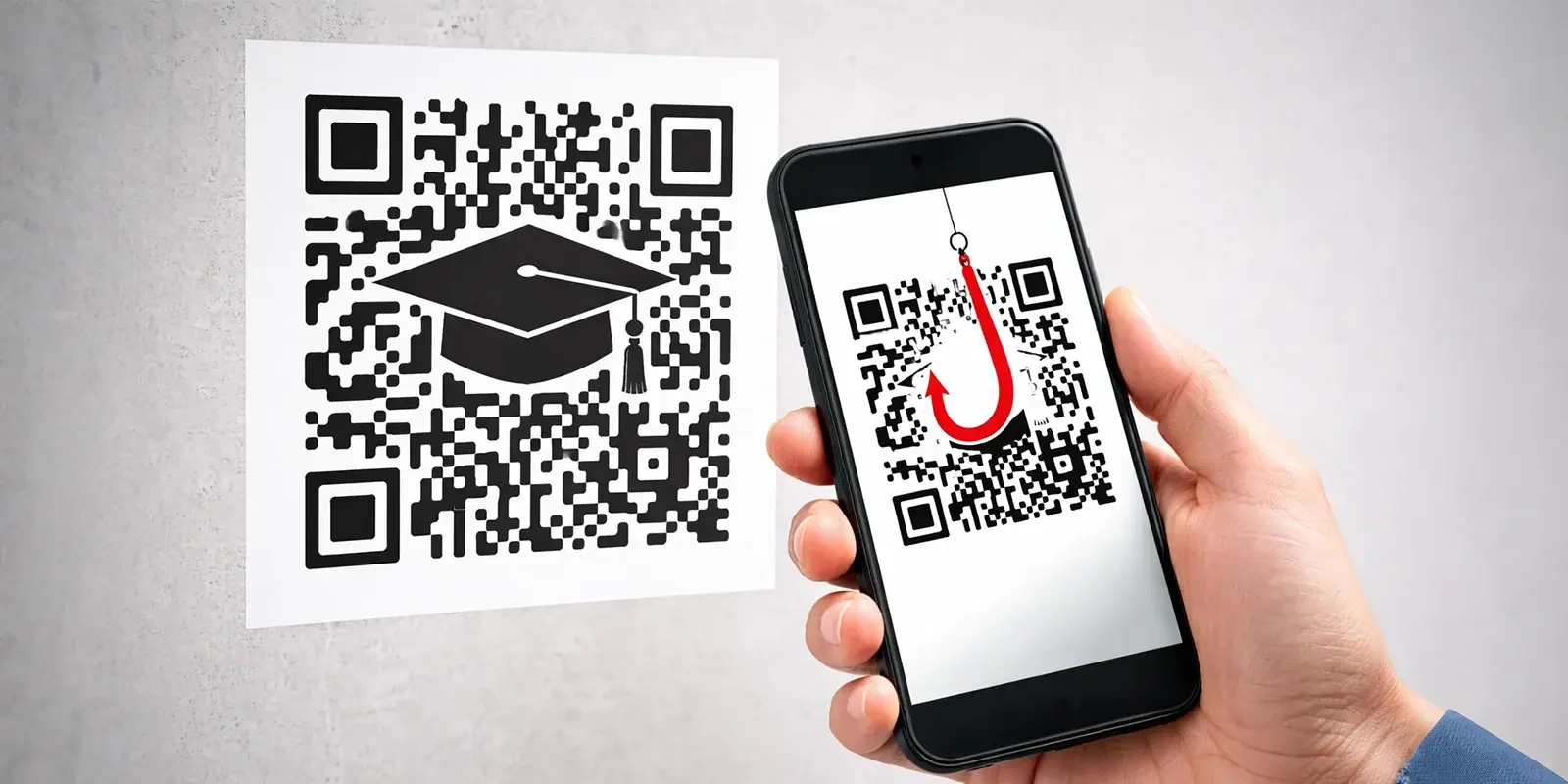
Quick...where do you see QR codes on your campus?
Lunch menus. Parking permits. Event flyers. Form submissions. Student handbooks. They're everywhere and they're convenient, contactless, and ubiquitous.
Attackers know this.
Microsoft reports that 15,000+ emails containing malicious QR codes target the education sector daily, and the FTC issued a consumer alert. Meanwhile, faculty, staff, and students scan these codes without thinking twice.
Here's the problem...most email security tools can't see them.
QR codes are images. Legacy email security tools (including many Secure Email Gateways) were built to scan links and text. An image with an embedded URL? That requires different technology entirely.
So, when an attacker sends a fake UCPath payroll notification with a QR code linking to a credential harvesting site, a SEG will often wave it through. By the time an unsuspecting user scans it, their credentials are gone.
(UCPath is the University of California's payroll and benefits system, attackers knew UC Berkeley employees would trust notifications from this familiar platform.)
Now...let's break down how this attack works, why education is the perfect target, and what detection actually requires.
How QR Code Phishing Works in Education
The anatomy of a QR code phishing attack is deceptively simple:
Step 1: Attacker crafts a legitimate-looking email (IT notification, payroll update, building access, school registration)
Step 2: Email includes a QR code instead of a clickable link
Step 3: User scans with their phone, bypassing all email and campus security
Step 4: QR code redirects to credential harvesting site or malware download
Why Education Is the Perfect Target
Your environment can be QR code-dense at times. Students and staff are conditioned to scan constantly. You're managing thousands of users with lean IT teams. And unlike corporate environments where QR codes raise suspicion, in education they're expected.
Need to register for an event? Scan the QR code.
Forgot your parking permit? Scan the QR code on your phone.
Cafeteria menu for the week? QR code on the bulletin board.
Submit a permission slip? QR code in the email.
This normalization makes education environments uniquely vulnerable. Users don't question QR codes, they expect them.
Real-World Example: UC Berkeley's Multi-Channel Attack
In 2024-2025, UC Berkeley experienced what their security office called a "spike in sophisticated tactics" targeting employee payroll. Attackers impersonated UCPath (the University of California's payroll system) using:
- Phishing emails with QR codes
- Text messages requesting DUO push codes
- Fake Google Ads redirecting to malicious UCPath lookalikes
Subject lines designed to create urgency, like "My UC Berkeley profile contact," "New Email Update," and "Important Update."
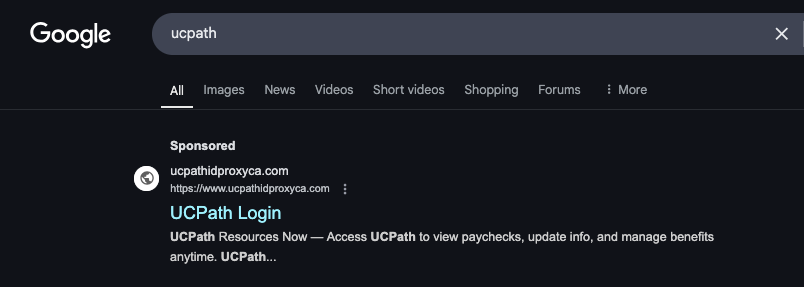
Fake Google Ad for "UCPath" directing to malicious domain ucpathidproxyca.com. When employees searched for their payroll system, this sponsored ad appeared above legitimate results—redirecting to a credential harvesting site.
The goal? Steal credentials, redirect direct deposit. Multiple attack vectors, professional execution, zero protection from traditional email security.
One email came from kirill.lobachev@biology[.]gatech[.]edu (Georgia Tech) claiming to be from UC Berkeley's "Office of Student-Faculty Relations." The malicious URLs used fake paths designed to look legitimate: kirill.lobachev@biology[.]gatech[.]edu
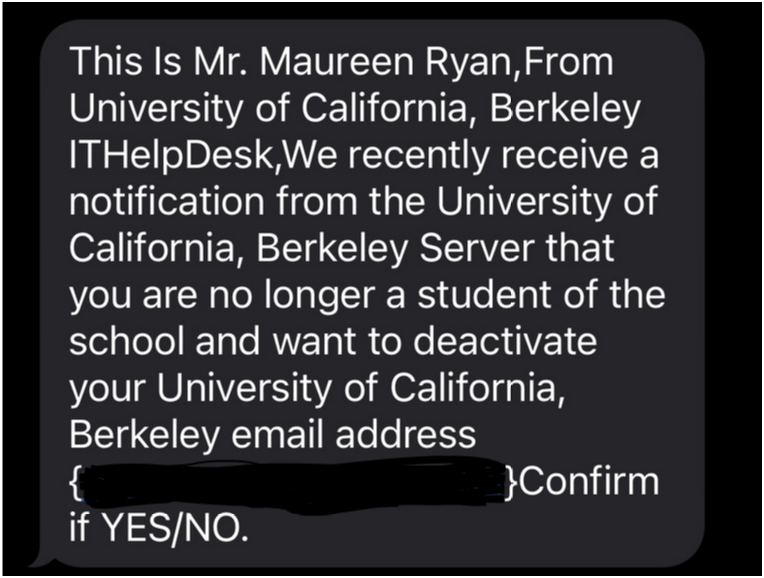
UC Berkeley's security office noted these campaigns "create fear and urgency to bypass security awareness." When you combine urgency with a QR code users can't preview, you've eliminated every traditional defense mechanism.
Users shouldn't have to be security experts.
Your email security should catch this before it reaches them.
Why Image-Based Attacks Evade Detection
The fundamental problem, Legacy email security was built for text-based threats.
Image-based phishing (which includes Quishing), screenshots of fake invoices, and logos with embedded malicious content bypasses traditional detection methods because there's minimal or no text to analyze.
According to Osterman Research, 75.8% of organizations have been compromised by image-based and QR code phishing attacks over the past 12 months. Only 5.5% of organizations successfully detected and blocked all such attacks from reaching inboxes.
Why the gap?
Traditional Secure Email Gateways rely on pattern matching, keyword detection, and link reputation checks. Modern AI-based solutions add Natural Language Processing (NLP) to understand context and intent. But when the malicious content is embedded in an image, both approaches fail:
- Pattern matching can't detect it (the threat is visual, not textual)
- NLP can't read it (no text to process)
- Link analysis tools can't inspect it (a QR code isn't a clickable link)
The Data
Across 1,921 organizations in the IRONSCALES customer base, 0.7% of missed phishing attacks were QR-code/image-based. That might sound small, but consider this
- Microsoft reports 15,000+ malicious QR codes targeting education daily
- Image-based phishing has 92.5% awareness among security teams (higher than general phishing)
- These attacks are getting through precisely because legacy tools can't see them
What Detection Actually Requires
Stopping image-based attacks requires a fundamentally different approach:
1. Computer vision and image analysis
- Extract QR codes and text from images
- Identify visual spoofing (fake logos, screenshot-based attacks)
- Decode embedded URLs for reputation analysis
2. Sender intent and behavioral analysis
- Use NLP/NLU to assess communication patterns
- Detect urgency language and social engineering tactics
- Identify anomalous sender behavior (legitimate vendor suddenly sending QR codes)
3. Domain and URL threat intelligence
- Analyze decoded destinations for spoofing patterns (like
/auth.berkeley.eduappended to malicious domains) - Check domain age, reputation, and historical behavior
- Cross-reference against community threat intelligence
This isn't a feature you can bolt onto legacy architecture. It requires AI-driven detection built from the ground up to analyze visual threats, not just textual ones.
What Schools Can Actually Do
1. Deploy Email Security with Computer Vision and Behavioral Analysis
IRONSCALES detects image-based threats before delivery using:
- Computer vision to decode QR codes and analyze image content
- NLP/NLU to assess sender intent and detect social engineering patterns
- Domain reputation analysis to catch spoofing like fake
/auth.berkeley.eduURLs - Behavioral anomaly detection for unusual communication patterns
When just one staff member or student reports a QR code attack, we remove it (and future versions of it) from all affected mailboxes automatically. That's the difference between detection and defense.
2. Educate Users (But Don't Rely on Training Alone)
Users need to know:
- Verify the source
If you get an unexpected QR code, confirm via another channel - Check the sender
External domains pretending to be internal services = red flag - No hover preview
You can't check a QR code destination like a link - Trust your instincts
Urgency is a weapon
Include QR code scenarios in your phishing simulations. Make them realistic, fake parking permits, class or event registrations, "urgent" IT notifications.
But remember...even well-trained users make mistakes under stress. Your security needs to catch what they miss.
3. Implement Defense-in-Depth
- MFA everywhere
Including alumni, adjunct faculty, part-time staff, and student workers - DMARC enforcement
Block domain spoofing before emails reach inboxes - User reporting mechanisms
Make it easy to report suspicious emails with one click
Your 3-person IT team can't watch 10,000 inboxes. But 10,000 users can watch for threats (if you give them the tools).
The Rise of Image-Based Attacks
There's a bigger picture here. QR code phishing is just one example of a much larger threat evolution, image-based phishing attacks.
Attackers have figured out that if you can't read the text, you can't detect the threat.
Did I hear you ask "What are image-based attacks?"
I gotcha. Simple, it any phishing or BEC attack email where the malicious content is embedded in an image rather than text, such as:
- QR codes (what we are talking about here in this blog)
- Screenshot-based phishing like fake invoices, payment notices, or IT alerts presented as images
- Logo manipulation where legitimate-looking graphics contain embedded malicious instructions
- Image-only emails where the entire email message is rendered as a single image to evade NLP analysis
QR Code Safety Checklist for Users
☐ Did you expect this QR code? Unsolicited = suspicious
☐ Does the sender match the organization? External domains claiming to be internal = fake ☐ Is there urgency or threats? "Act now or lose access" = verify first
☐ Can you verify another way? Call IT using the official number, not the one in the email
And when in doubt? Report it
UC Berkeley's guidance: "Help Desks will NEVER initiate contact via text to personal cell phone numbers. No technician will EVER ask for passwords, DUO push codes, or credentials via text."
Want to see how IRONSCALES can protect your staff, faculty, and students from QR code phishing (and all the other types of email attacks)? Check out our K-12 and Higher Ed solution page to learn more here, or just give us a shout, we are happy to answer your questions and give you a demo.
Explore More Articles
Say goodbye to Phishing, BEC, and QR code attacks. Our Adaptive AI automatically learns and evolves to keep your employees safe from email attacks.