TL;DR An HMRC-style message titled Update your contact information reached a UK communications company with a Japanese company's address in the From line. It carried a DKIM pass, but for a different domain: the owner of the mail account that submitted it through a Japanese relay. SPF softfailed, DMARC failed under a policy of none, and nothing enforced the result. The Update button pointed to a third site, an Argentine construction company. Three unrelated domains, and one green check that vouched for neither of the two a reader could see.
Severity: High Brand Impersonation Email Authentication Abuse MITRE: T1566.002 MITRE: T1036.005 MITRE: T1078
The DKIM line on this message said pass, and it was telling the truth. It just wasn't talking about anyone the recipient could see.
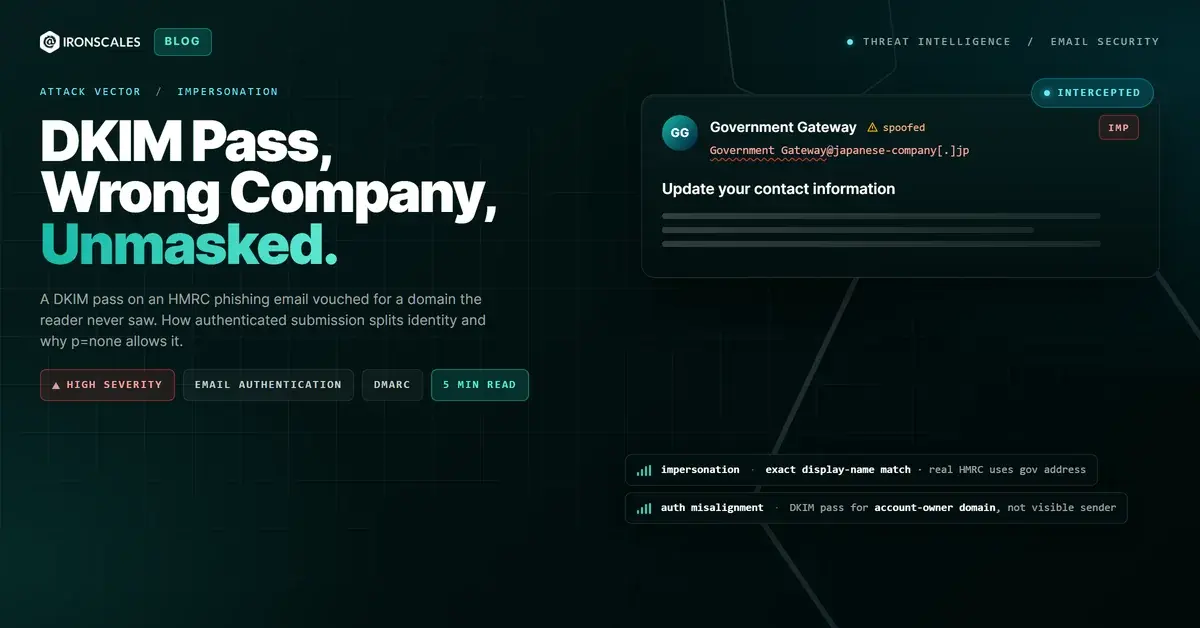
A UK communications company received an email styled as an HMRC notice, sent under the display name "Government Gateway" with the subject "Update your contact information." The From address sat on a Japanese company's domain. The DKIM signature that verified belonged to a different domain entirely. The button at the bottom led to a third.
Three domains, three organizations with no visible connection to one another, and exactly one authentication check that passed.
Three Domains, Three Strangers
Lay the identities side by side. The visible sender was a mailbox at a Japanese company, which also served as the envelope sender and the Return-Path. The signature belonged to a second domain: the authenticated login on the submitting mail server was an account at that other domain. The Update button pointed at a third, a construction company's website in Argentina.
The record does not say any of them is attacker-owned, and we are not saying so. The Japanese sender could have been spoofed or abused. The account owner behind the signature could be an unwitting bystander. The construction site is a destination, nothing more, because WHOIS returned a registrar and no dates and nobody captured the page. What the evidence supports is narrower and more useful: the message was assembled from three identities that were never aligned.
What the Green Check Actually Vouched For
The submission path is in the Received headers. The message entered a Japanese mail server over authenticated SMTP, flagged esmtpa, from a client at an Azure-hosted address (20[.]162[.]66[.]124) announcing itself with a random-string internal cloudapp hostname. The server logged an authenticated login belonging to a third-party domain, then relayed the message to Google.
That is where the DKIM pass comes from. The server signed the message for the domain of the account that authenticated, the way a hosting provider signs for any customer who logs in. The signature covers From, To and Subject. It simply attests that the message left through that account's mail service, not that the displayed sender wrote it.
The submitting client also never supplied a Message-ID, so Google stamped one on arrival. Most mail clients supply one. A script talking SMTP directly often does not.
Google's current-hop result recorded dkim=pass for the account owner's domain, spf=softfail because the relay address was not permitted for the From domain, and dmarc=fail for the visible one. The message reached a recipient anyway, which is the part that deserves attention.
Why p=none Is a Reporting Setting, Not a Wall
The failing DMARC result carried a policy of none. In DMARC, that value means "tell me about failures, but do not act on them." It is the correct first step of a rollout and an incorrect place to stay forever.
Here it meant the receiving side logged a failure and then did nothing with it. The DKIM pass was real, the alignment failure was real, and the policy turned the failure into a header line. We know only the p=none that Google observed, so we make no claim about the sender's intent.
A Faithful Template With a Foreign Button
The body is a good copy. It reproduces the GOV.UK header, the HMRC crest and the standard button styling, with images hot-linked from an HMRC service domain rather than embedded. The text claims the recipient's online business VAT information is out of date and warns that the Government Gateway user ID and profile will be "completely deleted from HMRC" unless they sign in and update it.
That is a pretexting shape, and the 2026 Verizon Data Breach Investigations Report puts the human element in 62% of breaches. Deletion threats work because they are cheap to read and expensive to ignore. CISA's phishing guidance, the NIST definition and the FBI's 2024 IC3 report all treat this kind of authority-themed lure as routine.
The tell is in the markup. The only clean link in the message is the GOV.UK logo, which resolves to the real site. The Update button, the only thing a reader is asked to click, resolves elsewhere. The branding says one thing and the destination says another.
See Your Risk: Calculate how many threats your SEG is missing
What Flagged It
Detection did not depend on the authentication result, because the authentication result was misleading by design. The platform scored the button destination as malicious, tagged the message as an exact display-name impersonation of Government Gateway (the real service sends from a government no-reply address, not a company mailbox), and Themis recorded a phishing recommendation at confidence 90. The incident closed in a final Malicious Content state through Adaptive AI analysis. The record shows no mitigation action and no victim click, so we say nothing about either.
Indicators
| Type | Indicator | Context |
|---|
| Subject | Update your contact information | HMRC-themed contact-details pretext |
| Display name | Government Gateway | Exact display-name impersonation, sent from a company mailbox |
| Auth pattern | dkim=pass header.i=@[account-owner-domain]; spf=softfail; dmarc=fail (p=NONE) header.from=[visible-sender-domain] | DKIM vouches for a domain the reader never sees |
| Submission | esmtpa from 20[.]162[.]66[.]124 | Authenticated SMTP from an Azure client with a random internal hostname |
| Header gap | No Message-ID from the submitting client | Added by the receiver, consistent with scripted submission |
| Button target | A path ending /m/ on an Argentine construction-company site | Verdict malicious (automated); page not captured |
MITRE ATT&CK Mapping
| Technique | ID | Application |
|---|
| Phishing: Spearphishing Link | T1566.002 | Branded button leading to an unrelated site |
| Masquerading: Match Legitimate Name or Location | T1036.005 | GOV.UK and HMRC identity on a company mailbox |
| Valid Accounts | T1078 | Authenticated login used for submission (ownership unestablished) |
The Takeaway
Treat dkim=pass as an answer to a narrow question: did this domain's key sign this message? It does not answer who the message claims to be. Read the signing domain next to the visible From domain, and treat any mismatch with a p=none policy as a delivery path, not a safeguard. The same discipline applies to the sender domain you own: if your own policy is still at none, DMARC monitoring and enforcement is the work that turns a header line into a block.
Email Attack of the Day is a daily series from
IRONSCALES spotlighting real phishing attacks caught by Adaptive AI and our community of 35,000+ security professionals. Each post breaks down a real attack. What it looked like, why it worked, and what to do about it.