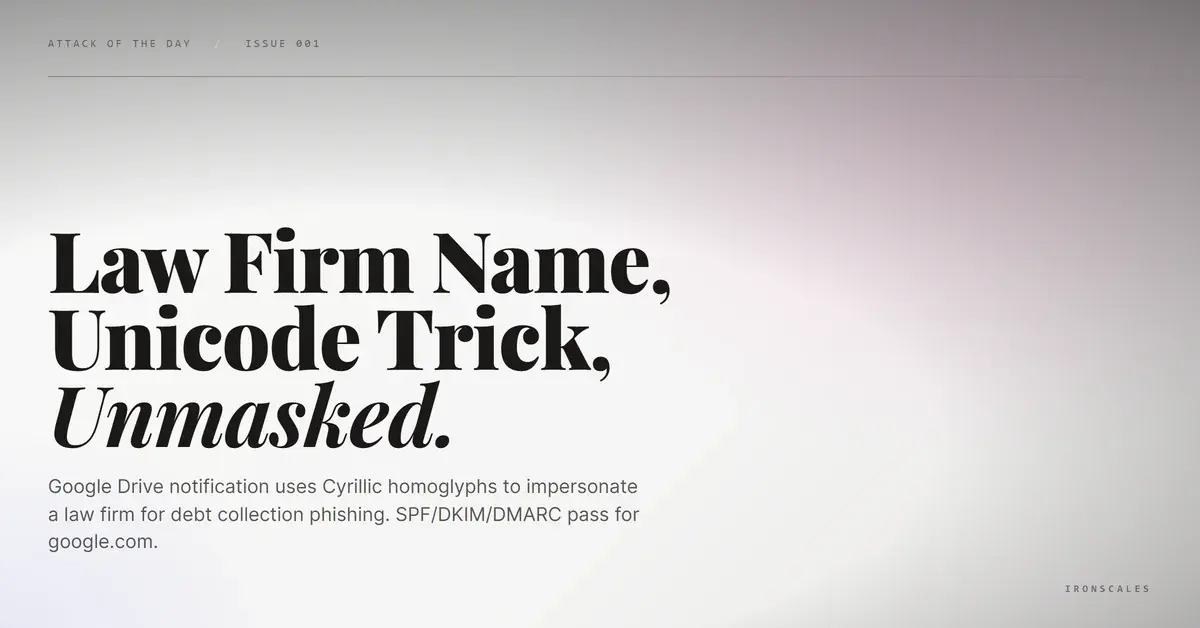
TL;DR A Google Drive sharing notification passed SPF, DKIM, and DMARC for google.com while displaying a law firm name constructed with Cyrillic homoglyphs replacing Latin characters. The display name impersonated Kirkland & Ellis using Cyrillic а, Е, е, and о to impersonate a well-known international law firm in a debt collection pretext. The reply-to address pointed to safeportalcheck[.]com, a domain registered the same day as the attack. The shared file linked to a Google Drive file ID. Google sent the email. Google authenticated the email. The attack lived entirely inside Google infrastructure.
Severity: High Impersonation Credential Harvesting MITRE: {'id': 'T1566.002', 'name': 'Phishing: Spearphishing Link'} MITRE: {'id': 'T1036.005', 'name': 'Masquerading: Match Legitimate Name or Location'}
The email came from drive-shares-noreply@google[.]com. SPF passed for google.com. DKIM passed for google.com. DMARC passed for google.com. Every authentication check confirmed what was technically true: Google sent this email.
The display name read "Kirklаnd & Еllis Dеbt." At a glance, it looked like a notification from one of the world's largest law firms regarding a debt collection matter. The subject line reinforced the urgency: "Collection Correspondence Arrived. Pay Today!"
Four characters in that display name were not what they appeared to be.
The Homoglyphs Hiding in Plain Sight
The display name substituted Cyrillic characters for Latin ones. The "а" in "Kirklаnd" was Cyrillic (U+0430), not Latin (U+0061). The "Е" and "е" in "Еllis" and "Dеbt" were Cyrillic (U+0415 and U+0435). The "о" characters in the subject line were Cyrillic (U+043E). Every substitution was visually identical in Outlook, Gmail, Apple Mail, and mobile clients.
This is not a cosmetic trick. It is a functional evasion technique. Blocklists, display name spoofing detection rules, and string-matching filters all operate on code points, not visual appearance. A rule blocking "Kirkland" will never match "Kirklаnd" because the fourth character is a different Unicode code point. The name passes every text-based check while looking exactly right to every human reader.
Google Infrastructure as the Delivery Vehicle
The attacker created a Google account, set the display name to the homoglyph-laden law firm name, and shared a Google Drive file with the target. Google generated the sharing notification automatically. The email was composed, signed, and delivered by Google infrastructure. The attacker never touched a mail server.
The shared file linked to Google Drive file ID 1Pivb7Vi7SovDqOfj9DMk7Ft3ciGvK5NX. The reply-to address pointed to testsecafti1997@allclear[.]safeportalcheck[.]com, a domain registered on December 1, 2025, the same day as the attack. Same-day domain registration with privacy-protected WHOIS is a strong indicator of throwaway infrastructure. The reply-to was the only element in the entire email that the attacker controlled directly. Everything else was Google.
Debt Collection as the Social Engineering Lever
The pretext was impersonation of a well-known law firm threatening debt collection action. This pretext is deliberately chosen for its psychological impact. Recipients who believe a major law firm is contacting them about an outstanding debt are likely to act quickly and without verification. The urgency language ("Pay Today!") compressed the decision window further.
The attack required no phishing page, no malicious attachment, and no compromised infrastructure beyond a free Google account. The file shared through Google Drive could contain anything: a credential harvesting form, a redirect link, or further social engineering instructions. The delivery mechanism made it indistinguishable from a legitimate Google Drive share at every technical layer.
See Your Risk: Calculate how many threats your SEG is missing
Indicators of Compromise
| Type | Indicator | Context |
|---|
| Sending Address | drive-shares-noreply@google[.]com | Legitimate Google Drive sharing address |
| Display Name | Cyrillic homoglyphs: а (U+0430), Е (U+0415), е (U+0435), о (U+043E) | Substituted into law firm name |
| Reply-To | testsecafti1997@allclear[.]safeportalcheck[.]com | Domain registered 2025-12-01 (same day as attack) |
| Reply-To Domain | safeportalcheck[.]com | Same-day registration, privacy-protected WHOIS |
| Drive File | File ID 1Pivb7Vi7SovDqOfj9DMk7Ft3ciGvK5NX | Shared file (potential credential harvesting) |
| Auth Results | SPF: pass, DKIM: pass, DMARC: pass | Full authentication for google.com |
MITRE ATT&CK Mapping
| Technique | ID | Relevance |
|---|
| Phishing: Spearphishing Link | T1566.002 | Google Drive sharing link as phishing delivery |
| Masquerading: Match Legitimate Name or Location | T1036.005 | Cyrillic homoglyphs impersonating law firm display name |
Email Attack of the Day is a daily series from
IRONSCALES spotlighting real phishing attacks caught by Adaptive AI and our community of 36,000+ security professionals. Each post breaks down a real attack. What it looked like, why it worked, and what to do about it.







/Blue%20Feature%20Flower%20Icons/gear%20head%20icon.svg)
/Misc%20Icons/icon-nav-credential-theft.svg)










/Leadership%20Headshots/Audian%20Paxson%20Headshot%201000x1000%20032026.webp?width=100&height=100&name=Audian%20Paxson%20Headshot%201000x1000%20032026.webp)



.png?width=50&height=50&name=Untitled%20-%20July%2030%2c%202026%20at%2014.53.38%20(3).png)



/Misc%20Icons/icon-red-teaming-agent-gradient-simple.svg)
/Misc%20Icons/icon-phishing-soc-agent-gradient-simple.webp?width=158&height=167&name=icon-phishing-soc-agent-gradient-simple.webp)
/Misc%20Icons/icon-phishing-simulation-agent-gradient-simple.svg)


/Misc%20Icons/icon-nav-encryption.svg)