TL;DR A phishing email disguised as a standard SharePoint file-sharing notification passed authentication at the originating Microsoft 365 hop, then routed through an unauthorized external relay that broke SPF, DKIM, and DMARC at the recipient edge. The embedded link pointed to genuine Microsoft infrastructure hosting a 'Verify Your Identity' prompt, making the credential harvest nearly invisible to legacy gateways that trust Microsoft domains by default.
Severity: High Credential Harvesting Trust Laundering Impersonation MITRE: T1566.002 MITRE: T1078 MITRE: T1071.001 MITRE: T1534
A credential-phishing email that passed SPF, DKIM, and DMARC at its originating Microsoft 365 hop landed in a healthcare employee's inbox on April 1, 2026. The email looked exactly like a standard SharePoint file-sharing notification because it was a standard SharePoint file-sharing notification, generated by Microsoft's own notification system. The only problem: an unauthorized external relay injected mid-chain broke every authentication check at the recipient's mail edge, and the shared "document" was a credential harvesting trap hosted on genuine Microsoft infrastructure.
This is trust laundering in its purest form. The attacker did not need to stand up a lookalike domain or clone a login page. Microsoft did the heavy lifting.
The Delivery Chain: Passing Authentication, Then Breaking It
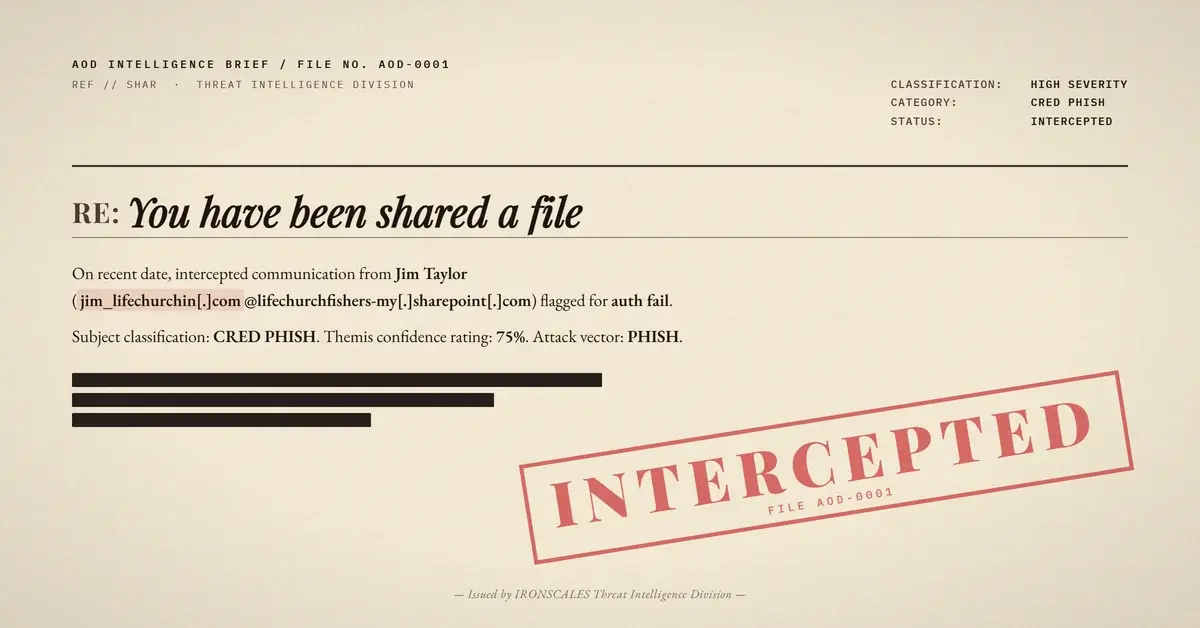
The email arrived from "Jim Taylor" at a religious organization's domain, sharing a OneDrive folder labeled "LIFE CHURCHIN." The Received headers tell a precise story of how authentication integrity unraveled hop by hop.
Hop 1 (Origin): The message originated from CO1PR17MB7466.namprd17.prod.outlook.com, a legitimate Microsoft 365 mail server. At this stage, SPF passed against the sender domain's record, DKIM signatures verified, and DMARC aligned. ARC seal i=1 confirmed clean authentication.
Hop 2 (The Break): The message routed through esa2.hc3244-53.iphmx[.]com at IP 139[.]138[.]59[.]32. This is an IronPort/Cisco Email Security Appliance, likely the sender organization's outbound email gateway. The critical detail: this IP is not authorized in the sender domain's SPF record. The moment the message transited through this relay, SPF failed. DKIM signatures, which are sensitive to header modifications during relay, also failed verification at the next hop.
Hop 3 (Delivery Edge): Microsoft's own protection.outlook.com evaluated the message as it entered the recipient's M365 tenant. Final verdict: spf=fail, dkim=fail, dmarc=fail. The ARC seal at i=2 recorded cv=fail. Despite triple authentication failure, the message was delivered to the inbox with SCL:-1 (spam confidence level indicating no spam), likely because Microsoft's own anti-spam heuristics gave weight to the message's Microsoft 365 origin and SharePoint notification format.
This is the paradox that makes trust laundering so effective. The message was born legitimate, corrupted by a relay, and then partially rehabilitated by the recipient platform's own trust in Microsoft-originated content.
The Credential Harvest: Microsoft's Own Identity Verification Page
The embedded link pointed to a genuine SharePoint URL:
hxxps://lifechurchfishers-my[.]sharepoint[.]com/:o:/g/personal/jim_lifechurchin_com/IgDgBu2yo81XRY9AhXgSiF5fAfdeZT6wBfEpLBVTEEQUA4U
DNS resolution confirmed this domain resolves to Microsoft SharePoint infrastructure. TLS certificates chain to Microsoft. URL reputation scanners see a clean Microsoft domain. A Secure Email Gateway (SEG) performing URL inspection would find nothing malicious because the infrastructure is Microsoft.
Clicking the link presented a "Verify Your Identity" page, a legitimate Microsoft flow for restricted SharePoint items. The page displayed the Microsoft logo, OneDrive branding, and a form requesting the recipient's email address. For the healthcare employee receiving this email, the experience was indistinguishable from a routine document share from an external partner.
The credential harvesting mechanism here is subtle. The attacker does not need a fake login page. By sharing a restricted item with external recipients, the SharePoint tenant's own verification flow collects the victim's email address. Depending on the tenant configuration and the victim's response, this can escalate to a full Microsoft authentication prompt, capturing passwords and potentially MFA tokens.
Impersonation Layer: Display Name Collision
The sender, "Jim Taylor," triggered an impersonation detection because the display name closely matched a known contact in the recipient organization's directory: "James Taylor" at a partner emergency medical services organization. Attackers conducting reconnaissance against healthcare organizations routinely scrape LinkedIn and public directories to find name overlaps that pass the human trust check.
The Microsoft Digital Defense Report 2024 documented a 40% increase in identity-based attacks leveraging compromised or abused Microsoft 365 tenants. This case fits that pattern precisely.
See Your Risk: Calculate how many threats your SEG is missing
Why Legacy Gateways Cannot Catch This
Traditional SEGs evaluate three things when processing this email: sender reputation, URL reputation, and content analysis. All three fail to flag it.
Sender reputation: The originating IP (40[.]93[.]198[.]132) belongs to Microsoft's outbound protection range. It has a stellar reputation. The intermediate relay IP (139[.]138[.]59[.]32) is a Cisco IronPort appliance with a moderate reputation score (2.4 out of 10 on the IronPort scale), not bad enough to trigger blocking.
URL reputation: The SharePoint URL resolves to Microsoft infrastructure with valid TLS. Every major URL reputation database rates it clean.
Content analysis: The email body is a pixel-perfect Microsoft SharePoint notification template. No typos, no urgency language, no suspicious formatting. The body quality score is effectively perfect because Microsoft generated it.
According to the Verizon 2024 Data Breach Investigations Report, phishing remains the initial access vector in 36% of breaches. The FBI IC3 2024 Annual Report recorded $2.9 billion in BEC losses, with credential compromise fueling the majority of account takeover chains. Trust laundering through platforms like SharePoint accelerates both.
IRONSCALES detected this attack through behavioral analysis, not signature matching. Themis, our Adaptive AI, flagged the authentication-to-origin mismatch (a message claiming Microsoft 365 origin that failed all three authentication protocols at delivery), the impersonation signal (display name collision with a known contact), and the anomalous relay pattern. When 36,000+ security professionals in the IRONSCALES community encounter similar trust-laundering patterns, those signals compound across the network, making detection faster with each new variant.
IOC Table
| Indicator | Type | Context |
|---|
139[.]138[.]59[.]32 | IP | Unauthorized relay (IronPort ESA) |
40[.]93[.]198[.]132 | IP | Microsoft outbound protection (legitimate, abused) |
lifechurchfishers-my[.]sharepoint[.]com | Domain | SharePoint tenant hosting credential harvest |
lifechurchin[.]com | Domain | Sender domain (compromised or abused tenant) |
lifechurchfishers[.]onmicrosoft[.]com | Domain | M365 tenant identifier |
hxxps://lifechurchfishers-my[.]sharepoint[.]com/:o:/g/personal/jim_lifechurchin_com/ | URL | SharePoint credential-harvesting link |
MITRE ATT&CK Mapping: T1566.002 (Spearphishing Link), T1078 (Valid Accounts), T1071.001 (Web Protocols), T1534 (Internal Spearphishing)
Defensive Recommendations
1. Treat authentication failures as high-signal events. A message from a Microsoft 365 tenant that fails SPF, DKIM, and DMARC at delivery is anomalous by definition. Configure your mail platform to quarantine or flag these, even when the content appears legitimate.
2. Do not whitelist Microsoft domains for URL inspection. SharePoint, OneDrive, and other Microsoft-hosted surfaces are actively abused. Apply the same scrutiny to sharepoint[.]com links that you would to any external URL. CISA's ongoing advisories continue to highlight cloud platform abuse as a growing vector.
3. Correlate display name similarity with authentication signals. A display name match against your directory combined with authentication failure is a strong compound indicator. This is exactly the kind of multi-signal correlation that AI-native platforms like IRONSCALES perform automatically, catching what individual rule-based checks miss.
4. Educate users on SharePoint verification prompts. The "Verify Your Identity" flow is legitimate Microsoft UX. Train users to verify file-sharing requests through a separate channel before entering credentials, especially when the email carries an external warning banner.
5. Monitor for unauthorized relays in your own outbound mail path. The sender organization's IronPort gateway broke their own authentication. Regular SPF record audits and outbound mail flow testing would have caught this misconfiguration before an attacker exploited it. The IBM Cost of a Data Breach Report 2024 found that organizations identifying breaches within 200 days saved an average of $1.02 million, and email authentication monitoring is one of the fastest detection accelerators.
Email Attack of the Day is a daily series from
IRONSCALES spotlighting real phishing attacks caught by Adaptive AI and our community of 36,000+ security professionals. Each post breaks down a real attack. What it looked like, why it worked, and what to do about it.







/Blue%20Feature%20Flower%20Icons/gear%20head%20icon.svg)
/Misc%20Icons/icon-nav-credential-theft.svg)










/Leadership%20Headshots/Audian%20Paxson%20Headshot%201000x1000%20032026.webp?width=100&height=100&name=Audian%20Paxson%20Headshot%201000x1000%20032026.webp)



.png?width=50&height=50&name=Untitled%20-%20July%2030%2c%202026%20at%2014.53.38%20(3).png)



/Misc%20Icons/icon-red-teaming-agent-gradient-simple.svg)
/Misc%20Icons/icon-phishing-soc-agent-gradient-simple.webp?width=158&height=167&name=icon-phishing-soc-agent-gradient-simple.webp)
/Misc%20Icons/icon-phishing-simulation-agent-gradient-simple.svg)


/Misc%20Icons/icon-nav-encryption.svg)