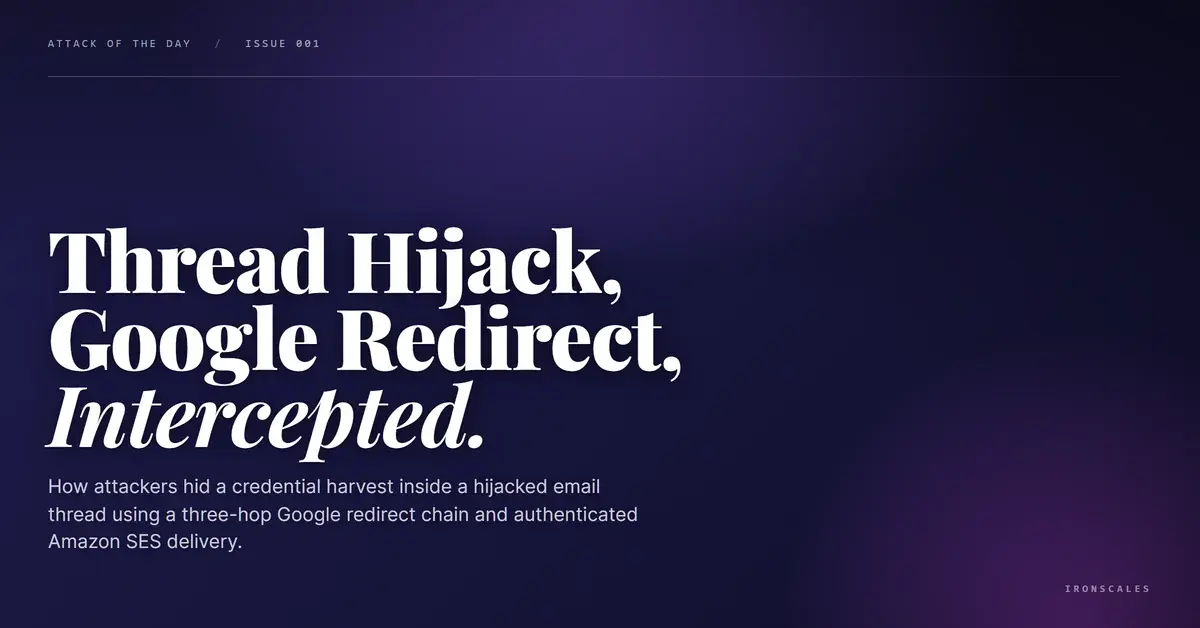
TL;DR An attacker injected a large Review Documents button into an unrelated, months-old email thread and sent it to a company CFO through Amazon SES with valid SPF and DKIM. The button chained three hops, from meet.google.com to a decoy voice.google.com string to a lookalike shortener, with the recipient's own email Base64-encoded into the link as a targeting token. Surface URL scanners marked every hop clean because the first two hosts were Google. Themis flagged the obfuscated redirect and encoded token as credential theft at 90 percent confidence and auto-resolved the incident before the CFO could click.
Severity: High Credential Harvesting Phishing Bec MITRE: T1566.002 MITRE: T1204.001 MITRE: T1684.001
The email had an urgent subject, a red priority flag, and a big blue button that said Review Documents. Everything above the fold looked like a document-signing request aimed at a finance executive.
Everything below it was a months-old personal thread about community event planning, complete with quoted replies from 2023 and a couple of YouTube links.
That mismatch is the whole attack. Someone grafted a credential-harvesting lure onto an unrelated conversation, addressed it to the CFO of a mid-size manufacturing company, and pushed it through Amazon Simple Email Service so it arrived fully authenticated. The button ran through a three-hop redirect chain that started at Google and ended at a lookalike host, with the CFO's own email address encoded into the link. Every automated URL scanner in the path returned a clean verdict.
The Button Was the Only New Thing
Thread hijacking usually means an attacker takes over a real mailbox and replies inside a live conversation. This was a cheaper variant. The attacker did not need to compromise anyone. They took the visible content of an old, unrelated thread, pasted it underneath a freshly built banner, and let the familiarity do the social engineering.
The banner carried the payload: an urgent header (Confidential Shared Doc: Capital), high-importance flags in the headers, and a single generic Review Documents call to action. The body underneath was noise, real-looking noise, designed to make a busy executive assume the button was tied to something already in motion.
Grafting a lure onto benign conversational cover maps to MITRE ATT&CK Spearphishing Link (T1566.002), and the generic DocScan sender persona adds Impersonation (T1684.001). The goal was to get one click on the button, which lands squarely in User Execution: Malicious Link (T1204.001).
Three Hops, Two of Them Fake
Here is where the design gets deliberate. The Review Documents link did not point at an attacker domain. It pointed at Google.
The chain ran through three layers:
- Hop one, a real Google open redirect. The link opened at a
meet.google[.]com/linkredirect URL with a dest parameter. Google will forward the browser to whatever that parameter says. To a scanner reading only the visible hostname, this is a google.com link.
- Hop two, a decoy Google host. The destination decoded to a string built around
voice.google[.]com, which looks like a second trusted Google property. It is not a real destination. It is camouflage.
- Hop three, the userinfo trick. The actual URL was structured as
voice.google[.]com@ln[.]run/YZ5JI. Everything before the @ in a URL is treated as a username, not a host. The real host is ln[.]run, a shortener-style domain. The voice.google.com text is there to be read by a human and skipped by the parser.
So the link a recipient sees begins with two Google properties. The link a browser actually resolves ends at ln[.]run. That gap between what a person reads and what a machine executes is the entire evasion.
| Type | Indicator | Context |
|---|
| URL | hxxps://meet.google[.]com/linkredirect?dest=... | First hop, real Google open redirect |
| URL | hxxps://voice.google[.]com@ln[.]run/YZ5JI | Userinfo-spoof link, true host is ln[.]run |
| URL | hxxps://voice.google[.]com/legacy@ln[.]run/YZ5JI | Variant of the same userinfo trick |
| Domain | ln[.]run | Final redirect and landing host |
| Sending infra | amazonses[.]com / 2a2.awsapps[.]com | Authenticated Amazon SES relay (SPF and DKIM pass) |
| Token | Base64 string decoding to recipient email | Personalized targeting parameter (value withheld) |
Bolted onto the chain was a Base64-encoded string that decoded to the recipient's own email address. That is a targeting token. It tells the landing infrastructure exactly who clicked and pre-fills the harvesting page, a small detail that turns a generic lure into a personalized one and confirms this was aimed at a specific VIP mailbox.
Open redirects abused this way are not novel, and that is the point. Attackers reach for them because trusted-domain reputation is still doing too much work in URL filtering. The 2024 Verizon Data Breach Investigations Report found phishing present in 15 percent of breaches and stolen credentials involved in 38 percent. A link that launders itself behind Google is built to feed exactly that credential pipeline.
Authentication Passed, Because It Was Designed To
The message was relayed by Amazon SES from an amazonses[.]com sending host, signed with valid DKIM for both amazonses[.]com and an awsapps[.]com subdomain, and it cleared SPF with a Microsoft composite-authentication pass. On paper, the sender checks out.
That is the trap. SPF and DKIM confirm that Amazon relayed the mail and that the signature is intact. They say nothing about intent. Sending phishing through a reputable cloud mailer is a standard move precisely because passing authentication buys inbox delivery and borrowed reputation. According to the FBI Internet Crime Complaint Center, business email compromise drove more than 2.9 billion dollars in reported losses, and a large share of those attacks arrive from authenticated infrastructure that no legacy filter would flag on sender reputation alone.
This is where a Secure Email Gateway (SEG), the legacy filtering layer many organizations still front their mail with, tends to wave the message through. Clean sender, clean links, valid auth. See Your Risk: Calculate how many threats your SEG is missing.
What Actually Caught It
The URL scanners in the incident record marked every hop of the chain clean. They were reading surface signals: the visible Google hostnames, the valid TLS, the intact authentication.
Themis, the IRONSCALES agentic AI analyst, read the structure instead. It flagged the mismatch between the urgent document banner and the unrelated thread body, decoded the redirect chain past the Google decoys to the ln[.]run destination, and recognized the Base64 recipient token for what it was. The Adaptive AI scored the message as credential theft against a VIP recipient at 90 percent confidence and the incident auto-resolved as phishing before the CFO engaged with it.
Behavioral analysis and community signal did the work that reputation checks could not. Across the IRONSCALES community of more than 36,000 security professionals, obfuscated redirect chains behind trusted redirectors are a recognized pattern, not a one-off.
Break the Chain Before the Click
- Stop trusting the first hop. A link that starts at
google.com is not a link that ends at Google. Inspect the full redirect chain and decode every parameter, including the dest value and anything Base64-encoded.
- Treat the
@ in a URL as a red flag. Anything before the @ is userinfo, not the host. voice.google[.]com@ln[.]run resolves to ln[.]run. Filters and analysts both need to parse it that way.
- Do not let authentication stand in for safety. Valid SPF and DKIM on Amazon SES mail means Amazon relayed it, nothing more. Pair authentication checks with behavioral analysis of content and links, which is the core of adaptive credential harvesting protection.
- Watch for context mismatches around VIPs. An urgent finance request grafted onto an unrelated thread and aimed at a CFO is a signature move of business email compromise. The CISA phishing guidance makes the same point: the strongest lures ride on legitimate context.
The attacker here spent no infrastructure worth blocking. No compromised account, no malicious attachment, no attacker domain in the visible link. Just a hijacked thread, a borrowed cloud mailer, and a redirect chain that reads as Google right up to the moment it does not.
Email Attack of the Day is a daily series from
IRONSCALES spotlighting real phishing attacks caught by Adaptive AI and our community of 36,000+ security professionals. Each post breaks down a real attack. What it looked like, why it worked, and what to do about it.







/Blue%20Feature%20Flower%20Icons/gear%20head%20icon.svg)
/Misc%20Icons/icon-nav-credential-theft.svg)










/Leadership%20Headshots/Audian%20Paxson%20Headshot%201000x1000%20032026.webp?width=100&height=100&name=Audian%20Paxson%20Headshot%201000x1000%20032026.webp)



.png?width=50&height=50&name=Untitled%20-%20July%2030%2c%202026%20at%2014.53.38%20(3).png)



/Misc%20Icons/icon-red-teaming-agent-gradient-simple.svg)
/Misc%20Icons/icon-phishing-soc-agent-gradient-simple.webp?width=158&height=167&name=icon-phishing-soc-agent-gradient-simple.webp)
/Misc%20Icons/icon-phishing-simulation-agent-gradient-simple.svg)


/Misc%20Icons/icon-nav-encryption.svg)