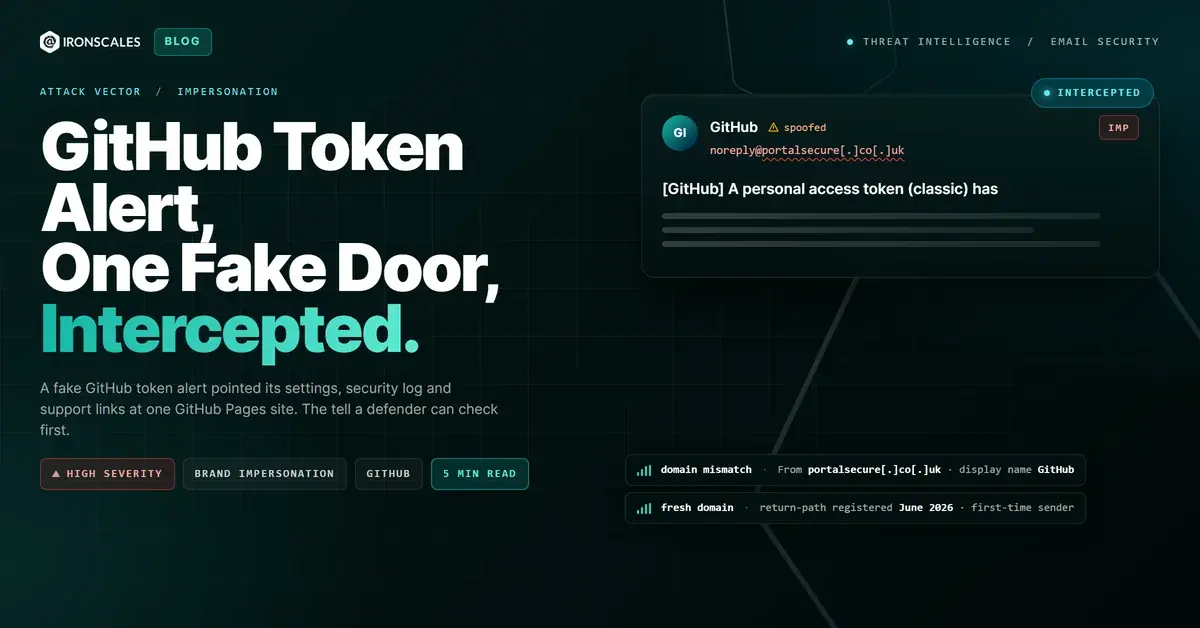
TL;DR Four staff at a UK consumer fintech received a fake GitHub security notice saying a classic personal access token named accesstoken, carrying the repo and delete_repo scopes, had been added to their account. The email offered three ways out: token settings, the security log and GitHub support. All three pointed to the same attacker-controlled GitHub Pages site. The sender was a .co.uk domain registered in June 2026, not github.com. One recipient in a commercial role reported it, a human analyst confirmed it malicious, and all four mailboxes were quarantined.
Severity: High Brand Impersonation Phishing MITRE: T1566.002 MITRE: T1583.001 MITRE: T1583.006
The email said someone had just created a GitHub token that could delete every repository on the account. It offered three ways to deal with it: review your token settings, check your security log, or contact GitHub support. All three links went to the same place, and none of them was GitHub.
They all led to one attacker-controlled GitHub Pages site, ssomanager[.]github[.]io. Four staff at a UK consumer fintech company received the message. The first one to report it works in a commercial role, not engineering.
That detail matters. This lure doesn't need a developer. It needs someone who reads "delete_repo" and panics.
The pretext: a token built to alarm
The subject line copied GitHub's notification style closely: "[GitHub] A personal access token (classic) has been added to your account." The display name was "GitHub" and the email was signed "The GitHub Team."
The body named the token "accesstoken" and listed two scopes, repo and delete_repo. Those are the scopes that would scare anyone who understands them. repo is full control of private repositories. delete_repo is exactly what it sounds like. Nobody reads that pairing and waits until after lunch.
There was no attachment, no padding, no stolen thread. Just a short, clean security notice with a problem and three buttons that claimed to solve it.
Notification spoofing works because security alerts train us to act fast. The 2026 Verizon Data Breach Investigations Report puts phishing at 16% of breach initial access and finds credentials involved in 39% of breaches across the full kill chain. A fake "your account changed" email is a short path to both.
Three labels, one host
This is the tell worth teaching. A real GitHub token notice sends you to github.com: your token settings, your security log, GitHub's support pages. Those are three different places on one domain that GitHub owns.
This email gave three different labels to one destination. "Token settings," "security log" and "GitHub support" all pointed to the same Pages site. When every escape hatch in an alert opens the same door, the alert was built to deliver you to that door.
The hostname is the second tell. A github.io subdomain is free hosting that any GitHub account holder can publish through GitHub Pages. It tells you GitHub serves the files. It doesn't tell you GitHub wrote them. GitHub's own account and security pages never live on a Pages site.
We could not establish what the page contained, so we won't guess. What the record does show is that every link in the email led to an attacker-controlled GitHub Pages site, and no link led to github.com.
See Your Risk: Calculate how many threats your SEG is missing
The sender was never GitHub
The third check takes two seconds. The From address was noreply@portalsecure[.]co[.]uk, wearing the display name "GitHub." Real GitHub notifications come from github.com.
The domain portalsecure[.]co[.]uk was registered through Gandi in June 2026, with DNS on AWS Route 53. The attacker sent through Mailgun, a shared email service, from a client at 149[.]100[.]103[.]127. Mailgun signed the message for the attacker's own domain, which is all a DKIM signature proves: the domain owner sent it, not that the domain owner is who the display name claims.
Mapped to MITRE ATT&CK T1566.002 (Spearphishing Link), the chain looks like this:
- T1583.001, Acquire Infrastructure: Domains. A generic-sounding .co.uk registered for sending.
- T1583.006, Acquire Infrastructure: Web Services. A GitHub Pages site as the landing host.
- T1566.002, Spearphishing Link. A brand-impersonating notice whose every link goes to that host.
CISA's phishing guidance says it plainly: verify an account alert through the service itself, not through the link in the email. For a GitHub notice, that means typing github.com and opening your settings yourself.
A footnote on the DKIM failure
The mailbox recorded dkim=fail with the reason "signature timestamp expired." Mailgun's signature carried a two-hour validity window (the t= and x= tags), and the message reached the mailbox after that window had closed. That window is Mailgun's signing configuration, not an attacker trick.
It also wasn't the only thing that would have broken the signature. The recipient's inbound gateway rewrote the links in the body, which changes the body hash on its own. Either way, the final-hop DKIM result says nothing about the sender's legitimacy here. The sender's domain, the display name mismatch and the link structure say everything.
How it was caught
The first recipient flagged it with a two-word comment: "Suspicious email." That report is the human element doing what it should, and it came from someone outside engineering who simply noticed the alert didn't add up.
Themis, the IRONSCALES agentic AI analyst, had already marked the case high risk: a newly registered return-path domain and a first-time sender to the tenant. A human analyst then confirmed the verdict as malicious, and all four mailboxes were quarantined in one action. No click, credential entry or compromise was recorded.
Microsoft's Digital Defense Report 2024 describes identity attacks at a scale that makes this kind of lure routine, and the FBI IC3 2024 report again ranks phishing among the most reported crime types. Across IRONSCALES platform data from 36,000+ security professionals across 18,000+ organizations, we see 67.5 phishing emails per 100 mailboxes each month. Brand-perfect notices like this one are a steady share of that.
What to teach your people
Three checks catch this email, and none of them requires knowing what a personal access token is.
- Who sent it? A GitHub alert from anything other than github.com is not a GitHub alert.
- Where do the links go? A github.io Pages subdomain is not GitHub's account system.
- Do the labels and destinations agree? Settings, logs and support are different pages. If they all resolve to one host, the email was built to send you there.
The NIST definition of phishing centres on tricking people into acting by pretending to be a trusted entity. Pretending to be the security alert is the cleanest version of that trick. Teach people to answer security alerts by going to the service directly, every time.
Indicators of compromise
| Type | Indicator | Context |
|---|
| Domain | portalsecure[.]co[.]uk | Attacker sending, DKIM and Return-Path domain, registered June 2026 |
| Email | noreply@portalsecure[.]co[.]uk | From and Sender, display name "GitHub" |
| Return-Path | bounce+...@portalsecure[.]co[.]uk | Mailgun bounce address on the attacker domain |
| Domain | ssomanager[.]github[.]io | Attacker-controlled GitHub Pages site behind all three links |
| URL | hxxps://ssomanager[.]github[.]io | Link destination; full path not recoverable |
| IP | 149[.]100[.]103[.]127 | Client that submitted the message into Mailgun |
| IP | 159[.]135[.]228[.]37 | Mailgun shared sending IP (context, not attacker-owned) |
| Subject | [GitHub] A personal access token (classic) has been added to your account | Lure subject line |
Email Attack of the Day is a daily series from
IRONSCALES spotlighting real phishing attacks caught by Adaptive AI and our community of 35,000+ security professionals. Each post breaks down a real attack. What it looked like, why it worked, and what to do about it.