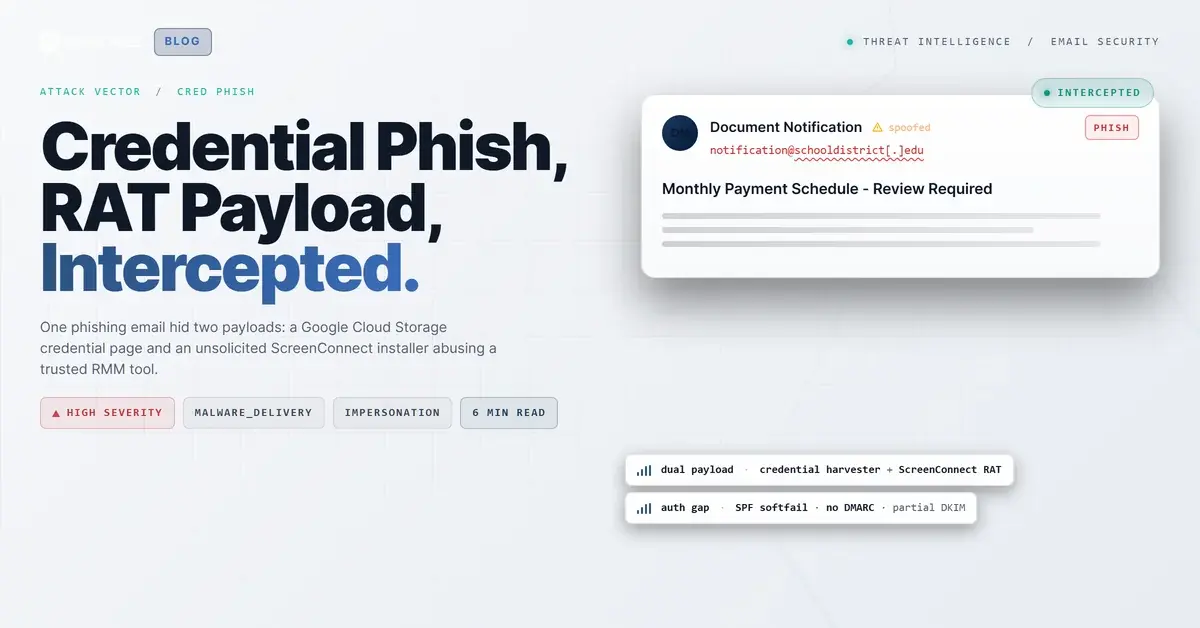
TL;DR A phishing email aimed at a K-12 school district disguised itself as a shared payment-schedule document, complete with DocuSign branding and a Microsoft Teams footer. It carried two payloads. The visible button led to a credential-harvesting page hosted on Google Cloud Storage, while a second link served an unsolicited ScreenConnect installer, weaponizing a legitimate remote-management tool for hands-on-keyboard access. Both destinations sat on trusted cloud domains with valid certificates, defeating reputation-based filtering. A same-domain spoof with SPF softfail and no DMARC cleared authentication. Behavioral analysis, not signatures, caught it.
Severity: High Credential Harvesting Malware Delivery Impersonation MITRE: T1566.002 MITRE: T1204.002 MITRE: T1219
The email carried a DocuSign logo, a Microsoft Teams footer, and a single grey box with a file name inside it: a monthly payment schedule. Below the box sat one blue button, Open Document. Nothing looked urgent. Nothing looked expensive.
What made this one worth pulling apart was the second payload. The message did not just point at a credential-harvesting page. One click away, it also served a working copy of a commercial remote-management tool. Steal the password or take the keyboard. The attacker built both doors into the same note and let the target choose.
The target was an employee at a regional K-12 school district. The message landed in a single mailbox, and IRONSCALES quarantined it within seconds of delivery. Themis, the IRONSCALES Adaptive AI analyst, scored it as credential theft at 88 percent confidence. Here is why both payloads were designed to survive the filters most organizations still trust.
Two Buttons, Two Very Different Endings
Most phishing messages commit to one outcome. This one hedged.
The visible call to action, Open Document, resolved to a page hosted on Google Cloud Storage. That path ends in a password prompt. The second link, embedded in the message markup, pointed at an installer for ScreenConnect, a legitimate remote-support product from ConnectWise. That path ends with an attacker holding a remote session on the victim's machine.
Two links, two techniques, one email. MITRE ATT&CK tracks the delivery as Spearphishing Link (T1566.002), but the outcomes split. One is classic credential harvesting. The other is hands-on-keyboard access through software your endpoint tools are built to trust.
The Installer Was Real. That Was the Point.
The remote-access link did not download malware in the way a scanner expects. It returned a genuine Windows installer (.msi) of roughly 10 MB, served over valid TLS from a subdomain of the vendor's own cloud platform. No exploit. No macro. No packed binary for a sandbox to detonate.
That is the whole trick. ScreenConnect is signed, commercial software. Antivirus does not flag it. URL reputation engines see a live certificate and a recognizable vendor domain and wave it through. The query string told the real story: the link requested unattended guest access, the configuration you would use to let someone into a machine without the machine's owner approving each session.
Attackers have shifted toward this pattern because it converts a detection problem into a trust problem. The 2024 Verizon Data Breach Investigations Report found that stolen credentials were involved in 38 percent of breaches, and remote-management abuse is a fast lane to the same end: a foothold that reads like routine IT activity. Where a traditional remote-access Trojan announces itself as unknown code, a commercial tool arrives pre-approved.
This is where behavior matters more than signatures. An unsolicited MSI for a remote-support tool, arriving in a payment-themed email to a single user, is not a reputation event. It is a context event. Advanced malware and malicious URL protection has to reason about why a legitimate binary showed up here, not just whether the binary itself is legitimate.
See Your Risk: Calculate how many threats your SEG is missing
A Password Box on Google's Infrastructure
The other door was simpler and just as clean. The Open Document button led to a static HTML file in a Google Cloud Storage bucket. The page rendered a Microsoft and OneDrive styled document viewer with an active password field: enter your credentials to view the file.
Hosting on Google Cloud Storage buys the same thing the installer bought. The domain is trusted, the certificate is valid, and the page is static content on infrastructure no blocklist will touch. Across the IRONSCALES community, credential pages increasingly live on reputable cloud services for exactly this reason: reputation filtering breaks down when the reputation belongs to Google or Microsoft. Microsoft's 2024 Digital Defense Report describes the same broad shift, with attackers leaning on trusted identity and cloud services to blend into normal traffic.
For the target, the pretext was seamless. DocuSign branding on the email, a Microsoft-styled viewer on the landing page, a password prompt that mirrors real M365 (Microsoft 365) sign-in muscle memory. Credential harvesting protection has to look past the hosting reputation to the intent of the page, because the URL alone gives nothing away.
How a Self-Sent Email Cleared Authentication
The From header read like a document notification from the recipient's own domain, sent to the recipient. That is display-name impersonation stacked on a same-domain spoof, and it worked because of three gaps.
First, the sending host was an external IP (91[.]92[.]241[.]38) with no authorization to send for the district. SPF (Sender Policy Framework) returned a softfail, not a hard fail, so the message was suspicious but not rejected. Second, the domain published no DMARC (Domain-based Message Authentication, Reporting and Conformance) record, so there was no policy to turn that softfail into a block or even a quarantine at the gateway. Third, a partial DKIM signature from a Google selector added just enough apparent legitimacy to muddy the picture.
None of those checks are wrong. They are just individually inconclusive, and attackers build campaigns in exactly the space between "not clearly authorized" and "clearly forged." Themis weighed the softfail, the missing DMARC policy, the display-name-versus-domain mismatch, and the community reputation of the two destinations together, then acted. The IRONSCALES Adaptive AI treats authentication as one signal among many rather than a pass or fail gate.
The Indicators, Defanged
| Type |
Indicator |
Context |
| URL |
hxxps://storage.googleapis[.]com/wordpress-interlasunited0360326/dfstshqfsbvisksy/documents.html |
Credential-harvesting page (fake document viewer) |
| URL |
hxxps://[compromised-instance][.]screenconnect[.]com/Bin/ScreenConnect.ClientSetup.msi?e=Access&y=Guest |
Unsolicited remote-management installer, unattended guest access |
| IP |
91[.]92[.]241[.]38 |
Unauthorized sending host (SPF softfail) |
| Technique |
Same-domain spoof plus display-name impersonation |
Envelope claimed the recipient's own domain |
| Auth |
SPF softfail, no DMARC, partial DKIM |
Authentication inconclusive, not blocked |
Closing the Gap Between Signed and Safe
The lesson here is not "block ScreenConnect." Plenty of IT teams and managed service providers run it legitimately every day. The lesson is that "signed by a known vendor" and "safe in this context" are different questions, and email security has to answer the second one.
Three things this attack rewards teams for doing:
- Treat unsolicited remote-management installers as incidents, not downloads. An MSI for a support tool that arrives by email, unrequested, deserves a hard look no matter who signed it. MITRE classifies the delivery as phishing (T1566); what follows is remote-access software doing a Trojan's job.
- Publish and enforce DMARC. A same-domain spoof against your own users is exactly what a DMARC reject policy is built to stop. The CISA phishing guidance for network defenders puts email authentication near the top of the list for a reason.
- Score behavior, not just reputation. When the malicious infrastructure lives on Google and a commercial software vendor, reputation is the wrong lens. The signal is the combination: a payment lure, a self-addressed spoof, an unsolicited installer, and a password box on cloud storage.
The IBM Cost of a Data Breach 2024 report puts the global average breach at 4.88 million dollars, with credential-based and phishing-led intrusions among the slowest to detect. A single click on either button in this message could have started that clock. The gateway saw two trusted domains and a softfail. Themis saw an attack.
Email Attack of the Day is a daily series from
IRONSCALES spotlighting real phishing attacks caught by Adaptive AI and our community of 36,000+ security professionals. Each post breaks down a real attack. What it looked like, why it worked, and what to do about it.







/Blue%20Feature%20Flower%20Icons/gear%20head%20icon.svg)
/Misc%20Icons/icon-nav-credential-theft.svg)










/Leadership%20Headshots/Audian%20Paxson%20Headshot%201000x1000%20032026.webp?width=100&height=100&name=Audian%20Paxson%20Headshot%201000x1000%20032026.webp)



.png?width=50&height=50&name=Untitled%20-%20July%2030%2c%202026%20at%2014.53.38%20(3).png)



/Misc%20Icons/icon-red-teaming-agent-gradient-simple.svg)
/Misc%20Icons/icon-phishing-soc-agent-gradient-simple.webp?width=158&height=167&name=icon-phishing-soc-agent-gradient-simple.webp)
/Misc%20Icons/icon-phishing-simulation-agent-gradient-simple.svg)


/Misc%20Icons/icon-nav-encryption.svg)