TL;DR A regional home-services company received a SharePoint Online access-request notification that passed SPF, DKIM, DMARC and ARC under an enforced reject policy, because Microsoft genuinely sent it. The attacker had simply typed an arbitrary name and email address into SharePoint's unauthenticated request-access form on a shared document library. Microsoft's notification pipeline signed the resulting message and carried the attacker's self-supplied address as the reply path. Every link stayed on the tenant's own SharePoint site, so there was no domain to block and no header to fault. Only behavior gave it away.
Severity: High Credential-Harvesting Infrastructure-Abuse Business-Email-Compromise Social-Engineering MITRE: T1566.002 MITRE: T1684.001 MITRE: T1204.001
SharePoint Online has a courtesy feature that almost nobody audits. When a visitor lands on a shared document library they are not permitted to open, SharePoint offers to forward an access request to the owner. The form that collects that request does not authenticate anyone. It accepts whatever name and email address the visitor types into it, and Microsoft's notification pipeline turns that free text into a signed, fully authenticated email sent from Microsoft to the owner.
A regional home-services company, running several operating brands out of a single Microsoft 365 tenant, received exactly that email. It came from the SharePoint Online no-reply address, carried the SharePoint Online display name, and announced that an outside requester wanted access to a shared "Documents" library. It offered Accept and Decline buttons. Its footer explained, accurately, that the notification had been generated through the organization's own use of Microsoft 365. A "Requested by" line displayed the requester's email address.
That address, and the reply path attached to it, belonged to the attacker.
Every Authentication Result Was Honest
Security teams are trained to read authentication headers as a verdict. Here they were a formality, and they all came back clean: SPF passed on the Microsoft envelope sender, DKIM passed three separate times across two Microsoft signing domains, ARC passed, and composite authentication returned the maximum score. Most notably, DMARC passed under an enforced policy of reject for the apex domain and reject for subdomains at full percentage.
There was nothing to catch, because there was nothing to spoof. Under RFC 7489, a DMARC pass asserts that the message genuinely originated from infrastructure authorized by the sending domain. In this case it did. Microsoft really sent this email. Microsoft really signed it. The only thing Microsoft could not verify was the identity of the person who filled in the form, because that form never asks.
The Form That Never Asks Who You Are
This is what makes the technique economical. There is no lookalike domain to register, no sending infrastructure to stand up, no compromised mailbox to acquire and no ESP account to burn. The attacker needs one thing: the URL of a SharePoint resource that is shared broadly enough to present a request-access prompt. Everything after that is provided free by the target's own tenant.
The 2024 Verizon Data Breach Investigations Report puts phishing in 15 percent of breaches and stolen credentials in 38 percent, with the human element a factor in 68 percent. It also measures the speed of the failure it describes: a median of 21 seconds to click a phishing link and 28 seconds to submit data. Those numbers assume a defender has some technical artifact to reason about first. Strip out the fake domain, the malicious attachment and the redirect chain, and the decision collapses entirely onto a person reading a notification that is, by every mechanical measure available to them, real.
See Your Risk: Calculate how many threats your SEG is missing
The Reply Path Was the Payload
One field in this message pointed away from Microsoft: the reply path, which carried the address the attacker had typed into the form. Access-request notifications are not conversational. Nobody expects to reply to one. But an owner who hits Reply to ask a clarifying question ("what do you need this for?") opens a thread with the attacker, inside a message chain that carries authentic Microsoft headers and a genuine internal reference to the company's own SharePoint site.
That is a strong opening position for the next stage. Business email compromise accounted for roughly 2.9 billion dollars in reported losses in the 2023 FBI IC3 Internet Crime Report, and pretexting of exactly this kind is the leading social-engineering pattern in the DBIR data. A thread that begins with Microsoft vouching for the sender skips the hardest part of that con.
Links That Never Left Microsoft
The Accept and Decline buttons resolved to the tenant's own SharePoint site, to the standard pending-request endpoint under an Access Requests path, carrying an access-request identifier and a parameter that skips the usual access-denied interstitial page. Every hop stayed inside a real Microsoft domain. URL reputation scoring, domain age heuristics and sandbox detonation all return the same answer here: legitimate, because it is.
The risk that follows is not credential theft. If the owner clicks Accept, the tenant issues a genuine sharing grant to an external identity nobody verified, and that access then looks like ordinary sanctioned collaboration in the audit trail. IBM's Cost of a Data Breach Report 2024 prices the average breach at 4.88 million dollars, and the expensive ones are rarely the loud ones. They are the quiet, authorized-looking access that persists.
Behavior Was the Only Thing Left to Judge
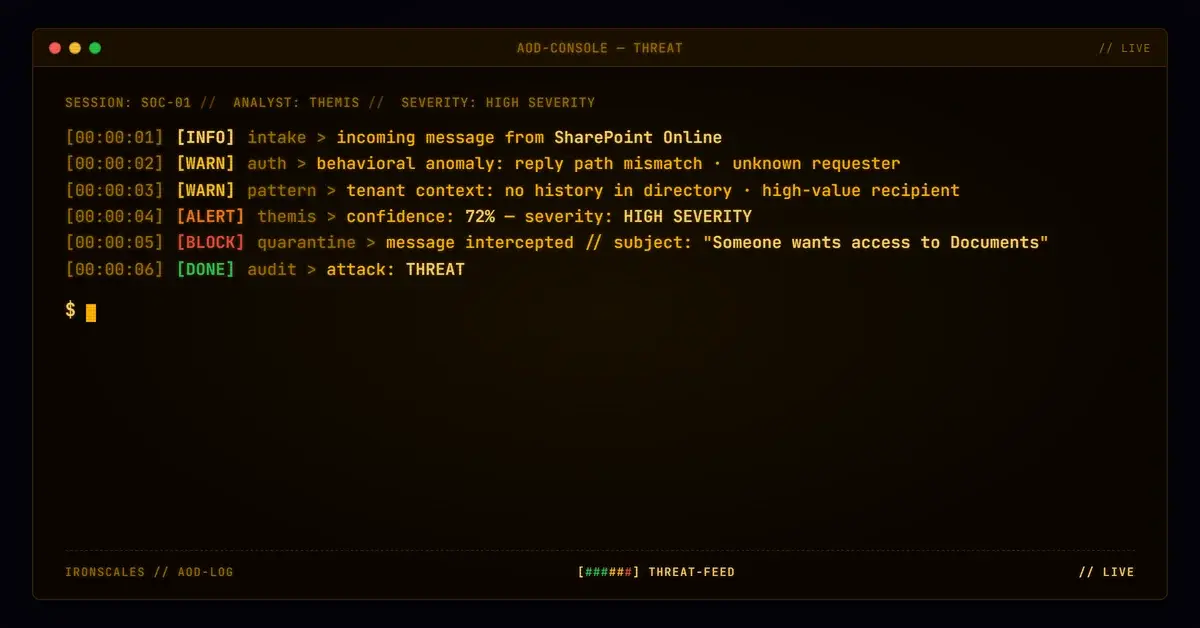
With no infrastructure to indict, detection has to come from context. Themis, our Adaptive AI, flagged the message at 72 percent confidence and the incident was automatically resolved as phishing. The signals were behavioral rather than technical: a reply path leading away from the service that generated the notification, a requester identity with no history anywhere in the tenant, and a recipient profile that made the mailbox worth targeting in the first place.
The tenant-wide view mattered more than the single message. Over the following days, other mailboxes across the same tenant, plus one at an outside partner domain, received similarly formatted access-request and task notifications naming different fabricated requesters. Read one at a time, each is a plausible piece of collaboration noise. Read together, they are a campaign being run at volume against an organization whose gateway had no reason to stop any of them.
What Actually Closes This Down
Treat the request-access feature as a configuration decision, not a default. Route access-request notifications for shared libraries to a monitored group rather than an individual owner, and turn the feature off entirely on libraries that have no legitimate external audience. Then make the rule explicit for the people who receive these: the requester name and address are user-supplied text, so no access request gets approved without out-of-band verification of who is asking.
On the mail side, a reply path that diverges from the sending service on an automated notification deserves inspection every time, which is the sort of check that belongs in a Microsoft 365 augmentation layer rather than in a human being's judgment at 8am. CISA's phishing guidance and the NIST definition of phishing both frame the threat around deception of the recipient rather than the technical properties of the message, which is precisely the right altitude for this case. Authentication told the truth here. The truth just was not the answer to the question anyone was asking.
Indicators of Compromise
| Type | Indicator | Context |
|---|
| Email | [requester]@[unrelated-home-services-domain] | Attacker-supplied requester identity, carried as the reply path on the SharePoint notification. Genericized: the domain is a real third party, not attacker-registered infrastructure |
| Sender | no-reply@sharepointonline[.]com | Genuine Microsoft SharePoint Online notification sender. Not spoofed, and not blockable |
| URL | hxxps://[victim-tenant].sharepoint[.]com/sites/[redacted]/Access%20Requests/pendingreq.aspx?mbypass=1&AccessRequestID=... | Legitimate SharePoint access-request Accept and Decline endpoint inside the victim's own tenant. The mbypass=1 parameter is an ordinary SharePoint parameter that skips the access-denied interstitial page, not an MFA or consent bypass |
| Behavior | Reply path domain differs from sharepointonline[.]com on a fully authenticated SharePoint notification | The durable detection signal, since no domain in this attack is blocklistable |
| Behavior | Multiple access-request and task notifications naming different unknown requesters across one tenant within days | Indicates the technique being run at volume rather than an isolated request |
| Auth | SPF pass, DKIM pass (x3), DMARC pass under p=reject, ARC pass, compauth=pass | A complete set of honest authentication results on a phishing message |
MITRE ATT&CK Mapping
| Technique | ID | Application |
|---|
| Phishing: Spearphishing Link | T1566.002 | Access-request notification delivering Accept and Decline links to the resource owner |
| Impersonation | T1684.001 | Arbitrary requester name and email address supplied to an unauthenticated form and rendered as identity by Microsoft |
| User Execution: Malicious Link | T1204.001 | Owner approval of the access request as the action that grants external access |
Email Attack of the Day is a daily series from
IRONSCALES spotlighting real phishing attacks caught by Adaptive AI and our community of 35,000+ security professionals. Each post breaks down a real attack. What it looked like, why it worked, and what to do about it.







/Blue%20Feature%20Flower%20Icons/gear%20head%20icon.svg)
/Misc%20Icons/icon-nav-credential-theft.svg)










/Leadership%20Headshots/Audian%20Paxson%20Headshot%201000x1000%20032026.webp?width=100&height=100&name=Audian%20Paxson%20Headshot%201000x1000%20032026.webp)



.png?width=50&height=50&name=Untitled%20-%20July%2030%2c%202026%20at%2014.53.38%20(3).png)



/Misc%20Icons/icon-red-teaming-agent-gradient-simple.svg)
/Misc%20Icons/icon-phishing-soc-agent-gradient-simple.webp?width=158&height=167&name=icon-phishing-soc-agent-gradient-simple.webp)
/Misc%20Icons/icon-phishing-simulation-agent-gradient-simple.svg)


/Misc%20Icons/icon-nav-encryption.svg)