TL;DR A phishing email posing as a 1Password sign-in alert reached an operating partner at a healthcare-focused investment firm. Instead of threatening, it said that if the sign-in was yours you could simply ignore the message. The only link sat behind an optional offer to confirm the details, and it led to a privacy-shielded domain registered in June 2026. The target was the password vault itself, where one stolen login unlocks every stored credential. Microsoft delivered it to the inbox, a URL scan rated it clean, and the recipient's own report stopped it.
The email did not want to be clicked. That was the whole trick.
"If this was you, you can simply ignore this message," it said, under a 1Password header and a "Recent sign-in from a new device" subject line. No countdown. No account suspension. No red banner. Just one quiet sentence after that: "If you'd like to confirm the details, visit this page."
That link, and the footer link reading "made by 1Password", both pointed to an attacker-controlled host. The recipient was an operating partner in healthcare operations at a healthcare-focused investment and operating firm. The prize was not one SaaS login. It was the vault master credential, the one password that opens every other password.
Watch the attack unfold (77 seconds).
A Lure Built for the Careful Reader
Most credential phishing recruits panic. This one recruits diligence.
Think about who clicks "confirm the details" on an alert that has already told them they can ignore it. Not the distracted user who deletes anything unexpected. It is the person who reads security notices, checks their devices and wants to be sure. An operating partner overseeing portfolio operations is exactly that profile.
The 2026 Verizon Data Breach Investigations Report puts the human element in 62% of breaches, and credentials show up across the kill chain in 39%. Awareness training has spent years teaching users to distrust urgency. This lure simply removed the urgency and kept the link.
The reverse psychology matters because the conscientious step is the only path to the payload. A reader who follows the instruction to ignore is safe. A reader who goes the extra mile lands on the harvesting page.
Why the Vault Is the Jackpot
A password manager concentrates risk by design. That is its value and its exposure.
Phish a single credential harvesting target and the attacker gets one account. Phish the vault and the attacker potentially inherits banking portals, admin consoles, shared team secrets and every SaaS login the user stored. For an investment and operating firm, that can mean deal rooms, portfolio company systems and financial accounts behind one master login.
The Microsoft Digital Defense Report 2024 treats identity attacks as a central front for defenders. A vault credential is identity compressed into a single secret. The choice of target is deliberate: the attacker does not need to guess which account matters most when one login holds them all.
The link carried a per-recipient token in two parameters, ssidhash and utm_source. It was the recipient's full mailbox address, base64-encoded and then hex-encoded on top. That lets the landing page track the click or pre-fill the address, so the victim sees their own email waiting for a password.
How It Passed Every Gate
The mechanics map cleanly to MITRE ATT&CK: T1566.002 Spearphishing Link for delivery, T1036.005 (Match Legitimate Name or Location) for the exact "1Password" display name, and T1598.003 (Phishing for Information via Spearphishing Link) for the credential collection.
The message was submitted through the SendGrid API and sent authenticated as an unrelated domain registered in 2012, with no connection to 1Password. Microsoft's current-hop results were spotless: SPF pass, DKIM pass, DMARC pass, composite authentication pass. Spam confidence level 1. Straight to the Inbox.
The body hotlinked genuine 1Password artwork from the brand's own image servers and reproduced its real Toronto postal footer. Every image rendered from a legitimate source, so nothing looked broken.
Two details in the template gave it away to anyone looking closely:
The flag contradicted the location. The device block claimed Firefox from "New York, United States" beside an IP address, but the flag image was the Netherlands.
The sign-in time was the send time. The fake sign-in was stamped Wednesday, September 30, 2026 at 2:37 PM UTC, matching the message's own Date header. No device signed in. The template filled in the clock when it fired.
The landing domain was registered on 2026-06-14 through NameSilo with privacy protection, about three and a half months before the email arrived.
The platform link scan rated both attacker URLs clean. Microsoft rated the message near the bottom of its spam scale. A secure email gateway (SEG) looking at reputation and authentication would have found nothing to object to.
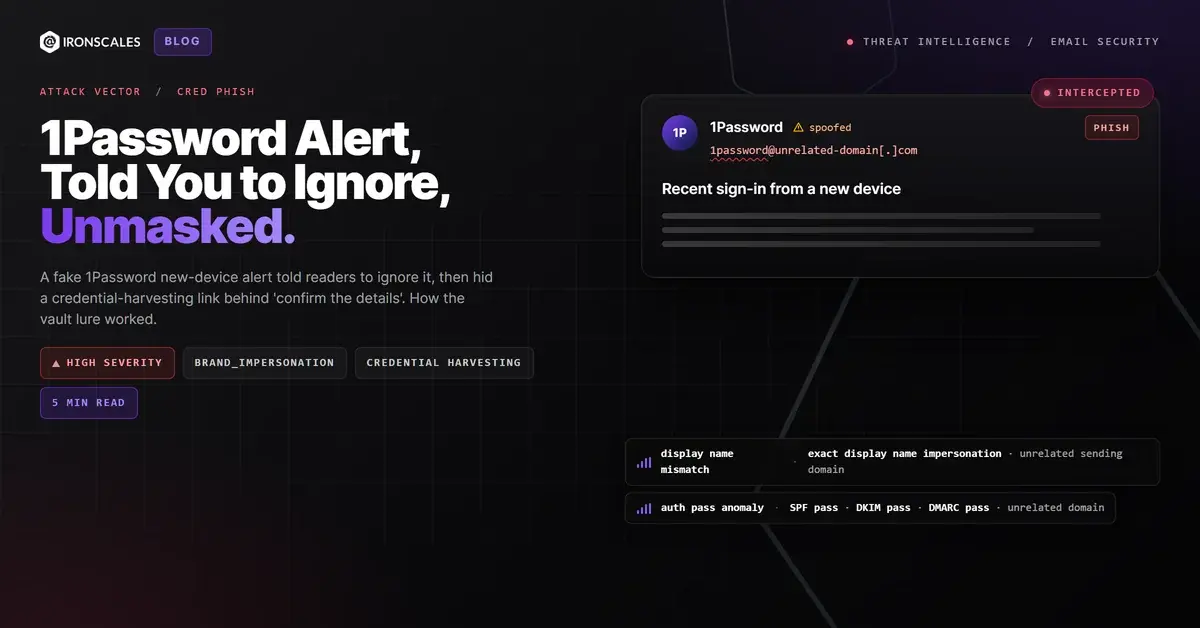
What held was identity context and a human. The IRONSCALES platform tagged the message as Exact Display Name Impersonation, comparing the "1Password" display name against the known 1Password sender address and flagging the mismatch with an unrelated sending domain. The operating partner reported it as a suspicious link. The single affected mailbox was quarantined, and an analyst resolved the incident as malicious.
That is the human element working as designed. The careful reader the lure was built to exploit turned out to be the control that stopped it. IRONSCALES platform data, drawn from 36,000+ security professionals across 18,000+ organizations, shows 67.5 phishing emails per 100 mailboxes each month. Reports like this one are how a clean-scanning URL becomes a known-bad one for everyone else.
"Confirm the details" link; token is the recipient address, base64 then hex encoded
URL
hxxps://secumail[.]redi-036602[.]com/
Footer "made by 1Password" link
IP
149[.]72[.]120[.]130
SendGrid outbound IP (shared ESP infrastructure, not attacker-exclusive)
Display name
1Password
Exact display name impersonation from an unrelated sending domain
Subject
Recent sign-in from a new device
Lure subject line
Verify the Vault Inside the Vault
The defensive lesson is narrow and absolute: never verify a password manager alert through a link in the alert.
If a vault notification arrives, open the app or type the address directly and review the device and session list there. Treat any email link claiming to come from a password manager as hostile until proven otherwise. That rule costs nothing and defeats this entire class of lure, no matter how calm the copy or how clean the authentication.
For security teams:
Add password manager brands to impersonation watchlists. Display-name matching against known sender addresses caught this when authentication could not.
Teach the inversion. Users have learned to distrust urgency. Show them a lure that tells them to relax.
Protect the vault like a crown-jewel account. Phishing-resistant MFA on the master login and account takeover protection limit the blast radius if a credential leaks.
Make reporting effortless.CISA phishing guidance stresses fast reporting for good reason. Here, the report was the detection. The IBM Cost of a Data Breach Report ranks compromised credentials among the slowest breach vectors to identify and contain.
The alert said you could ignore it. The safest response was to do exactly that, then check the vault yourself.
Email Attack of the Day is a daily series from IRONSCALES spotlighting real phishing attacks caught by Adaptive AI and our community of 35,000+ security professionals. Each post breaks down a real attack. What it looked like, why it worked, and what to do about it.
A phishing email impersonating Alston & Bird LLP used homoglyph characters in the display name and rode Google Drive sharing infrastructure to pass SPF.







/Blue%20Feature%20Flower%20Icons/gear%20head%20icon.svg)
/Misc%20Icons/icon-nav-credential-theft.svg)










/Leadership%20Headshots/Audian%20Paxson%20Headshot%201000x1000%20032026.webp?width=100&height=100&name=Audian%20Paxson%20Headshot%201000x1000%20032026.webp)



.png?width=50&height=50&name=Untitled%20-%20July%2030%2c%202026%20at%2014.53.38%20(3).png)



/Misc%20Icons/icon-red-teaming-agent-gradient-simple.svg)
/Misc%20Icons/icon-phishing-soc-agent-gradient-simple.webp?width=158&height=167&name=icon-phishing-soc-agent-gradient-simple.webp)
/Misc%20Icons/icon-phishing-simulation-agent-gradient-simple.svg)


/Misc%20Icons/icon-nav-encryption.svg)