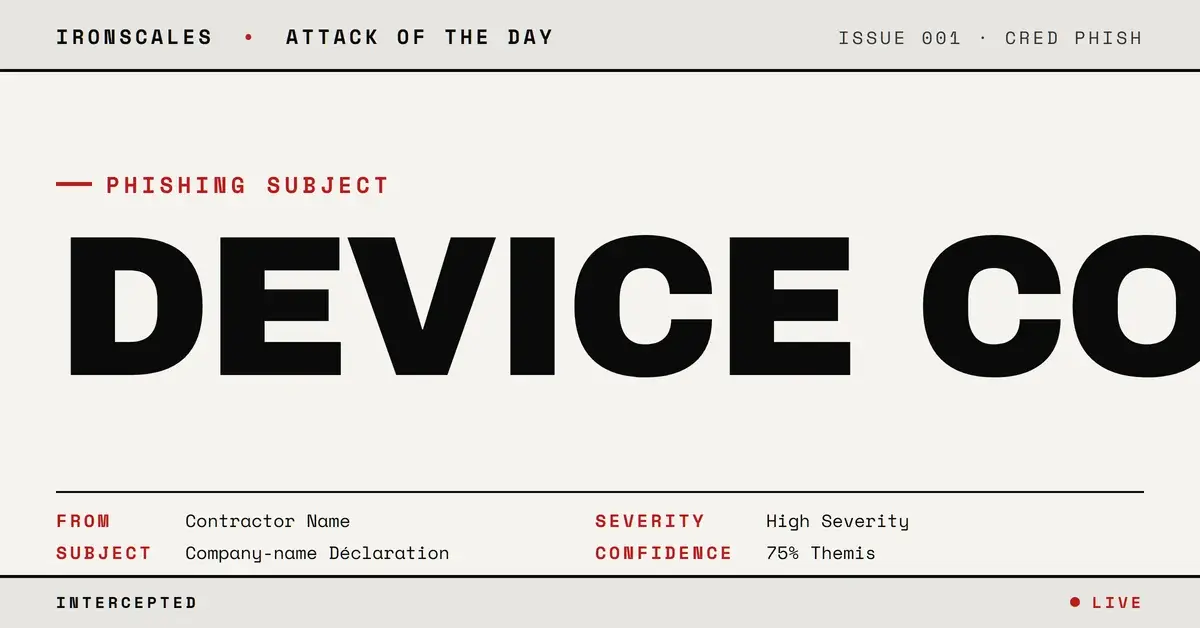
TL;DR A French-language email from a real contractor's own Microsoft 365 mailbox passed SPF, DKIM and DMARC and linked a fake PDF to a OneDrive-styled landing page. The page had no password field. It displayed a per-visit nine-character verification code and four steps: click, enter the code, authenticate with Microsoft, return to the tab. That matches the shape of a device-code sign-in phish, where the victim completes the genuine login, MFA included. A human analyst resolved the incident as malicious, and all four mailboxes were quarantined and deleted.
Severity: High Credential Harvesting Account Takeover MITRE: T1566.002 MITRE: T1528 MITRE: T1204.001 MITRE: T1078.004
The phishing page never asked for a password. It handed the visitor one thing instead: a freshly generated nine-character code, with instructions to copy it.
That is the detail that matters here. An email that arrived at the French installation branch of a fire and security services company linked to a page with no login form, no email box and no password field. Every control built to spot a fake sign-in form had nothing to look at.
A real mailbox, a real relationship, a fake PDF
The message came from a real contractor that already corresponded with the victim. It was submitted inside the contractor's own Exchange Online tenant and relayed out through the contractor's own mail gateway. SPF, DKIM and DMARC all passed, and the Microsoft composite authentication check passed with reason 100. Four employees at the victim branch received it as blind copies.
The body was short French text asking the reader to review an upcoming project and reply quickly. One bold anchor, styled as a PDF file name, carried the contractor's own company name. The text also said a project description and job description were attached. Nothing was attached.
A second anchor with the same display text pointed somewhere else entirely: a planted path on an unrelated, compromised-looking news site. The first pointed at a redirector script on another third-party host. Two unrelated hosts, one decoy file name. Link screenshots captured the day after delivery show both routes resolving to the same Cloudflare Workers host.
One of the two lure URLs scored Clean in the record. The other scored Mixed. Reputation alone would not have settled this one.
Four steps that match Microsoft's device-code sign-in
The landing page was a OneDrive-styled card. It said a colleague had shared a document and showed a file name in English on an otherwise French page, a mismatch with the anchor text in the email. The page was personalised with the abused sender's own first name, an initial avatar and the contractor's company name.
Where a login form belongs, it showed a box labelled "Code de vérification" holding nine uppercase characters, a "Copier le code" button, and a numbered script:
- Click the button below.
- Enter the code.
- Authenticate.
- Return to this tab.
A status line read "Vérification de l'accès...", verifying access, to keep the visitor waiting. Two captures of the page showed two different codes, so the code is generated per visit and is not static artwork.
This matches the shape of a device-code sign-in phish. In that flow, the attacker starts a device authorization request and receives a short user code. The victim types the code into a genuine Microsoft page, signs in, passes MFA and approves. The attacker's pending request then collects the tokens. The victim did every real step correctly, on the real domain.
What the record does not establish matters too. The button's destination is not captured, so this post does not claim the page redirected to Microsoft's device-login page. No token request is in the record. No recipient is shown to have clicked or entered anything. How the contractor's mailbox was taken over is unknown.
See Your Risk: Calculate how many threats your SEG is missing
Why "check the login page URL" fails here
Standard awareness advice tells people to inspect the address of a login page. Here there is no login page. The first page is a decoy, and the second page, the one that asks for the code, is the real Microsoft domain. Every visible check passes on the page that matters.
The 2026 Verizon Data Breach Investigations Report puts the human element in 62% of breaches and credentials in 39% across the full kill chain. This lure is built to make a person complete an authentication step on the attacker's behalf. It is also an instance of phishing via a link, MITRE T1566.002, followed by an attempt at what MITRE tracks as T1528 (stolen application access tokens) and T1078.004 (valid cloud accounts).
The sender was the other half of the trick. Because the mail left a real mailbox with a history of correspondence with the recipients, there was no first-time-sender signal and no failed authentication to lean on. The Microsoft Digital Defense Report 2024 treats identity attacks as a persistent focus for threat actors, and a compromised trusted account makes them cheaper to run.
Indicators
| Type | Indicator | Context |
|---|
| Domain | p-luce2oan[.]workers[.]dev | Cloudflare Workers host both lure links resolved to |
| URL | hxxps://[compromised-host-1][.]tld/.dis/go[.]php?c=... | Redirector behind the first PDF-styled anchor |
| URL | hxxps://[compromised-host-2][.]tld/.[company-name]/lure_[id][.]html | Kit path behind the second anchor, named after the sender's company |
| Page text | "Code de vérification" + "Copier le code" | Per-visit nine-character code with a four-step script |
| Subject | Company-name "Déclaration" subject line | Built from the abused contractor's name |
The two third-party hosts are treated as compromised or unknown bystanders, not as attacker infrastructure. Cloudflare is a bystander platform.
What to change
Close the flow, not just the link.
- Restrict device code authentication. If users do not sign in on input-limited devices, block the device code flow with Conditional Access, and allow it only for the cases that need it.
- Teach the exact red flag. "Microsoft asked me to type a code that someone else gave me" should trigger a report, however genuine the Microsoft page looks.
- Stop trusting the sender relationship as a signal. Fully authenticated mail from a known correspondent can still carry an attacker's intent. Detection that models what the message asks the reader to do, and not only where it came from, is what catches it. See how IRONSCALES approaches account takeover, and the definition of credential harvesting. Themis, the agentic AI virtual SOC analyst, works from the same behavioral context (IRONSCALES agents).
In this case an end user reported the message, a human analyst resolved the incident as malicious, and all four mailboxes were quarantined and permanently deleted. The automated narrative described a redirector harvest and missed the code-for-a-password mechanic, which is the reason it deserves a name. CISA's phishing guidance and NIST's definition of phishing cover the basics, but neither anticipates a page that never asks for a credential.
Email Attack of the Day is a daily series from
IRONSCALES spotlighting real phishing attacks caught by Adaptive AI and our community of 35,000+ security professionals. Each post breaks down a real attack. What it looked like, why it worked, and what to do about it.







/Blue%20Feature%20Flower%20Icons/gear%20head%20icon.svg)
/Misc%20Icons/icon-nav-credential-theft.svg)










/Leadership%20Headshots/Audian%20Paxson%20Headshot%201000x1000%20032026.webp?width=100&height=100&name=Audian%20Paxson%20Headshot%201000x1000%20032026.webp)



.png?width=50&height=50&name=Untitled%20-%20July%2030%2c%202026%20at%2014.53.38%20(3).png)



/Misc%20Icons/icon-red-teaming-agent-gradient-simple.svg)
/Misc%20Icons/icon-phishing-soc-agent-gradient-simple.webp?width=158&height=167&name=icon-phishing-soc-agent-gradient-simple.webp)
/Misc%20Icons/icon-phishing-simulation-agent-gradient-simple.svg)


/Misc%20Icons/icon-nav-encryption.svg)